ci5000 Series Printer Operation Guide
Draft Version 0.1 2-5
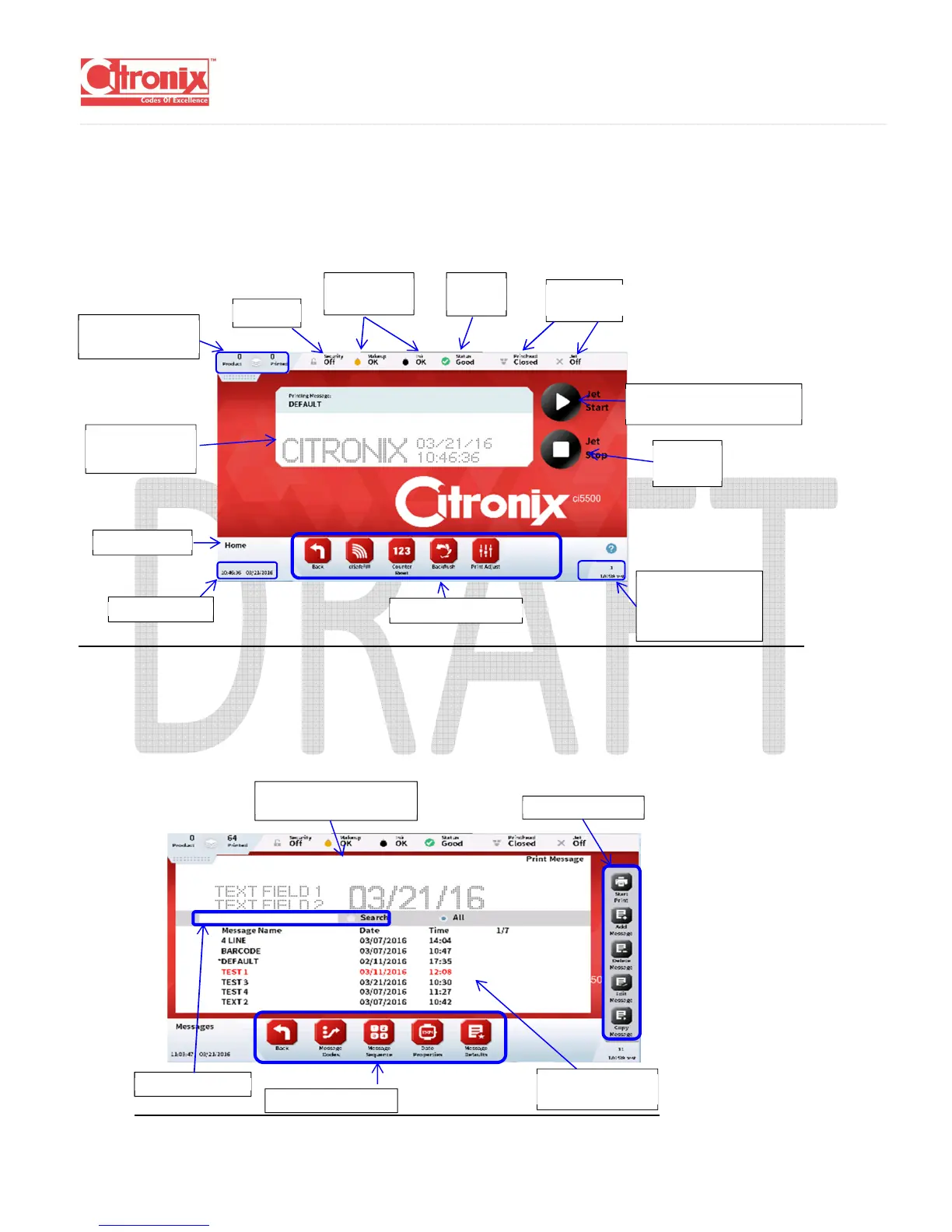
(1) Home:
The home screen provides quick and easy access to the most commonly used statuses and
printer functions. It is used to start, and stop printing, adjust the print properties for the application,
refill fluids and provide quick access to the other menu items.
(2) Messages:
The message edit menu is used for creating and editing messages by adding fixed and variable
fields and formatting to a WYSIWYG message window
.
Firmware Revision
Screen Number
Help
Product & Printed
Counts
Current Printing
Message
Jet Stop
Button
Fluids Level
Indicators
Security
Printhead
Status
Printer
Status
Jet Start & Pause
Printing Button
Message Storage
List
WYSIWYG of highlighted



 To Next Page