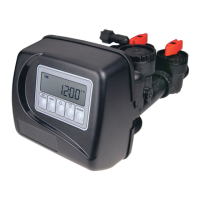
STEP 1VH – Press ▲ and ▼ simultaneously for three seconds and release. Then press ▲ and ▼
simultaneously and release. If screen in step 2VH does not appear in 5 seconds the lock on the valve
is activated. To unlock press ▼, NEXT, ▲, and SET CLOCK in sequence, then press ▲ and ▼
simultaneously for 3 seconds and release. Then press ▲ and ▼ simultaneously and release.
STEP 1VH
RETURN TO NORMAL MODE
Valve History
STEP 2VH – Software Version: This display shows the software version of the valve. Press the NEXT
button to go to Step 3VH. Press REGEN to exit Valve History.
STEP 3VH
9
– Flow rate, maximum since startup: This display shows the maximum fl ow rate in
gallons per minute that has occurred since startup. This display will equal zero if a water meter is not
installed. Press the NEXT button to go to Step 4VH. Press REGEN to return to previous step.
STEP 4VH – Gallons, total used since start-up: This display shows the total gallons treated since
startup. This display will equal zero if a water meter is not installed. Press the NEXT button to go to
Step 5VH. Press REGEN to return to previous step.
STEP 5VH – Days, total since start-up: This display shows the total days since startup. Press the
NEXT button to go to Step 6VH. Press REGEN to return to previous step.
STEP 6VH – Regenerations, total number since start-up: This display shows the total number of
regenerations that have occurred since startup. Press the NEXT button to go to Step 7VH. Press
REGEN to return to previous step.
STEP 7VH – Error, number of occurrences since start-up: This display shows E and the total number
of errors that have occurred since startup. Press the NEXT button to exit Valve History. Press REGEN
to return to previous step.
STEP 2VH
STEP 3VH
STEP 4VH
STEP 5VH
STEP 6VH
STEP 7VH



 To Next Page