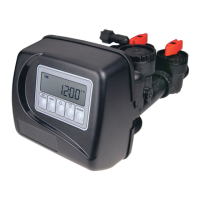
Confi guring the Control Valve for No Hard Water Bypass Operation:
Select NO HARD BYPASS for control operation. For no hard water bypass operation the three wire
connector is not used. Selection requires that a connection to MAV or a Clack No Hard Water Bypass
Valve is made to the two pin connector labeled MAV DRIVE located on the printed circuit board. If
using a MAV, the A port of the MAV must be plugged and the valve outlet connected to the B port.
When set to No Hard Bypass the MAV will be driven closed before the fi rst regeneration cycle that is
not FILL or SOFTENING or FILTERING, and be driven open after the last regeneration cycle that is
not FILL.
NOTE: If the control valve enters into an error state during regeneration mode, the no hard water
bypass valve will remain in its current state until the error is corrected and reset.
Step 4CS (continued) – If set up for a fi lter, in Step 7F set Volume
Capacity in Gallons; in Step 8F select Regeneration Time Option
“Immediate”; and in Step 3I select Day Override “oFF”.
For Clack Corporation alternator systems using WS1, WS1.25, WS1.5,
and WS2L valves there will be an option to delay the last two cycles
of regeneration (only “Rinse” and “Fill”). This feature splits the
regeneration into two portions. The fi rst portion of the regeneration will
start immediately and all programmed cycles before the “Rinse” and
“Fill” cycles will be performed. After all programmed cycles before
“Rinse” and “Fill” are completed the control valve will drive to the
service position (displaying “Delayed Rinse + Fill Pending”). When
the volume of the on-line unit is depleted to 10% of its programmed
capacity, the control valve will be triggered to fi nish the second portion
of the regeneration. Once “Rinse” and “Fill” are completed, the valve
will re-enter Standby mode until requested to come on-line for Service.
For Clack Corporation alternator systems using the WS2 valve, when
NEXT is pressed after selecting ALT A or ALT B, a display will allow
the user to set the amount of pre-service rinse time for the stand by tank
just prior to returning to service.
WS1, WS1.25, WS1.5,
WS2L Valves
WS2
Valve
Confi guring the Control Valve for Separate Source Operation:
Select Separate Source for control operation. For separate source operation, the three wire connector
is not used. Selection requires that a connection to a Clack Motorized Alternator Valve (MAV) is made
to the two pin connector labeled MAV DRIVE located on the printed circuit board. The C port of the
MAV must be connected to the valve inlet and the A port connected to the separate source used during
regeneration. The B port must be connected to the feed water supply.
When set to Separate Source the MAV will be driven closed before the fi rst regeneration cycle, and be
driven open after the last regeneration cycle.
NOTE: If the control valve enters into an error state during regeneration mode, the MAV will remain in
its current state until the error is corrected and reset.
Confi guring the Control Valve to operate with Clack System Controller:
Select System Board Enabled to link the Control Valve to the Clack System Controller. For
communication between the Control Valve and the System Controller a three wire communication cable
is required.
Press NEXT to go to Step 5CS. Press REGEN to return to previous step.
STEP 5CS
Step 5CS – Set Auxiliary Drive Output (MAV only) to operate in one of two modes:
• TIME – Output is activated at a set time after the start of regeneration, for a specifi ed length of time.
• Set SEP SOURCE: Allows Auxiliary MAV to switch positions before the start of regeneration and
then switch back at the end of regeneration.
• Set OFF: Deactivates this output.
Only use Clack Motorized Alternating Valves (MAV) with these selections. Clack No Hard Water
Bypass Valves (1” or 1.25” V3070FF or V3070FM) are not designed to be used with the TIME or
SEPARATE SOURCE functions.
Press NEXT to go to Step 6CS. Press REGEN to return to previous step.



 To Next Page