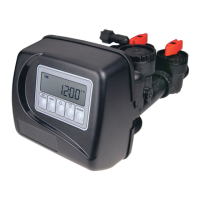
Step 6CS – This allows the use of an outside signal to control the initiation of a regeneration.
Selection only matters if a connection is made to the two pin connector labeled DP SWITCH
located on the printed circuit board. Following is an explanation of the options:
oFF – Feature not used.
NOTE: In a twin alternating system each control must have a separate dP signal or dP
switch. One dP signal or one dP switch cannot be used for both controls.
IMMED REG – If the dP switch is closed for an accumulative time of 2 minutes a regeneration
will be signaled to the unit. In a twin alternating system the MAV will transition fi rst to switch
units so that the signaled unit can start regeneration. After the MAV is fully transitioned the
regeneration begins immediately. Note: For WS1 – WS2L control valves programmed for twin
alternating: if the dP function “IMMED REG” is set, the Delayed Rinse and Fill feature is not
available.
DELAY REG – If the dP switch is closed for an accumulative time of 2 minutes a regeneration
will occur at the scheduled delayed regeneration time. In a twin alternating system once the dP
switch is triggered the PC Board will display “REGEN TODAY” and when the delayed regen
time comes the control will switch tanks and the triggered unit will then go into regeneration.
Note: For WS1 – WS2L control valves programmed for twin alternating: if the dP function
“DELAY REG” is set, the Delayed Rinse and Fill feature is not available.
HOLD REG – If the dP switch is closed a regeneration will be prevented from occurring while
there is switch closure. In a twin alternating system the regeneration of a unit can be prevented
upon switch closure. If the unit depletes the capacity down to zero it will not be allowed to
switch tanks to regenerate until the switch is open. Note: For WS1 – WS2L control valves
programmed for twin alternating the Delayed Rinse and Fill feature can be set in conjunction
with the “HOLD REG” if desired.
Press NEXT to go to Step 7CS (if 1.5IN was selected in Step 2CS) or to exit Confi guration
Setup. Press REGEN to return to previous step.
STEP 6CS
STEP 7CS
Step 7CS – If 1.5 IN was selected in Step2CS, this screen will appear, and FILL can be set to
LBS or MIN by using W or V.
Press NEXT to exit Confi guration Setup. Press REGEN to return to previous step.



 To Next Page