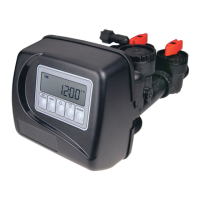
OEM Softener System Setup
Step 1S – Press NEXT and W simultaneously for 3 seconds and release. If screen in Step 2S does not
appear in 5 seconds the lock on the valve is activated. To unlock press W, NEXT, V, and CLOCK in
sequence, then press NEXT and W simultaneously for 3 seconds and release.
Step 2S – Choose the SOFTENING program desired (see table) using W or V. Press NEXT to go to
Step 3S. Press REGEN to exit OEM Softener System Setup.
Step 3S – Select the time for the fi rst cycle using the W or V button. Press NEXT to go to Step 4S.
Press REGEN to return to previous step.
Step 4S – Select the time for the second cycle using the W or V button. Press NEXT to go to Step 5S.
Press REGEN to return to previous step.
Step 6S – Select the time for the fourth cycle using the W or V button. Press NEXT to go to Step 7S.
Press REGEN to return to previous step.
Step 7S – Select the LBS for the fi fth cycle using the W or V button. When both 2.0L and 2.0 are
options in Step 2CS, and 2.0 is selected, FILL is in minutes. If 1.5 is selected in Step 2CS, setting Step
7CS determins if the valve is in lbs. or minutes. Press NEXT to go to Step 8S. Press REGEN to return
to previous step.
Type Fill Service Backwash Draw Backwash Rinse Fill
Softening DN Post 8 60 8 8 9.5 LBS
Softening DN Pre 9.5 LBS 240 8 60 8 8
Softening UP Post 60 8 8 9.5 LBS
Softening UP Pre 9.5 LBS 240 60 8 8
Softening DN Post 2.0” Valve 8 60 8 8 6 MIN
Softening DN Pre 2.0” Valve 6 MIN 240 8 60 8 8
Cycle Units Range Default
Backwash MIN 1-120 or OFF 8
Rinse MIN 1-120 or OFF 8
Draw (Up or Down) MIN 1-160 or OFF 60
Fill (all but 2” valve) LBS 0.1-200 or OFF 9.5
Fill (1.5” MIN or 2” valve) MIN 0.1-99.0 or OFF 6
Softening MIN 1-480 or OFF 240
STEP 1S
STEP 3S
STEP 4S
STEP 6S
STEP 7S
STEP 2S
STEP 5S
Step 5S – Select the time for the third cycle using the W or V button. Press NEXT to go to Step 6S.
Press REGEN to return to previous step.



 To Next Page