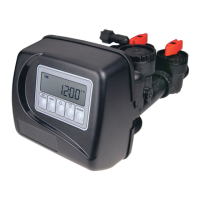
STEP 9S
STEP 10S
STEP 8S
Step 8S –Set Grains Capacity using the V or W button. The ion exchange capacity is in grains of hardness as
calcium carbonate for the system based on the pounds of salt that will be used. Calculate the pounds of salt using
the fi ll time previously selected. Grains capacity is affected by the fi ll time. The grains capacity for the selected
fi ll time should be confi rmed by OEM testing. The capacity and hardness levels entered are used to automatically
calculate reserve capacity when volume capacity is set to AUTO. Press NEXT to go to Step 9S. Press REGEN to
return to previous step.
Step 9S – Set Volume Capacity using the V or W button. If value is set to:
• “AUTO” capacity will be automatically calculated and reserve capacity will be automatically estimated;
• “OFF” regeneration will be based solely on the day override set (see Installer Display Settings Step 3I); or
• a number, regeneration initiation will be based off the value specifi ed.
If “OFF” or a number is used, hardness display will not be allowed to be set in Installer Display Settings Step 2I.
If “OFF” is selected, Regeneration Time is automatically “Delayed”, so Step 10S will not appear.
See Setting Options Table for more detail. Press NEXT to go to Step 10S. Press REGEN to return to previous step.
Step 10S – Set Regeneration Time Options using the W or V button. If value is set to:
• “DELAYED REGEN” means regeneration will occur at the preset time;
• “IMMEDIATE” means regeneration will occur immediately when the volume capacity reaches 0 (zero); or
• “DELAY + IMMEDIATE” means regeneration will occur at one of the following:
— the preset time when the volume capacity falls below the reserve or the specifi ed number of days between
regenerations is reached whichever comes fi rst; or
— immediately after 10 minutes of no water usage when the volume capacity reaches 0 (zero).
“DELAYED REGEN is the default if Step 4CS is set to ALTA or ALTB, and “DELAY + IMMEDIATE” will not
be available.
See Setting Options Table for more detail. Press NEXT to go to Step 11S. Press REGEN to return to previous step.
Step 11S: Set Relay 1 operation using the V or W button. The choices are:
• Set REGEN TIME: Relay activates after a set time at the beginning of a regeneration and then deactivates after
a set period of time. The start of regeneration is defi ned as the fi rst backwash cycle or Regenerant Draw UP (1”
only) or DN, which ever comes fi rst.
• Set VOLUME: Relay activates after a set number of gallons have been used while in service and then deactivates
after a set period of time or after the meter stops registering fl ow, whichever comes fi rst.
• Set REGEN VOLUME: Relay activates after a set number of gallons have been used while in service or during
regeneration and then deactivates after a set period of time or after the meter stops registering fl ow, whichever
comes fi rst.
• Set HOLD VOLUME: The relay closes every set number of gallons and release when any button is pressed.
• Set OFF: If set to Off, Steps 12S and 13S will not be shown.
Press NEXT to go to Step 12S. Press REGEN to return to previous step.
STEP 11S
STEP 12S
Step 12S: Set Relay 1 SETPOINT Time or Volume using the V or W buttons. The choices are:
• Relay Actuation Time: After the start of a regeneration the amount of time that should pass prior to activating
the relay. The start of regeneration is defi ned as the fi rst backwash cycle or Regenerant Draw UP (1” only) or DN,
which ever comes fi rst. Ranges from 0 to 500 minutes.
• Relay Actuation Volume or Regen Volume: Relay activates after a set number of gallons have passed. Ranges
from 1 to 20,000 gallons.
• Relay Actuation Hold Volume: The relay and related display activate after the set number of gallons have passed.
The relay output and related display are reset when any button is pressed.
Press NEXT to go to Step 13S. Press REGEN to return to previous step.
STEP 13S
Step 13S: Set Relay DURATION TIME using the V or W buttons.
• If TIME is selected in Step 11S, the relay will deactivate after the time set has expired. Ranges from 0:01 to
500:00 minutes.
• If VOLUME or REGEN VOLUME is selected in Step 11S, the relay will deactivate after the time set has
expired.
Press NEXT to go to Step 14S. Press REGEN to return to previous step.



 To Next Page
 Loading...