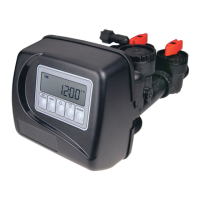
User Display Settings
General Operation
When the system is operating, one of six displays may be shown.
The displays normally rotate, however pressing NEXT will
pause on the selected display for 5 minutes. Pressing NEXT will
alternate between the displays. One of the displays is always the
current time of day. The second display is one of the following:
days remaining or volume remaining. Days to a Regen is the
number of days left before the system goes through a regeneration
cycle. Capacity remaining is the gallons that will be treated before
the system goes through a regeneration cycle. Pressing the W
button while in the Capacity Remaining display will decrease the
capacity remaining in 10 gallon increments and will also increase
the volume used impacting the recorded values in Diagnostics
Steps 3D, 4D and 5D and Valve History, Step 4VH.
The third display shows the current treated water fl ow rate
through the system. The fourth display will display the phone
number and banner text if it was edited. For concerns with phone
number or banner text displays, contact OEM for instructions.
The fi fth display will show either dP or hold if the dP switch is
closed. The sixth display indicates the user should call for service.
The sixth display will not appear if OFF is selected in Step 17S of
OEM Softener System Setup. To clear the Service Call reminder,
press the Vand Wbuttons simultaneously while the number and
banner text screen is displayed.
If the system has called for a regeneration that will occur at the
preset time of regeneration, the words REGEN TODAY will
alternate with the header on the display.
If a water meter is installed, GPM fl ashes on the display when
water is being treated (i.e. water is fl owing through the system).
Flow indicator will
display while water is
being treated.
DELAYED RINSE+FILL PENDING will be displayed whenever a zero-capacity tank has
transferred to an off-line state and is currently waiting to initiate the second portion of a
regeneration cycle. Viewed only when Delayed Rinse and Fill is set to ON.
REGEN PENDING will be displayed in Alternator Systems whenever a unit is waiting to
initiate the fi rst cycle step of regeneration.
STAND BY will be displayed in Alternator Systems when a valve is in Standby state.



 To Next Page