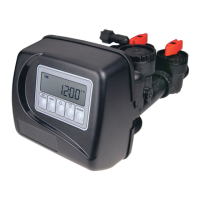
Power Loss
If the power goes out the system will keep time until the battery is depleted. If an extended power outage occurs, the time of day
will fl ash on and off which indicates the time of day should be reset and the non rechargeable battery replaced. The system will
remember the rest.
Error Message
If the word “ERROR” and a number are displayed contact the OEM for help. This indicates that the valve was not able to function
properly. If the number and banner text in the Contact Screens has been edited, the two displays below will alternate.
Whenever a MAV drive error occurs, press V and Wfor about 3 seconds until the Diagnostics
MAV Drive History screen appears. Press V or W until the two screens of the MAV (ALT
or AUX) with the drive error appear. After fi rst reviewing the information contained in these
screens, they must be cleared in order to restore proper MAV operation. Press V and Wfor about
3 seconds from either screen until this history is cleared. Pressing NEXT will return to the Error
screen in the User Display, which is reset by pressing and holding NEXT and REGEN.



 To Next Page