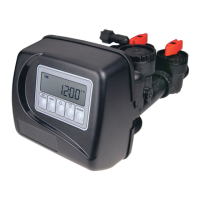
OEM Cycle Sequence
OEM Cycle Sequence instructions allows the OEM to set meter size, dPswitch or alternating valve, pre or post fi ll and dn or up
brine where applicable. Fill and brine values are ignored when the system is set up as a fi lter. The OEM Softener System Setup or
the OEM Filter System Setup allow the OEM to set how long cycles will last.
Verify the correct valve body, main piston, regenerant piston, and stack are being used, and that the injector or injector plug(s) are
in the correct locations. See Compliance Table in Service Instructions under Injector Cap, Screen, Injector Plug and Injector section
and Figure 6.
The following is an example of how to set a valve so that when regeneration is initiated BACKWASH occurs fi rst, dn BRINE occurs
second, RINSE occurs third, and FILL occurs fourth.
Step 1C – Press NEXT and ▼ simultaneously for 3 seconds and release. Then press NEXT and ▼
simultaneously for 3 seconds and release. If screen in Step 2C does not appear in 5 seconds the lock on
the valve is activated. To unlock press ▼, NEXT, ▲, and SET CLOCK in sequence, then press NEXT and
▼ simultaneously for 3 seconds and release. Then press NEXT and ▼ simultaneously for 3 seconds and
release.
STEP 1C
Step 2C – Use the ▲ or ▼ to select 1.0 for WS1CH or 1.25 for WS1.25CH valve. Press NEXT to go to
Step 3C. Press REGEN to exit OEM Cycle Sequence.
STEP 2C
STEP 3C
Step 3C – Allows selection of one of the following:
• an outside signal to initiate a regeneration;
• the Control Valve to act as an alternator; or
• the Control Valve to have no hard water bypass.
Selecting the use of an outside signal to initiate a regeneration:
Selection only matters if a connection is made to the two pin connector labeled DP SWITCH located on
the printed circuit board. Following is an explanation of the options:
dPon0 - If the dP switch is closed for an accumulative time of 2 minutes a regeneration will occur im-
mediately.
dPdEL - If the dP switch is closed for an accumulative time of 2 minutes a regeneration will occur at the
scheduled regeneration time.
HoLd - If the dP switch is closed a regeneration will be prevented from occurring.
Selecting the Control Valve to act as an alternator:
Note: Also must do one of the following:
• If set up for a softener in Step 9S set Volume Capacity in GALLONS, in Step 10S select Regenera-
tion Time Option “on 0” and in Step 3I select Day Override “oFF”.
• If set up for a fi lter, in Step 8F set Volume Capacity in GALLONS, in Step 9F select Regeneration
Time Option “on 0” and in Step 3I select Day Override “oFF”.
Select ALTA for the control valve that has the two pin connector labeled DRIVE connected to the alter-
nator valve motor.
Select ALTb for the control valve that will not be connected to the alternator valve motor.
Confi guring the Control Valve for No Hard Water Bypass Operation:
Selection requires a connection to a Clack Two Way Motorized Valve or a Clack Motorized Alternator
Valve (MAV) is made to the two pin connector labeled ALTERNATOR DRIVE located on the printed
circuit board. The Clack Two Way Motorized Valve can be connected to the valve outlet in either
direction. The B port of a MAV must be plugged and the valve outlet connected to the A port. The Clack
Two Way Motorized Valve or a Clack Motorized Alternator Valve will be driven closed before the fi rst
regeneration cycle that is not FILL or SOFTENING or FILTERING, and be driven open after the last
regeneration cycle that is not FILL.
Press NEXT to go to Step 4C. Press REGEN to return to previous step.



 To Next Page