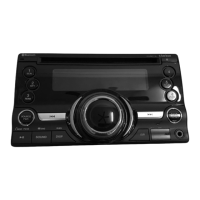
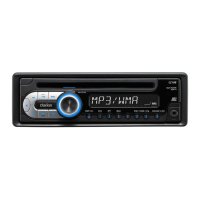
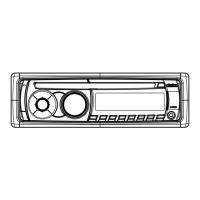
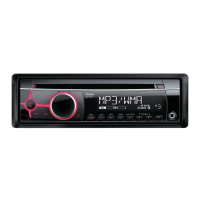
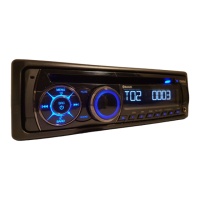
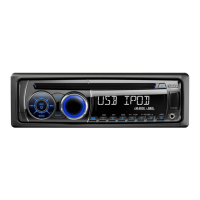
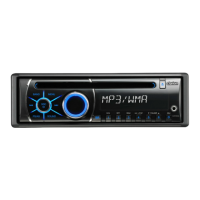
Names
of
the Buttons
and
Their Functions
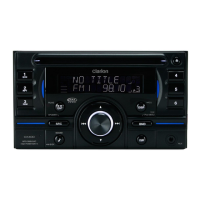
3. CONTROLS
[CD SLOT]
•
CO
insertion slot.
[~]
(EJECT) button
• Eject a disc when
it
is
loaded into the unit.
[DISP] button
• Switch the display indication.
• Press and hold the button for 1 second or
longer to enter the adjust mode.
[BND] button
• Switch the band, or seek tuning or manual
tuning while
in
the radio mode.
•
Playa
first track while
in
the CO/MP3/WMAI
AAC mode.
• Press the button to change the character.
• Confirm various settings.
[IR RECEIVER]
• Receiver for remote control unit. (Operating
range: 30°
in
all directions)
[ROM] button
• Perform random play while
in
the CO/MP31
WMA/AAC mode.
• Press and hold the button for 1 second or
longer to perform folder random play while
in
the
MP3IWMNAAC
mode.
[RPT] button
• Perform repeat play while
in
the CO/MP31
WMAIAAC mode.
• Press and hold the button for 1 second or
longer to perform folder repeat play while
in
the
MP3IWMNAAC
mode.
[DIRECT] [CD SLOT]
[II
Eli
eO[~1
II
~!)
clarion
(!Cd
[SCN]
-----
1 i ! 4
JI
II
seN
I)
fmi)
&.tl
!B.?!
Iii?!
lB.?!
Iii?!
mfl
~itl;!Rfl
~itl
II&
mDi
(I;
i,
[DIRECT]
I MP3 .:',':, .:',":
••
:',':.
·r,.:·
.:''':,
':""1 .:'.":.
·r":,
.:
•
..,
••
:'
..
:.
DISC
[RPTlll~
"~,
')
~
~"i~
~liIlNi
i!@
~'6!
itI1l
~;I1{J
~
!~ha
C 5 r
[ROMI-JE
3 I
"'"1'::\
~
c'"
I 6
11
~t~WE~flll
F~-LP
C)~
~
...
-
<k~_o::.~~
-,_.-
[D1SP]
[SRC]
__
~._._t_~
__
.
__
~._~
..
~_._
..
_~
..
_._.~._
...
_~.~!1~:~~U:D~J
,-
~)
-
BND
------
[BND]
,,~c;;~~.
.",9
I¥/
~dl
@,,~[AUX]
[J']
_.j
[/
[ •
],
[
T]
I L [ISR]
[ROTARY]
._)--~-_.-/
[
.....
],
[~~]
[SCN] button
• Perform scan play for 10 seconds of each
track while
in
the CO/MP3IWMA/AAC mode.
• Press and hold the button for 1 second or
longer to perform folder scan play while
in
the
MP3IWMNAAC
mode.
[DIRECT] buttons
• Store a station into memory or recall
it
directly
while
in
the radio mode.
[
~II]
button
ENT
• Perform preset scan while
in
the radio mode.
When the button is pressed and held, auto
store is performed.
• Play or pause a track while
in
the CO/MP31
WMA/AAC mode.
6
CX400
Names
of
the Buttons
and
Their Functions
3. CONTROLS
[CD SLOT]
•
CO
insertion slot.
[~]
(EJECT) button
• Eject a disc when
it
is
loaded into the unit.
[DISP] button
• Switch the display indication.
• Press and hold the button for 1 second or
longer to enter the adjust mode.
[BND] button
• Switch the band, or seek tuning or manual
tuning while
in
the radio mode.
•
Playa
first track while
in
the CO/MP3/WMAI
AAC mode.
• Press the button to change the character.
• Confirm various settings.
[IR RECEIVER]
• Receiver for remote control unit. (Operating
range: 30°
in
all directions)
[ROM] button
• Perform random play while
in
the CO/MP31
WMA/AAC mode.
• Press and hold the button for 1 second or
longer to perform folder random play while
in
the
MP3IWMNAAC
mode.
[RPT] button
• Perform repeat play while
in
the CO/MP31
WMAIAAC mode.
• Press and hold the button for 1 second or
longer to perform folder repeat play while
in
the
MP3IWMNAAC
mode.
[DIRECT] [CD SLOT]
[II
Eli
eO[~1
II
~!)
clarion
(!Cd
[SCN]
-----
1 i ! 4
JI
II
seN
I)
fmi)
&.tl
!B.?!
Iii?!
lB.?!
Iii?!
mfl
~itl;!Rfl
~itl
II&
mDi
(I;
i,
[DIRECT]
I MP3 .:',':, .:',":
••
:',':.
·r,.:·
.:''':,
':""1 .:'.":.
·r":,
.:
•
..,
••
:'
..
:.
DISC
[RPTlll~
"~,
')
~
~"i~
~liIlNi
i!@
~'6!
itI1l
~;I1{J
~
!~ha
C 5 r
[ROMI-JE
3 I
"'"1'::\
~
c'"
I 6
11
~t~WE~flll
F~-LP
C)~
~
...
-
<k~_o::.~~
-,_.-
[D1SP]
[SRC]
__
~._._t_~
__
.
__
~._~
..
~_._
..
_~
..
_._.~._
...
_~.~!1~:~~U:D~J
,-
~)
-
BND
------
[BND]
,,~c;;~~.
.",9
I¥/
~dl
@,,~[AUX]
[J']
_.j
[/
[ •
],
[
T]
I L [ISR]
[ROTARY]
._)--~-_.-/
[
.....
],
[~~]
[SCN] button
• Perform scan play for 10 seconds of each
track while
in
the CO/MP3IWMA/AAC mode.
• Press and hold the button for 1 second or
longer to perform folder scan play while
in
the
MP3IWMNAAC
mode.
[DIRECT] buttons
• Store a station into memory or recall
it
directly
while
in
the radio mode.
[
~II]
button
ENT
• Perform preset scan while
in
the radio mode.
When the button is pressed and held, auto
store is performed.
• Play or pause a track while
in
the CO/MP31
WMA/AAC mode.
6
CX400


 To Next Page