EasyManua.ls Logo

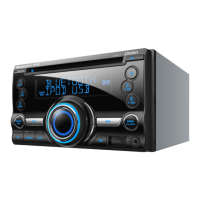
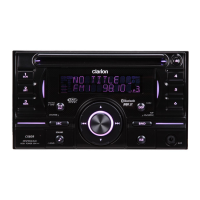
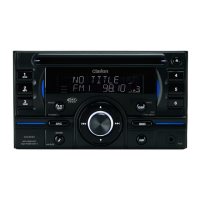
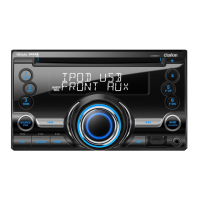
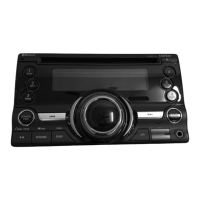
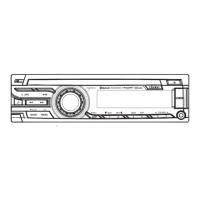
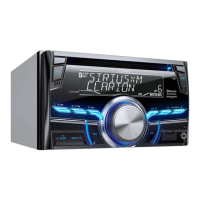
Clarion CX305 - User Manual

Clarion CX305
22 pages
Print Icon
To Next Page IconTo Next Page
Loading...
Owner's manual & Installation manual
Mode d'emploi et manuel d'installation
Manual de instrucciones y de instalación
CX305
Bluetooth
®
CD/USB/MP3/WMA RECEIVER
LECTEUR Bluetooth
®
CD/USB/MP3/WMA
RECEPTOR Bluetooth
®
CD/USB/MP3/WMA

Other manuals for Clarion CX305

Questions and Answers

  • T
    Tyler MartinezAug 14, 2025
    How to fix Clarion CX305 Car Receiver that resets itself when the engine is off?
    • R
      Richard JacksonAug 14, 2025
      If your Clarion Car Receiver unit resets itself when the engine is off, check the wiring between the ACC and the Battery and correct it if necessary.
  • C
    Christopher BrownAug 18, 2025
    Why is the audio quality poor after connecting a Bluetooth-enabled device to my Clarion Car Receiver?
    • T
      twongAug 18, 2025
      If the audio quality is poor after connecting a Bluetooth-enabled device to your Clarion Car Receiver, adjust the position of the microphone, for example, by sticking it onto the dashboard close to the driver. If the Bluetooth reception is poor, move the device closer to the audio system or remove any obstacles between the device and the system.
  • H
    hansenkristenAug 21, 2025
    Why won't my Clarion CX305 Car Receiver unit power on?
    • M
      markskarenAug 21, 2025
      If your Clarion Car Receiver unit won't power on, first check the unit's fuse and the car battery fuse. If either is blown, replace it with a new fuse of the correct rating.
  • C
    Cynthia AguilarAug 25, 2025
    What to do if there is no or low audio output from my Clarion Car Receiver?
    • T
      Thomas DuarteAug 25, 2025
      If you are experiencing no or low audio output from your Clarion Car Receiver, consider these potential causes: check the wiring and correct any improper audio output connections; increase the volume level if it is set too low; replace the speakers if they are damaged; adjust the channel balance to the center position if it is heavily biased; and insulate all speaker wiring connections to ensure they are not in contact with any metal parts of the car.
  • J
    jessica56Aug 27, 2025
    How to troubleshoot poor sound quality or distortion on Clarion Car Receiver?
    • K
      Katherine KaneAug 27, 2025
      If you are experiencing poor sound quality or distortion with your Clarion Car Receiver, make sure you are using a standard disc. If not, replace the speakers if their power rating does not match the unit. Check the wiring and correct any wrong or shorted connections.
  • H
    Henry CruzAug 31, 2025
    What to do if Clarion CX305 is not recognizing USB device?
    • C
      Cynthia ScottAug 31, 2025
      If your Clarion Car Receiver is not recognizing the USB device, disconnect the USB device and reconnect. If the device is still not recognized, try replacing it with a different USB device.
  • P
    petersonchelseySep 3, 2025
    What to do if Clarion Car Receiver unit cannot power on and the display is not accurate?
    • J
      jennifer69Sep 3, 2025
      If your Clarion Car Receiver unit cannot power on and nothing happens when buttons are pressed, and the display is not accurate, turn off the power and remove the DCP. Press the [RESET] button with a thin rod. Note: When the [RESET] button is pressed, turn off the ACC power. When the [RESET] button is pressed, frequencies of radio stations, audio settings, etc. stored in the memory are cleared.
  • W
    William McdowellSep 6, 2025
    Why disc cannot be loaded in Clarion Car Receiver?
    • B
      Brittany WalkerSep 6, 2025
      If you are unable to load a disc into your Clarion Car Receiver, eject the disc before loading the new one if another disc is already loaded. If not, remove any foreign object stuck inside the unit.
  • J
    juanperezSep 12, 2025
    What to do if no sound is heard with the display “No File” shown on Clarion CX305?
    • F
      fbrownSep 12, 2025
      If you see the “No File” display and hear no sound on your Clarion Car Receiver, store MP3/WMA files properly in the USB device, because no MP3/WMA file is stored in the USB device.

Summary

Clarion CX305 Safety Precautions

Driver Safety & Volume Control

Warns drivers about operating controls and maintaining safe listening volumes.

Clarion CX305 General Precautions

USB Port & Data Safety, FCC;IC Compliance

Details USB port usage, data safety, and compliance with FCC/Industry Canada.

Clarion CX305 System Setup Operations

Clarion CX305 SiriusXM Operations

Clarion CX305 SiriusXM Operations Continued

iTunes Song Tagging and Display

Explains song tagging for iTunes and changing display information.

Parental Lock and Unlock Features

Guides on setting up and using parental controls for SiriusXM channels.

Clarion CX305 Advanced Media Operations

Bluetooth Pairing and Device Connectivity

Guides on pairing mobile phones and connecting Bluetooth devices.

Clarion CX305 Bluetooth and AUX Operations

Clarion CX305 Troubleshooting Guide

General Issues: Power, Display, Audio

Addresses common problems like power, display, and audio output issues.

Disc, USB, and Bluetooth Device Problems

Solutions for disc, USB, and Bluetooth connectivity or playback issues.

Clarion CX305 System Messages and Errors

Disc Error Codes and General Error Handling

Lists disc error codes, general errors, and their solutions.

Clarion CX305 Installation Guide

Pre-Installation Steps and Cautions

Covers pre-installation checks, safety, and general cautions.

Installing the Source Unit

Step-by-step instructions for physically installing the main unit.

Clarion CX305 Installation Details

Clarion CX305 Wiring and Connections

Main Unit Wiring Diagram and Connections

Illustrates the wiring connections for the main unit and its components.

Connecting External Accessories

Guides on connecting external amplifiers and other accessories.

Clarion CX305 Specifications

General IconGeneral
BrandClarion
ModelCX305
CategoryCar Receiver
LanguageEnglish

Related product manuals