EasyManua.ls Logo

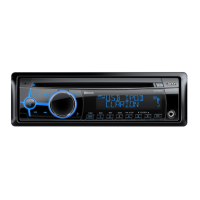
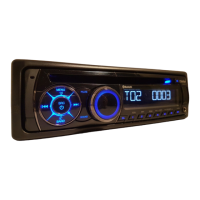
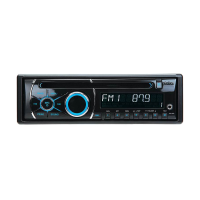
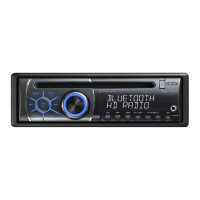
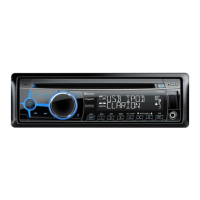
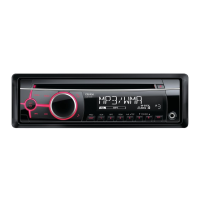
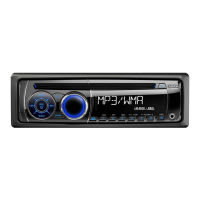
Clarion CZ702 - User Manual

Clarion CZ702
25 pages
Print Icon
To Next Page IconTo Next Page
Loading...
C
Z70
2
Bluetooth
®
CD/USB/MP3/WMA RECEIVER
LECTEUR CD/USB/MP3/WMA Bluetooth
®
RECEPTOR Bluetooth
®
CD/USB/MP3/WMA

Other manuals for Clarion CZ702

Questions and Answers

  • J
    Jessica RomeroAug 19, 2025
    Why does my Clarion CZ702 Car Receiver reset when the engine is off?
    • A
      Andrew VillegasAug 20, 2025
      If your Clarion Car Receiver unit resets itself when the engine is off, the issue is likely due to an incorrect connection between the ACC and the battery. To fix this, check the wiring and correct it.
  • G
    gregory25Aug 22, 2025
    What to do if my Bluetooth device won't pair with my Clarion CZ702 Car Receiver?
    • M
      melaniemendozaAug 22, 2025
      If you can't pair your Bluetooth device with the Clarion car audio system, it might be because the device doesn't support the necessary profiles. Try using another device to connect. Also, ensure that the Bluetooth function on your device is enabled by referring to its user manual.
  • D
    david64Aug 23, 2025
    How to fix Clarion CZ702 Car Receiver when it won't power on and the display is inaccurate?
    • Z
      Zachary MartinAug 25, 2025
      If the unit won't power on, and buttons don't work with an inaccurate display, it could be a microprocessor malfunction. To resolve this, turn off the power and remove the DCP. Then, press the [RESET] button using a thin rod. Remember that pressing the [RESET] button will turn off the ACC power and clear stored radio frequencies and titles.
  • D
    David MontgomeryAug 26, 2025
    Why is there no or low audio output from my Clarion Car Receiver?
    • E
      elizabeth29Aug 27, 2025
      If you're experiencing no or low audio output from your Clarion Car Receiver, several factors could be at play. First, check the wiring to ensure a proper audio output connection. Next, make sure the volume isn't set too low; increase it as needed. Damaged speakers can also cause this issue, requiring replacement. An imbalanced volume setting might be the culprit; adjust the channel balance to the center position. Lastly, ensure speaker wiring isn't touching any metal parts of the car; insulate the connections if necessary.
  • M
    Monica LeblancAug 28, 2025
    Why is the sound quality poor on my Clarion Car Receiver?
    • A
      Angel PriceAug 28, 2025
      If your Clarion Car Receiver has poor sound quality or distortion, it could be due to several reasons. You might be using a non-standard disc, so try using a standard one. The speakers' power rating might not match the unit, in which case you should replace the speakers. Wrong connections or a shorted speaker can also cause this, so check the wiring and correct it.
  • R
    Robert RogersAug 30, 2025
    Why does my Clarion CZ702 sound skip when playing CDs?
    • S
      seanchandlerAug 30, 2025
      If you're experiencing sound skips or noise with your Clarion Car Receiver, and you're using a compact disc, the disc might be dirty. Clean it with a soft cloth. Alternatively, the compact disc might be heavily scratched or warped, in which case you should replace it with one that has no scratches.
  • E
    emilymartinSep 1, 2025
    What to do if the USB device cannot be inserted into my Clarion Car Receiver?
    • C
      cheryl79Sep 1, 2025
      If the USB device cannot be inserted into your Clarion Car Receiver, it may be due to inserting the USB device in the wrong direction. Try reversing the connection direction and try again. Alternatively, the USB connector may be broken, in which case you should replace it with a new USB device.
  • S
    Sarah WeissSep 3, 2025
    Why is the Bluetooth audio quality poor on my Clarion Car Receiver?
    • J
      Joel PerezSep 3, 2025
      If the audio quality is poor after connecting a Bluetooth-enabled device to your Clarion Car Receiver, it could be due to an incorrect internal microphone gain setting. Adjust the gain in System Setup. Alternatively, the external microphone may not be set correctly or properly positioned. Adjust its gain and position; for example, stick it onto the dashboard close to the driver.
  • J
    Jerome WrightSep 5, 2025
    Why won't my Clarion CZ702 Car Receiver power on?
    • N
      Nicholas MillsSep 6, 2025
      If your Clarion Car Receiver unit will not power on, the unit fuse may have blown. Replace it with a new fuse of the correct rating. It's also possible the car battery fuse has blown, so replace that with a new fuse of the correct rating as well.
  • K
    Kevin MartinezSep 7, 2025
    What to do if my Clarion CZ702 Car Receiver doesn't recognize the USB device?
    • N
      nicolesmithSep 8, 2025
      If your Clarion Car Receiver is not recognizing the USB device, the USB device may be damaged. Disconnect the USB device and reconnect it. If the device is still not recognized, try replacing it with a different USB device. Also, check if the connectors are loose.

Summary

FEATURES

PRECAUTIONS

CONTROLS

Operational Panel

Description of the unit's physical control panel and its layout.

Names of Buttons

Detailed explanation of each button's function on the unit and remote.

CAUTIONS ON HANDLING

Handling Discs

Precautions for handling, storing, and cleaning discs to ensure proper playback.

OPERATIONS

System Setup

Audio Setup

Radio Operations

HD Radio Operations

Specific features and operations for HD Radio technology.

iTunes Tagging

SiriusXM Satellite Radio Operations

Artist & Song Alerts

Setting alerts to notify when favorite songs or artists are playing.

iTunes song tagging

Tagging songs heard on SiriusXM for later purchase via iTunes.

CD;MP3;WMA Operations

Parental Lock;Unlock

Managing parental controls for SiriusXM channels.

USB Operations

iPod & iPhone Operations

Connect

Steps for connecting an iPod or iPhone to the unit.

Listening to Pandora

Thumbs up;down

Bluetooth Operations

Handsfree Operations

Using the unit for handsfree mobile phone communication.

Making a call

Methods for initiating phone calls via Bluetooth.

Audio Streaming Operations

Streaming audio content from Bluetooth devices.

Pairing

AUX Operations

TROUBLE SHOOTING

GENERAL

General troubleshooting tips for common unit issues.

DISC Player

Troubleshooting specific problems related to the disc player.

USB Devices

Troubleshooting issues encountered with USB devices.

Bluetooth

Troubleshooting problems with Bluetooth connectivity and functions.

SiriusXM Advisory Messages

Understanding and responding to SiriusXM advisory messages.

ERROR DISPLAYS

SPECIFICATIONS

INSTALLATION; WIRE CONNECTION GUIDE

General Cautions

General safety precautions to be observed during installation.

Cautions on Installation

Specific warnings and recommendations for the installation process.

Installing the Source Unit

Step-by-step instructions for installing the main unit.

Removing the Source Unit

Wiring and Connections

3 Way mode

Connecting the accessories

CLARION 1 YEAR LIMITED WARRANTY

Clarion CZ702 Specifications

General IconGeneral
MP3 playbackYes
Audio formats supportedMP3, WMA
USB version2.0
Line outputs (RCA)6
USB ports quantity1
DIN size-
Output power76 W
Product colorBlack
Volume controlRotary
Frequency range20 - 20000 Hz
Disc types supportedCD
Audio output channels4.0 channels
Maximum power per channel19 W
Signal-to-Noise Ratio (SNR)94 dB
FM band range87.9 - 107.9 MHz
Supported radio bandsAM, FM
Display typeLCD
Key illumination colorBlue
Weight and Dimensions IconWeight and Dimensions
Weight1300 g
Dimensions (WxDxH)188 x 190 x 58 mm

Related product manuals