EasyManua.ls Logo

Clarion CX505 - User Manual

Clarion CX505
23 pages
Print Icon
To Next Page IconTo Next Page
Loading...
Bluetooth
®
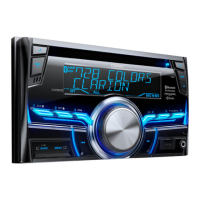
CD/USB/MP3/WMA RECEIVER
LECTEUR Bluetooth
®
CD/USB/MP3/WMA
RECEPTOR Bluetooth
®
CD/USB/MP3/WMA
Owner's manual & Installation manual
Mode d'emploi et manuel d'installation
Manual de instrucciones y de instalación
CX505

Questions and Answers

  • C
    codywebsterAug 19, 2025
    Why won't my Clarion Car Amplifier turn on?
    • J
      Jerry PetersonAug 19, 2025
      If your Clarion Car Amplifier unit won't power on, start by checking the unit's fuse. If it's blown, replace it with a new fuse of the correct rating. Also, verify the car battery fuse; replace it if necessary with a new fuse of the correct rating.
  • S
    sarah34Aug 21, 2025
    How to fix no/low audio output on Clarion CX505?
    • G
      Garrett MccoyAug 21, 2025
      If you are getting no or low audio output from your Clarion Car Amplifier, check the following: * Ensure the audio output connections are properly wired and correct any issues. * Increase the volume level if it is set too low. * If the speakers are damaged, replace them. * Adjust the channel balance to the center position if it's heavily biased. * Ensure speaker wiring is not in contact with any metal part of the car; insulate all speaker wiring connections.
  • A
    Amber SmithAug 23, 2025
    What to do if my Clarion CX505 Car Amplifier has poor sound quality?
    • M
      Mrs. Christine MitchellAug 25, 2025
      If your Clarion Car Amplifier is producing poor sound quality or distortion, consider these potential causes: * If you're using a non-standard disc, switch to a standard one. * If the speaker power rating doesn't match the unit, replace the speakers. * Check the wiring and correct any wrong connections. * Inspect the speaker for shorts and correct the wiring if needed.
  • K
    Kevin WilliamsAug 26, 2025
    Why does my Clarion CX505 keep resetting itself?
    • P
      Peggy FranklinAug 26, 2025
      If the Clarion Car Amplifier unit resets itself when the engine is off, the cause might be an incorrect connection between the ACC and the battery. Check the wiring and correct it to resolve this issue.
  • R
    Rebekah IngramAug 28, 2025
    What to do if Clarion Car Amplifier won't power on and display is inaccurate?
    • B
      Brandon RichardsAug 28, 2025
      If your Clarion Car Amplifier unit cannot power on, and nothing happens when buttons are pressed or the display is not accurate, it may be due to a microprocessor malfunction. To resolve this, turn off the power and remove the DCP. Then, press the [RESET] button with a thin rod. Note that pressing the [RESET] button will turn off the ACC power and clear stored frequencies of radio stations and audio settings.
  • B
    Brittany BrownAug 30, 2025
    Why does my Clarion CX505 Car Amplifier sound skip?
    • L
      Lori Hunt MDAug 30, 2025
      If the sound skips or is noisy when playing compact discs on your Clarion Car Amplifier, it could be due to a dirty compact disc. Clean the compact disc with a soft cloth. Alternatively, the compact disc might be heavily scratched or warped, in which case you should replace it with a compact disc that has no scratches.
  • R
    rhonda37Sep 1, 2025
    Why is Clarion Car Amplifier Bluetooth audio quality poor?
    • S
      susan26Sep 2, 2025
      If the audio quality is poor after connecting a Bluetooth-enabled device to your Clarion Car Amplifier, it could be due to the microphone not being correctly positioned. Adjust the position of the microphone, for example, by sticking it onto the dashboard close to the driver. Alternatively, the Bluetooth reception might be poor. Try moving the device closer to the audio system or remove any obstacles between the device and the system.
  • L
    lori15Sep 4, 2025
    What to do if USB device cannot be inserted into Clarion CX505?
    • B
      Barbara MitchellSep 4, 2025
      If you are unable to insert a USB device into your Clarion Car Amplifier, it may be because the USB device has been inserted in the wrong direction. Try again after reversing the connection direction of the USB device. If this doesn't work, the USB connector may be broken, in which case you should replace it with a new USB device.
  • L
    lynnjordanSep 6, 2025
    What to do if Clarion CX505 says “No File”?
    • C
      Claudia PerezSep 6, 2025
      If your Clarion Car Amplifier displays “No File” and no sound is heard, it means that no MP3/WMA file is stored in the USB device. Store these files properly in the USB device to resolve this issue.
  • S
    Sharon HarveySep 8, 2025
    Why is my Clarion CX505 Car Amplifier not recognizing my USB device?
    • A
      alexandria69Sep 9, 2025
      If your Clarion Car Amplifier is not recognizing the USB device, the USB device may be damaged. Disconnect the USB device and reconnect it. If the device is still not recognized, try replacing it with a different USB device.

Summary

FEATURES AND PRECAUTIONS

Safety and Handling Warnings

Crucial safety advice, FCC compliance, and precautions for handling.

CONTROLS AND REMOTE

SYSTEM SETUP AND AUDIO CUSTOMIZATION

Audio Setup: EQ, Speakers, and Filters

Adjusting audio settings like EQ, speakers, and filters.

RADIO AND DIGITAL OPERATIONS

HD Radio and SiriusXM Operations

Guide to using HD Radio and SiriusXM satellite radio services.

MEDIA PLAYBACK OPERATIONS

CD;MP3;WMA Playback and USB Operations

Playing media from CDs, MP3/WMA files, and USB devices.

iPod;iPhone and Pandora Operations

Connecting and operating iPod/iPhone, including Pandora streaming.

BLUETOOTH AND AUX OPERATIONS

Bluetooth Phone and Audio Functions

Bluetooth pairing, calls, and audio streaming.

TROUBLESHOOTING AND ERROR DISPLAYS

General Troubleshooting and Error Codes

Solutions for common unit issues, disc problems, and error messages.

INSTALLATION GUIDE

Clarion CX505 Specifications

General IconGeneral
CEA-2006 CompliantYes
Minimum Impedance Unbridged2 Ohms
Minimum Impedance Bridged4 Ohms
Crossover Slope12 dB/octave
Bass Boost0-12 dB
Bass Boost Frequency45 Hz
Channels4
Amplifier ClassAB
RMS Power Output (4 Ohms)50W x 4
RMS Power @ 4 Ohms50 Watts x 4 Channels
RMS Power @ 2 Ohms75 Watts x 4 Channels
Bridged RMS Power @ 4 Ohms150 Watts x 2 Channels
Signal to Noise Ratio90 dB
Frequency Response20-20000 Hz
Fuse Rating25A
CrossoverHP/LP

Related product manuals