English
2
Z
A
Thank you for purchasing this Clarion product.
• Please fully read this owner’s manual before operating this equipment.
Contents
1. FEATURES
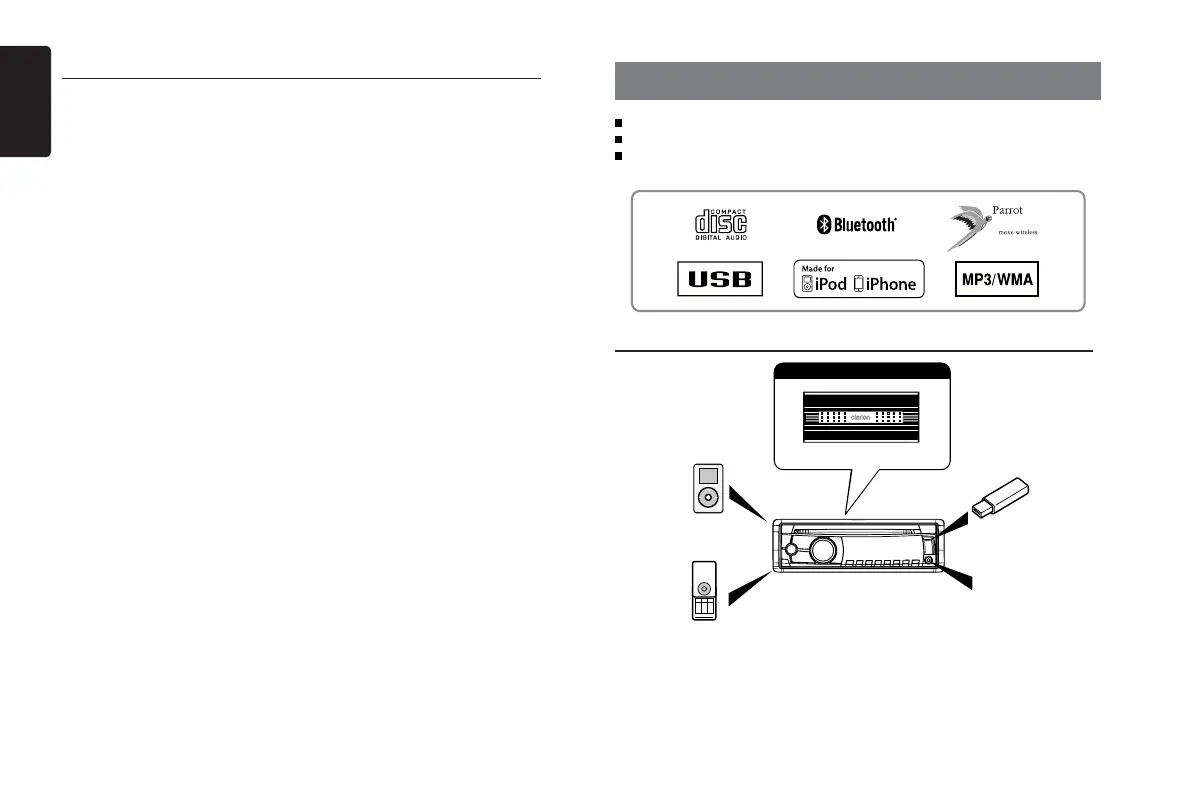
Built-in Parrot Bluetooth® Handsfree (HFP) and Audio Streaming (A2DP & AVRCP)
Compatible with iPod® / iPhone® via USB
4ch RCA Output with HPF/LPF and BEAT-EQ with 3 Band Parametric Equalizer
4 Channel Amplier
Expanding audio features
Portable Player
(Connect by AUX IN Jack)
Note:
• The items listed outside of the frames
are the commercial products generally
sold.
• C C A - 7 4 8 a n d C CA -7 55 : S ol d by
separately.
Expanding Systems
iPod/iPhone
(Connect via CCA-748)
USB Memory
(Connect via CCA-755)
Bluetooth
cellular phone
1. FEATURES ....................................................................................................................... 2
Expanding Systems .......................................................................................................2
2. PRECAUTIONS ................................................................................................................ 3
Front Panel / Generalities ..............................................................................................3
Remove the DCP ........................................................................................................... 3
Attach the DCP ..............................................................................................................3
3. CONTROLS ...................................................................................................................... 4
Operational Panel ..........................................................................................................4
Names of Buttons ........................................................................................................... 4
Remote Control (RCX001: Sold by separately) .............................................................4
Notes of remote control using ........................................................................................ 4
4. CAUTIONS ON HANDLING ............................................................................................. 5
Handling Discs ............................................................................................................... 5
5. OPERATIONS ................................................................................................................... 5
Basic Operations ............................................................................................................ 5
System Setup ................................................................................................................. 6
Audio Setup .................................................................................................................... 6
Radio Operations ........................................................................................................... 7
CD/MP3/WMA Operations ............................................................................................. 7
USB Operations ............................................................................................................. 8
iPod & iPhone Operations .............................................................................................. 8
Bluetooth Operations .....................................................................................................9
AUX Operations ........................................................................................................... 10
6. TROUBLE SHOOTING ................................................................................................... 10
7. ERROR DISPLAYS......................................................................................................... 11
8. SPECIFICATIONS .......................................................................................................... 11
9. INSTALLATION / WIRE CONNECTION GUIDE ............................................................ 12



 To Next Page