EasyManua.ls Logo

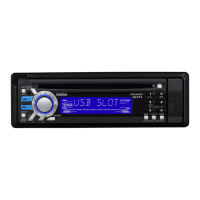
Clarion DB566USB - User Manual

Clarion DB566USB
24 pages
Print Icon
To Next Page IconTo Next Page
Loading...
280-8346-00
CD/USB/MP3/WMA RECEIVER
CD/USB/MP3/WMA
CD/USB/MP3/WMA
CD/USB/MP3/WMA
PENERIMA CD/USB/MP3/WMA
Ownerʼs manual
All Rights Reserved. Copyright © 2006: Clarion Co., Ltd.
Printed in Malaysia / /
在馬來西亞印刷 ၨ༄૑"൥അၦགྷྤ
/ / Dicetak di Malaysia
æ‘¡æÏ„πª√–‡∑»¡“‡≈‡´’¬
PE-2888K
280-8404-01
Clarion Co., Ltd.
Buku petunjuk untuk pemilik
接收器
൘གྷ෾൘གྷ෾
‡§√◊ËÕß√—∫—≠≠“≥®“°
使用說明書
ຫဧ໕඗໏ဧ໕඗໏
§ŸË¡◊ÕºŸÈ„™

Questions and Answers

  • P
    Philip RobinsonJul 28, 2025
    How to fix Clarion Car Receiver when it does not turn on?
    • A
      Alexis JimenezJul 28, 2025
      If your Clarion Car Receiver isn't powering on and no sound is produced, the fuse may be blown. Replace it with a fuse of the same amperage. If it blows again, consult your store of purchase. Also, check for incorrect wiring; if found, consult your store of purchase.
  • M
    Matthew GriffinAug 2, 2025
    What to do if buttons don't work on Clarion DB566USB Car Receiver?
    • M
      Morgan AlvaradoAug 2, 2025
      If nothing happens when you press the buttons and the display of your Clarion Car Receiver isn't accurate, the microprocessor may have malfunctioned. Turn off the power, then press the [RELEASE] button and remove the DCP. Press the reset button for about 2 seconds with a thin rod. Also, the DCP or main unit connectors could be dirty. Wipe them off with a soft cloth moistened with cleaning alcohol.
  • L
    Latoya HortonAug 6, 2025
    Why is there no sound from Clarion DB566USB Car Receiver with amplifiers or power antenna?
    • C
      Carlos BallardAug 6, 2025
      If you hear no sound from your Clarion Car Receiver, when operating the unit with amplifiers or power antenna attached, the power antenna lead may be shorted to ground, or excessive current may be required for remote-on the amplifiers or power antenna. Here's what to do: 1. Turn the unit off. 2. Remove all wires attached to the power antenna lead and check each wire for a possible short to ground using an ohm meter. 3. Turn the unit back on. 4. Reconnect each amplifier remote wire to the power antenna lead one by one. If the amplifiers turn off before all wires are attached, use an external relay to provide remote-on voltage (excessive current required).
  • C
    chigginsAug 10, 2025
    Why does my Clarion DB566USB sound bad when first turned on?
    • R
      Robert RiosAug 10, 2025
      If your Clarion Car Receiver is producing a bad sound directly after being turned on, water droplets may have formed on the internal lens because the car was parked in a humid place. Let it dry for about 1 hour with the power on.
  • S
    sanchezedwardAug 14, 2025
    Why is there no sound from CD on my Clarion DB566USB?
    • J
      Julia RhodesAug 14, 2025
      If your Clarion Car Receiver isn't playing sound from a disc, ensure that MP3/WMA files are written onto the disc properly. Also, make sure the files are recognized as MP3/WMA files and are encoded properly. Finally, use ISO9660 level 1, 2 or JOLIET or Romeo file system.
  • B
    Bethany HolmesAug 18, 2025
    What to do if Clarion Car Receiver does not detect USB drive?
    • K
      Karen SolisAug 18, 2025
      If your Clarion Car Receiver is not detecting the USB drive, the USB drive may be damaged. Try reinserting the USB drive. If that doesn't work, replace it with a new one. Also, the USB drive connector may be in bad condition.
  • P
    petersonjosephAug 23, 2025
    Why won't my USB drive plug into my Clarion DB566USB?
    • M
      Michael ShafferAug 23, 2025
      If the USB drive is unable to plug into the USB port on your Clarion Car Receiver, the USB drive connector may be inserted in the wrong direction. Reinsert the USB drive with the correct direction. If that doesn't work, the USB drive connector may be damaged. Replace it with a new USB drive.

Summary

FEATURES

PRECAUTIONS

CONTROLS

MAIN UNIT

Diagram and labels for the main car stereo unit.

BUTTON TERMINOLOGY

REMOTE CONTROL

Inserting the Battery

Step-by-step guide for installing the remote control battery.

OPERATIONS

Sound Adjustments

Covers Z-Enhancer, MAGNA BASS EX, balance, and fader settings.

Radio Mode Operations

Instant Station Recall (ISR)

How to instantly access favorite stations using the ISR button.

CD;MP3;WMA Mode Operations

Playback Features

Includes disc-in-play, backup eject, loading discs, and multi-session selection.

USB Mode Operation

Operations Common to CD and USB Drive

Playback Control

Covers pausing, selecting tracks, and basic playback functions.

Advanced Playback Functions

Explains scan, repeat, random play, and cancellation of playback modes.

TROUBLESHOOTING

ERROR DISPLAYS

SPECIFICATIONS

Clarion DB566USB Specifications

General IconGeneral
TypeCar Receiver
BrandClarion
ModelDB566USB
USB PortYes
BluetoothNo
CD PlayerYes
MP3 PlaybackYes
WMA PlaybackYes
Radio TunerAM/FM
Power Output50W x 4
AUX InputYes
ID3-Tag DisplayYes
Detachable FaceplateYes
DisplayLCD
Remote ControlOptional

Related product manuals