EasyManua.ls Logo

Clarion VX709E - User Manual

Clarion VX709E
85 pages
Print Icon
To Next Page IconTo Next Page
Loading...
Owner’s manual & Installation manual
Mode d’emploi et manuel d’installation
Benutzerhandbuch & Installationshandbuch
Manuale dell’utente e manuale di installazione
Gebruikershandleiding en installatiehandleiding
Manual de instrucciones y de instalación
Ägar- & installationshandbok
Manual do utilizador e manual de instalação
Betjeningsvejledning og installationsvejledning
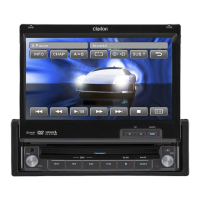
VX709E
2-DIN DVD MULTIMEDIA STATION WITH
7-inch TOUCH PANEL CONTROL
STATION MULTIMEDIA DVD 2 DIN AVEC COMMANDE PAR
ECRAN TACTILE 7 pouces
2-DIN DVD-MULTIMEDIA-STATION MIT
7-Zoll-TOUCHSCREEN-STEUERUNG
STAZIONE MULTIMEDIALE DVD A 2 DIN DOTATA DI
PANNELLO DI CONTROLLO A SFIORAMENTO DA 7 POLLICI
2-DIN DVD MULTIMEDIA STATION MET
7-inch TOUCH PANEL BEDIENING
EQUIPO DVD MULTIMEDIA 2-DIN CON
PANEL DE CONTROL TÁCTIL DE 7 pulgadas
2-DIN DVD MULTIMEDIA-STATION MED
7-tums PEKSKÄRM
ESTAÇÃO MULTIMÉDIA DE DVD 2 DIN COM CONTROLO DE
PAINEL DIGITAL DE 7 polegadas
2-DIN DVD MULTIMEDIESTATION MED
7" BERØRINGSPANEL

Questions and Answers

  • N
    Nicole JohnsonAug 19, 2025
    What to do if buttons are not working on Clarion Car Video System?
    • F
      fjonesAug 20, 2025
      If your Clarion Car Video System isn't responding when you press the buttons and the display is inaccurate, it could be due to a microprocessor malfunction caused by noise or other factors. To resolve this, turn off the power and open the operation panel. Then, use a thin rod to press the reset button. Note that when you press the reset button, the ACC power should be turned off. Keep in mind that resetting will clear any stored radio station frequencies.
  • R
    Robert TuckerAug 21, 2025
    What to do if my Clarion Car Video System disc cannot be loaded?
    • H
      Holly MasonAug 22, 2025
      If your Clarion Car Video System won't load a disc, it might be because there's already a disc inside. Eject the current disc before trying to load a new one. Also, there might be something else stuck inside the disc slot. Try to forcibly eject any foreign material that may be blocking the disc from loading.
  • L
    Linda BatesAug 23, 2025
    Why is my Clarion Car Video System not recognizing USB device?
    • L
      Larry WhiteAug 23, 2025
      If your Clarion Car Video System isn't recognizing a USB device, the device itself might be damaged. Try disconnecting the USB device and reconnecting it. If it's still not recognized, try using a different USB device. Also, connectors may be loose.
  • C
    Carol BlevinsAug 26, 2025
    Why my Clarion VX709E doesn't turn on?
    • S
      Steven GardnerAug 26, 2025
      If your Clarion Car Video System's power isn't turning on and no sound is produced, the fuse might be blown. Replace it with a fuse that has the same amperage. However, if the fuse blows again after replacement, it is recommended you consult your store of purchase. Also, the problem might be due to incorrect wiring, in this case, you should consult your store of purchase too.
  • D
    David HubbardAug 27, 2025
    Why is the display dark on my Clarion VX709E Car Video System?
    • P
      Peggy TorresAug 27, 2025
      If the display of your Clarion Car Video System is dark, the dimmer control might be set too low. Try adjusting the dimmer to a brighter setting. Alternatively, the temperature inside the vehicle might be too low (0°C or lower). Setting to an appropriate temperature (25°C or so) and check it again. Also, the display is made dark at night to prevent the glare when the headlight of the vehicle is lit in the daytime.
  • N
    nsweeneyAug 29, 2025
    Why is the remote control not working on my Clarion Car Video System?
    • E
      Eric JacksonAug 29, 2025
      If your Clarion Car Video System's remote control isn't working, it could be due to a couple of reasons. First, check if direct sunlight is shining on the light-receptive part of the remote, as this can interfere with its operation. Second, the remote's battery might be dead or missing. Make sure to check and replace the battery if needed.
  • M
    Matthew GardnerAug 31, 2025
    Why does the sound skip on my Clarion VX709E Car Video System?
    • A
      Alex SandovalSep 1, 2025
      If the sound from your Clarion Car Video System skips or is noisy, there are a few potential reasons. First, the disc might be dirty, so try cleaning it with a soft cloth. Second, the disc could be heavily scratched or warped, in which case you should replace it with a disc that has no scratches. Finally, if you're playing MP3/WMA/AAC files, they might not be encoded properly, so make sure to use properly encoded files.
  • S
    samanthajacobsSep 2, 2025
    Why is the sound bad after turning on my Clarion VX709E Car Video System?
    • S
      Stephanie CooperSep 3, 2025
      If the sound quality of your Clarion Car Video System is poor immediately after turning it on, it could be due to water droplets forming on the internal lens. This can happen when the car is parked in a humid environment. To resolve this, let the unit dry for about 1 hour with the power turned on.
  • W
    William LeonSep 4, 2025
    Why is the image not displayed on my Clarion VX709E Car Video System?
    • S
      shafferanthonySep 4, 2025
      If the image is not displayed on your Clarion Car Video System, make sure that the parking brake is engaged.
  • T
    Travis ChavezSep 6, 2025
    How to fix parental violation on Clarion VX709E?
    • N
      Nicole MillsSep 6, 2025
      If your Clarion Car Video System displays “PARENTAL VIOLATION” and won't play the disc, it means the view is limited. To fix this, release the view limitation or change the parental level.

Clarion VX709E Specifications

General IconGeneral
BrandClarion
ModelVX709E
CategoryCar Video System
LanguageEnglish

Related product manuals