EasyManua.ls Logo

Clarion VX709E - User Manual

Clarion VX709E
85 pages
Print Icon
To Next Page IconTo Next Page
Loading...
Owner’s manual & Installation manual
Mode d’emploi et manuel d’installation
Benutzerhandbuch & Installationshandbuch
Manuale dell’utente e manuale di installazione
Gebruikershandleiding en installatiehandleiding
Manual de instrucciones y de instalación
Ägar- & installationshandbok
Manual do utilizador e manual de instalação
Betjeningsvejledning og installationsvejledning
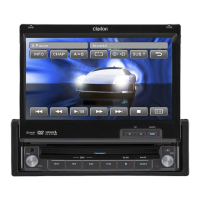
VX709E
2-DIN DVD MULTIMEDIA STATION WITH
7-inch TOUCH PANEL CONTROL
STATION MULTIMEDIA DVD 2 DIN AVEC COMMANDE PAR
ECRAN TACTILE 7 pouces
2-DIN DVD-MULTIMEDIA-STATION MIT
7-Zoll-TOUCHSCREEN-STEUERUNG
STAZIONE MULTIMEDIALE DVD A 2 DIN DOTATA DI
PANNELLO DI CONTROLLO A SFIORAMENTO DA 7 POLLICI
2-DIN DVD MULTIMEDIA STATION MET
7-inch TOUCH PANEL BEDIENING
EQUIPO DVD MULTIMEDIA 2-DIN CON
PANEL DE CONTROL TÁCTIL DE 7 pulgadas
2-DIN DVD MULTIMEDIA-STATION MED
7-tums PEKSKÄRM
ESTAÇÃO MULTIMÉDIA DE DVD 2 DIN COM CONTROLO DE
PAINEL DIGITAL DE 7 polegadas
2-DIN DVD MULTIMEDIESTATION MED
7" BERØRINGSPANEL


Questions and Answers

  • J
    Jessica LeeSep 8, 2025
    How to adjust display color on Clarion VX709E?
    • L
      Lauren GarciaSep 9, 2025
      If the color on your Clarion Car Video System's display appears light or the color shades are off, the color settings may not be adjusted correctly. Check and properly adjust the Brightness, Color, Contrast, and Hue settings.
  • T
    Tiffany HallSep 12, 2025
    What to do if USB device cannot be inserted into Clarion VX709E Car Video System?
    • S
      stephanieklineSep 12, 2025
      If you can't insert a USB device into your Clarion Car Video System, it might be because the USB device has been inserted in the wrong direction. Try reversing the connection direction and try again. If that doesn't work, the USB connector might be broken, and you should replace it with a new USB device.
  • S
    Stephen KellySep 12, 2025
    What does 'No file' mean on Clarion VX709E Car Video System?
    • A
      ashleyriddleSep 13, 2025
      If your Clarion Car Video System displays “NO FILE” and you hear no sound when using a USB device, it's likely that there are no MP3/WMA/AAC files stored on the USB device. Make sure to store these types of files properly on the USB device.
  • M
    Mary RichmondSep 14, 2025
    Why the sound skips when playing mp3 files on Clarion Car Video System?
    • Z
      Zachary FoleySep 14, 2025
      If the sound from your Clarion Car Video System skips or is noisy when playing MP3/WMA/AAC files, it's likely that those files are not encoded properly. Ensure that you are using MP3/WMA/AAC files that have been encoded correctly.
  • R
    Ryan GregorySep 16, 2025
    How to fix disturbed iPod video on Clarion VX709E Car Video System?
    • K
      Kelly FitzgeraldSep 16, 2025
      If the video image from your iPod is distorted on your Clarion Car Video System, the TV Signal setting on the iPod might be incorrect. Make sure to set the TV Signal setting (NTSC/PAL) of the iPod correctly to match your system.

Clarion VX709E Specifications

General IconGeneral
BrandClarion
ModelVX709E
CategoryCar Video System
LanguageEnglish

Related product manuals