EasyManua.ls Logo

Clarion VMA7483 - User Manual

Clarion VMA7483
19 pages
Print Icon
To Next Page IconTo Next Page
Loading...
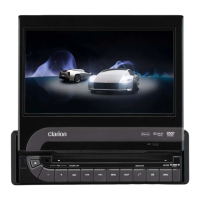
5.8" TFT MOTORIZED LCD MONITOR
Moniteur LCD assisté TFT de 5,8"
MONITOR DE CRISTAL LÍQUIDO TFT MOTORIZADO DE 5,8"
VMA7483
Owner's manual
Mode d’emploi
Manual de instrucciones
Thank you for purchasing the Clarion VMA7483.
Nous vous remercions d’avoir acheté le Clarion VMA7483.
Muchas gracias por la adquisición del VMA7483 Clarion.
Español
Français
English

Questions and Answers

  • P
    pramosJul 30, 2025
    Why is there no image on my Clarion VMA7483 Car Video System?
    • T
      Terry KingJul 30, 2025
      There might be several reasons for the lack of image. First, ensure the parking brake is fully engaged. The system prevents video display while the car is in motion, so park the car and engage the parking brake to view the video. Finally, ensure that the power switch is on and the video screen is displayed.
  • D
    Daniel JonesAug 4, 2025
    What to do if the image is too dark on my Clarion VMA7483?
    • O
      owallaceAug 4, 2025
      If the image appears too dark, first check the brightness settings and adjust them as needed. Also, this issue can arise in extreme temperatures (below 0°C or above 60°C). If this is the case, regulate the car's temperature to around 25°C. The screen also dims when the ceiling lights are on to prevent glare.
  • L
    Lori TorresAug 10, 2025
    How to fix Clarion VMA7483 when the screen cannot be started up?
    • B
      Bob ReevesAug 11, 2025
      If the screen doesn't start, check if the LCD panel lock button is set to “LOCK ON”. If it is, set it to “LOCK OFF”. Also, verify that the LCD panel OPEN/CLOSE button is correctly set by holding it down for one second.
  • G
    Gerald GravesAug 16, 2025
    What to do if the color is too faint and hue is poor on my Clarion VMA7483 Car Video System?
    • M
      Michael WatsonAug 16, 2025
      If the color appears faint or the hue is poor, verify that the hue and color settings are properly adjusted.
  • S
    Stacy ThompsonAug 22, 2025
    Why is the LCD panel OPEN/CLOSE button lit on my Clarion VMA7483 Car Video System even when the engine is off?
    • J
      Jennifer CamposAug 22, 2025
      The LCD panel OPEN/CLOSE button remains lit for approximately one second after being pressed, even after the engine is turned off (and the key is in the ACC OFF position).

Summary

Precautions

Caution on Handling

Guidelines for safely handling and operating the LCD panel to prevent damage.

For Safe Driving

Safety warning stating video playback is restricted to parked vehicles for safe driving.

Handling Precautions

Installation guidelines to ensure the LCD panel functions correctly and avoid damage.

Names of Parts and Their Functions

Remote Control

Remote control sensor

Details the function and placement of the remote control sensor and its infrared eye.

Operations

Starting Up and Retracting the LCD Panel

Guides users on how to open, close, and secure the motorized LCD panel.

Precautions to Be Taken When Driving on Bad Roads

Advises on retracting the LCD panel and engaging the lock during rough driving conditions.

Setup

Troubleshooting

Clarion VMA7483 Specifications

General IconGeneral
Screen Size7 inches
Resolution800 x 480 pixels
Motorized ScreenYes
TouchscreenYes
DVD PlayerYes
CD PlayerYes
USB InputYes
SD Card SlotYes
BluetoothYes
Rear View Camera InputYes
AM/FM TunerYes
Display TypeLCD
NavigationOptional
Preamp Outputs3
Video Output1 (Composite)
Audio Output4-channel
Video Playback FormatsDVD, DivX, MPEG-4
InputsUSB, SD

Related product manuals