EasyManua.ls Logo

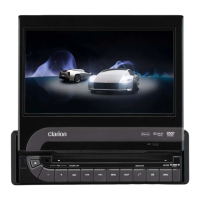
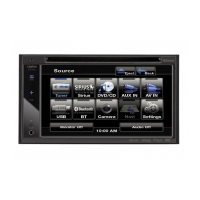
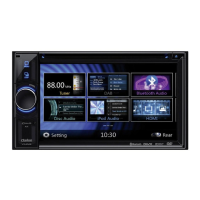
Clarion VZ400 - User Manual

Clarion VZ400
55 pages
Print Icon
To Next Page IconTo Next Page
Loading...
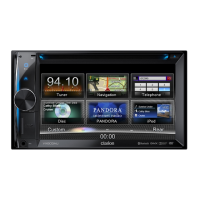
2-DIN DVD MULTIMEDIA STATION WITH 6.5-inch
TOUCH PANEL CONTROL
STATION MULTIMÉDIA DVD 2-DIN AVEC COMMANDEAVEC COMMANDEAVEC COMMANDE
ÉCRAN TACTILE DE 6,5 pouces
ESTACIÓN DVD MULTIMEDIA DOBLE DIN CON PANELCON PANELCON PANEL
DE CONTROL TÁCTIL DE 6,5 pulgadas
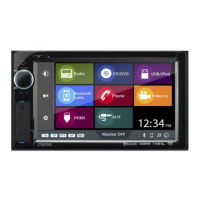
DVD MULTIMEDIA STATION WITH 7-inch
TOUCH PANEL CONTROL
STATION MULTIMÉDIA DVD AVECAVECAVEC COMMANDE
ÉCRAN TACTILE DE 7 pouces
ESTACIÓN DVD MULTIMEDIA CON PANEL DE CONTROLCON PANEL DE CONTROLCON PANEL DE CONTROL
TÁCTIL DE 7 pulgadas
VX400
VZ400
Owner’s manual & Installation manual
Mode d’emploi et manuel d’installation
Manual de instrucciones y de instalación

Questions and Answers

  • N
    Nicole RamirezAug 17, 2025
    What to do if Clarion VZ400 power does not turn on?
    • J
      Jessica NewtonAug 17, 2025
      If the Clarion Car Video System does not turn on and no sound is produced, it could be due to a blown fuse. Replace it with a fuse of the same amperage. If it blows again, consult your store of purchase. Another possible cause is incorrect wiring, in which case you should consult your installation center.
  • L
    leemichaelAug 19, 2025
    What to do if nothing happens when buttons are pressed on Clarion VZ400 Car Video System?
    • M
      Maria KingAug 19, 2025
      If nothing happens when you press the buttons and the display is not accurate, it could be due to a microprocessor malfunction. To resolve this, turn off the power and open the operation panel. Press the reset button with a thin rod. Note that when the Reset button is pressed, frequencies of radio stations, titles, etc. stored in memory are cleared. If direct sunlight is falling on the remote control unit, it may not work. Also, check the batteries of the remote control unit to ensure they are not dead or missing.
  • S
    shawmeghanAug 22, 2025
    Why is my Clarion VZ400 USB device not recognized?
    • J
      Jeffrey RussoAug 22, 2025
      If your USB device is not recognized, it may be damaged. Try disconnecting and reconnecting the USB device. If it is still not recognized, try replacing it with a different USB device. Also, check for loose connectors.
  • T
    Terry PrattAug 26, 2025
    What to do if Clarion VZ400 Car Video System disc cannot be loaded?
    • J
      Jennifer RussellAug 26, 2025
      If a disc cannot be loaded, it may be because a disc is already loaded. Eject the disc before loading the new one. Alternatively, there may be foreign matter already in the disc slot. Remove the foreign matter, or consult a service station.
  • M
    Michael ByrdAug 27, 2025
    What to do if Clarion VZ400 USB device cannot be inserted?
    • J
      James HarrellAug 28, 2025
      If a USB device cannot be inserted, it might be because it has been inserted in the wrong direction. Try reversing the connection direction of the USB device and try again. If that doesn't work, the USB connector may be broken, and you should replace it with a new USB device.
  • D
    Daniel MooreAug 30, 2025
    Why is the sound bad directly after Clarion VZ400 power is turned on?
    • J
      Joann AndersonAug 30, 2025
      If the sound is bad directly after the power is turned on, condensation may have formed on the internal lens when the car was parked in a humid place. Let it dry for about 1 hour with the power on.
  • B
    Bridget MitchellSep 2, 2025
    What to do if Clarion VZ400 Car Video System sound skips or is noisy with MP3/WMA files?
    • A
      Ashley PalmerSep 2, 2025
      If the sound skips or is noisy when playing MP3/WMA files, it may be because the MP3/WMA files are not encoded properly. Use MP3/WMA files encoded properly.
  • R
    Renee KnightSep 5, 2025
    What does it mean if Clarion Car Video System disc cannot play with the display “PARENTAL VIOLATION” shown?
    • S
      smithkyleSep 5, 2025
      If the disc cannot play and the display shows “PARENTAL VIOLATION”, it means the feature exceeds the set parental level. Release the view limitation or change the parental level. See the subsection “Setting up the parental level.”
  • E
    Edward FreemanSep 8, 2025
    What to do if Clarion VZ400 video images are not displayed?
    • E
      emily63Sep 8, 2025
      If video images are not displayed, check that the parking brake is engaged.
  • G
    guerraericSep 10, 2025
    Why is there no sound heard with the display “NO FILE” shown on Clarion Car Video System?
    • B
      Brian MyersSep 12, 2025
      If no sound is heard and the display shows “NO FILE”, it means no MP3/WMA file is stored in the USB device. Store these files properly in the USB device.

Summary

Product Registration Information

Product Features

System Expansion Options

Illustrates how the system can be expanded with additional audio, visual, and navigation features.

Safety and Precautions

Handling Cautions and User Information

System Controls Overview

Operational Panel Button Functions

Remote Control Operations

Remote Control Function Details

Advanced Remote Control Functions

Unit Handling and USB Port Cautions

FCC User Information

Information for users regarding changes or modifications to the product and FCC approval.

Disc Handling and Storage

DVD Video System Features

DVD Menu Operations

Describes how to navigate and use DVD menu screens for playback settings and content selection.

Disc Compatibility and Playback

Registered Marks and Trademarks

Basic Operations and Setup

Audio and General Settings Adjustments

Advanced Audio and System Settings

Radio Operations

Radio and DVD Player Settings

DVD Parental Controls and Playback

DVD Player Mode Operations

DVD Video Playback Controls

CD Playback Operations

MP3;WMA Playback and Precautions

MP3;WMA File and Folder Limits

Playing MP3 Folders

Sirius Satellite Radio Operations

Sirius Satellite Radio Management

iPod;iPhone Operations

iPod;iPhone Media Control

USB Memory Operations

Bluetooth Audio Player Setup

Bluetooth Audio and Phone Control

Bluetooth Telephone Operations

Bluetooth Phone Call Management

HD Radio Operations

HD Radio Features and Tagging

External Input Operations

System Setup and Customization

Advanced Setup Options

Troubleshooting Common Issues

USB Device Troubleshooting and Error Display

Technical Specifications

Installation and Wiring Guide

General Cautions

Provides general cautions regarding opening the case, cleaning, and avoiding damage to the unit during installation.

Installation Cautions

Main Unit Installation (NISSAN)

Main Unit Installation (TOYOTA) and Removal

Wiring Cautions

VX400 Wire Connections Diagram

VZ400 Wire Connections Diagram

Wiring Harness Details

Accessory Connection Guide

Regulatory Compliance Information

Clarion VZ400 Specifications

General IconGeneral
Resolution800 x 480 pixels
TouchscreenYes
DVD PlayerYes
Rear View Camera InputYes
AM/FM TunerYes
GPS NavigationNo
Display Size7 inches
USB PortYes
BluetoothYes
Audio Formats SupportedMP3, WMA
Video Formats SupportedDivX, MPEG 1/2
SD Card SlotYes

Related product manuals