GEX40-50 Operator Compartment 4-5
Section 4. Operator Compartment and Controls
Mode Selection Button
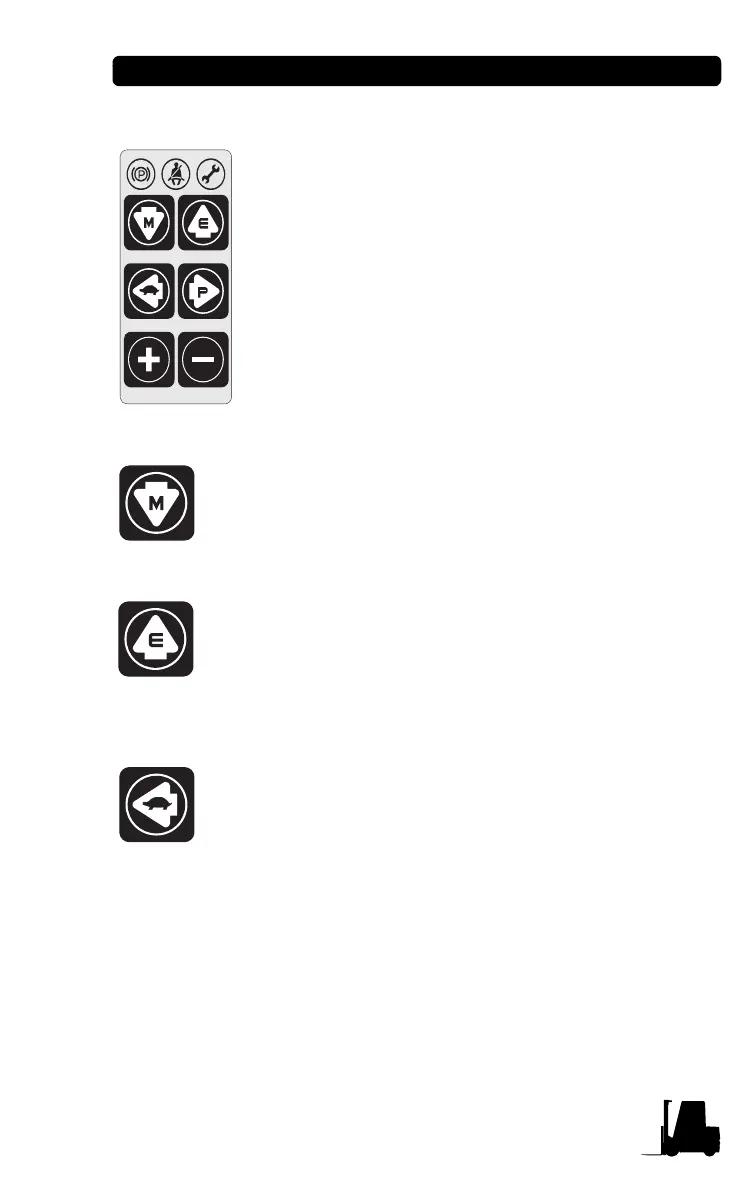
6 mode selection buttons are located on right side of
LCD.
Each button has specific function, and some have
multiple functions.
Down arrow button (Mode button)
:
Pressing this button
in normal operating condition will move to Menu mode.
This button is used for programming and should be used
by a trained technician only.
Up arrow button (Enter button)
:
Pressing this button
will move to upper menu. This button is used for
programming and should be used by a trained technician
only.
Left arrow button (Slow speed mode button): In
normal operating condition will select/release Slow
Speed mode.
−When pressing, the turtle figure will be displayed and Slow
speed mode will be selected.
− Press once more to release. The turtle icon will be turned off.


 To Next Page