(b)
IMPORTANT ! Ensure that the power rating of the connected load does not
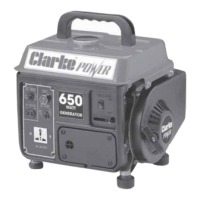
exceed the rating for the generator (650 Watts [3.2 Amps AC] / 15 Amps at 12VDC)
Connecting Electrical devices
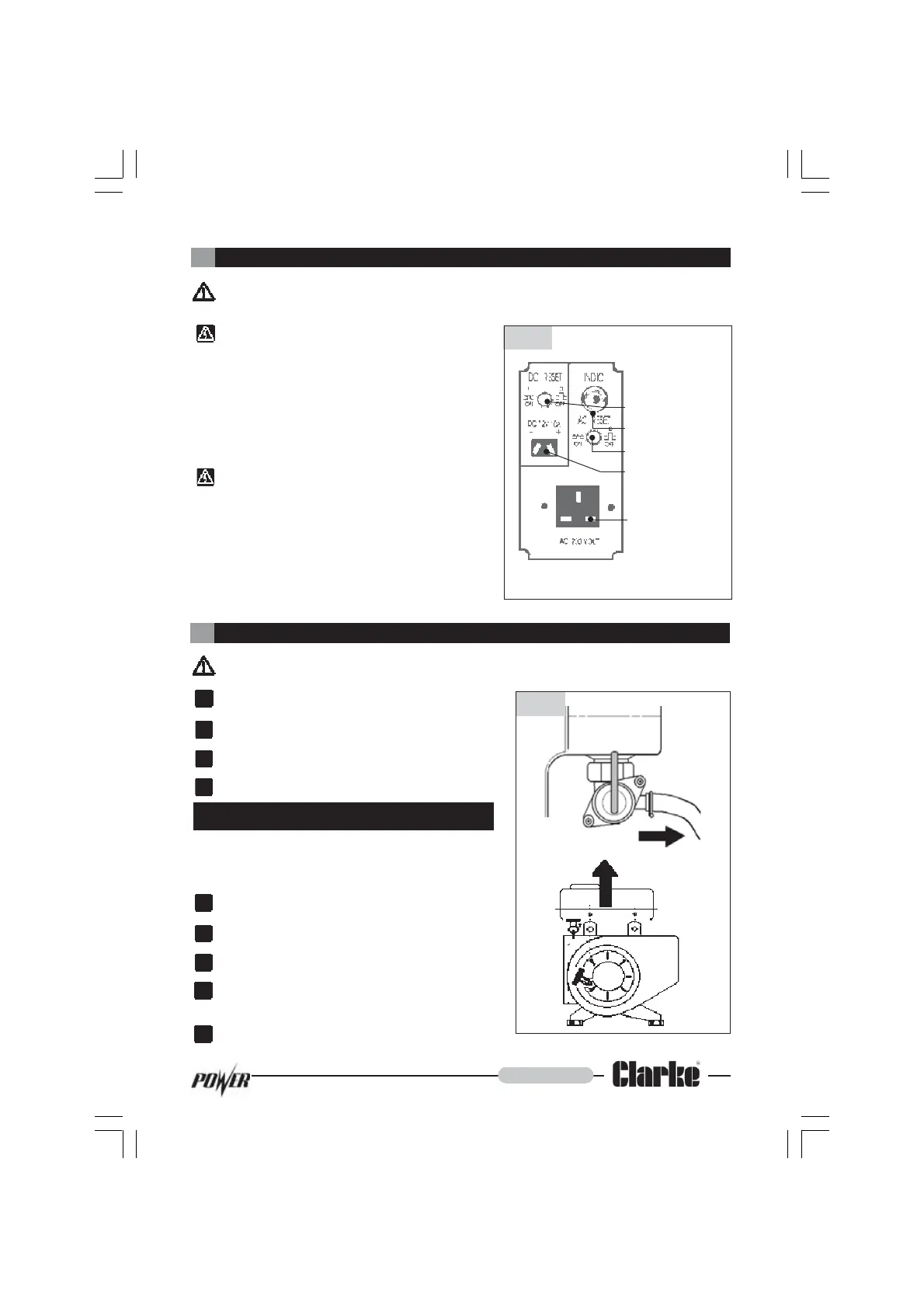
Connecting to 230 Volts AC.
Insert the three pin plug into the AC connector
ensuring that the power rating of the device is
below 650 Watts.
Note : If the AC circuit is overloaded the circuit
protection switch will trip and the indicator will
illuminate. To reset the circuit press the AC reset
switch.
Connecting to a 12 Volt Battery.
Insert the supplied two pin battery lead into the
DC connector. The red conductor must
connect to the Positive or “+” terminal and the
black wire to the Negative or “-” terminal.
Note : If the DC circuit is overloaded the circuit
protection switch will be tripped . To reset the circuit
press the DC reset switch.
5
DC Reset Switch
AC Trip Indicator
AC Reset Switch
DC Connector
AC Connector.
IMPORTANT ! Never switch off the engine whilst an electrical device is connected.
Shutting down the Generator
Switch off the electrical device.
Unplug the device from the generator.
Switch the Engine OFF (see page 7).
Turn the Fuel OFF (see page 7).
If the generator is not going to be used for
some time then the fuel tank must be drained
and any remaining fuel run through as follows :
Turn the Fuel OFF (see page 7)
Unclip the fuel hose (see fig (8)).
Unbolt the tank from the unit (see fig (8)).
Empty contents of the tank into a suitable
container.
Refit the tank, start up engine and let it
run until all the fuel has been used.
(c)
1.
2.
3.
4.
- 8 -
Maintenance
1.
2.
3.
4.
5.
Fig (7)
Fig (8)
Socket for a
standard 13 Amp
BS 1363 type plug


 To Next Page