E N G L I S H
Connect an external amplier
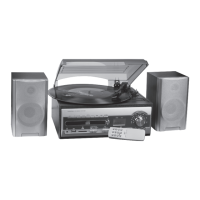
When the record player is delivered with speakers it can be used alone without
amplier. It can also be connected to an external amplier via the built-in low-level
output (27) since it has a built-in RIAA amplier.
Connection is made with an RCA cable to the low-level output (27) on the back of
the device and to the AUX input on the amplier.
If the record player is connected to a stereo amplier, consider the following:
• Since the record player has a built-in RIAA amplier it should not be connected
to the amplier’s PHONO outlet, but to an AUX or LINE IN output. If connected
to a PHONO output the signal (primarily the bass) is overdriven with bad sound
as a result.
• When the record player has been connected to an external amplier the sound
will also come out of the connected speakers.
The record player can also be connected directly to LINE IN on the computer’s
sound card with and adaptor cable from 2x RCA to 3.5 mm stereo plug.
Headphone outlet
To the headphone outlet on the front of the device a pair of headphones with
3.5 mm stereo plug be connected. The device’s built-in speakers and the low-level
output are automatically lowered when the headphones are connected.
Care and Maintenance
• Clean dusty records with a record brush.
• Always fold down the cover when the record player is not in use. This is to
prevent that dust is collected on the turntable and pickup needle.
• The record player can be wiped with a lightly moistened cloth.


 To Next Page