Need help?
Do you have a question about the Clavia Nord Lead A1 and is the answer not in the manual?
Precautions regarding flame sources, tropical climates, rain, moisture, and liquid placement.
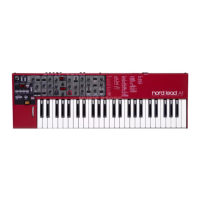
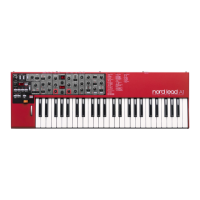
Introduces the physical controls on the synthesizer's front panel.
Explains the function of different button types and their secondary features.
Details how to use knobs, dials, and the master volume control.
Introduces slots, selecting, editing, and storing programs.
Guides on splitting the keyboard and setting the split point.
Covers selecting, editing, storing, and converting programs to performances.
Explains the four-part multitimbral synth and slot system.
Differentiates programs (single sounds) and performances (multi-slot setups).
Covers the process of loading and storing programs and performances.
Explains copying slots to performances and performances to programs.
Explains how morphing controls parameters in real-time via various sources.
Details the Mutator for creating new or altered sounds, including execution.
Explains the Randomize function for creating sounds by changing parameters randomly.
Describes how to use Mutator and Randomize features to create morphs.
Explains the Like memory as a scratchpad for saving sounds during creative process.
Details how to save individual programs or entire performances to the Like memory.
Explains LFO rate, clock sync, waveforms, and envelope mode.
Details Attack, Decay, Release, and Envelope Velocity stages.
Lists and describes Panel Analog, Extended Analog, Fixed Pulse, Drawbar Organ, and Bells/Tines waveforms.
Covers Pitch, Sync, Noise, and Dual Oscillator configurations.
Explains FM and AM modulation configurations for complex spectra.
Details Attack, Decay, Release, and Velocity sensitivity for the Amp Envelope.
Explains Filter Frequency, Resonance, LFO/Env Amount for filter modulation.
Details how filter cutoff tracks keyboard pitch at different ratios.
Explains Flanger, Phaser, RM, Chorus, Ensemble, and Drive effects.
Details Delay tempo, divisions, feedback, and ping-pong.
Covers Tap Tempo, Master Clock sync, Feedback, Ping Pong, Dry/Wet, Mode, and On/Off.
Explains the Master Clock for synchronizing arpeggiator, LFO, and delay.
Details locking to incoming MIDI Clock and its display.
Guides on using Master Clock sync for the arpeggiator's rate and direction.
Details Memory Protect, Transpose, Fine Tune, Pedal, Mutator Protect, and Slot Routing settings.
Explains MIDI channels, Local Control, CC/Program Change modes, Send CC, and dumps.
 General
| Type | Virtual Analog Synthesizer |
|---|---|
| Polyphony | 24 voices |
| Arpeggiator | Yes |
| MIDI | MIDI In, MIDI Out, USB MIDI |
| Oscillators | 2 per voice |
| Oscillator Section | Noise |
| LFO | 1 LFO, multiple waveforms |
| Filter | Low Pass, High Pass, Band Pass |
| Effects | Delay, Reverb, Drive |
| Keyboard | 49 keys, velocity-sensitive |
| Memory | 400 programs |
| Connectivity | MIDI In/Out, USB |
| Audio Outputs | 2 x 1/4" |
| Headphone Output | 1 x 1/4" |
| Weight | 4.8 kg |

 To Next Page