18
SHARPY
LAMP DMX
Used for enabling lamp remote control channel.
1) Press
F
- the current settings appear on the display (On or Off).
2) Use the UP
B
and DOWN
C
keys to enable (On) or disable (Off)
the lamp remote control channel.
3) Press
F
to confirm the selection or LEFT
D
to keep current settings.
SAFETY BLACK OUT
This allows the Dimmer's automatic lock option to be activated after 3
seconds with no incoming DMX signal.
1) Press
F
– the current setting (On or Off) appears on the display.
2) Use the UP
B
, DOWN
C
keys to enable (ON) or disable (Off) the
Dimmer's lock option after 3 seconds with no incoming DMX signal.
3) Press
F
to confirm the selection or LEFT
D
to keep the current
setting.
PAN / TILT
Invert pan
Used for reversing Pan movement.
1) Press
F
- the current settings appear on the display (On or Off).
2) Use the UP
B
and DOWN
C
keys to enable (On) or disable (Off)
PAN inversion.
3) Press
F
to confirm the selection or LEFT
D
to keep current settings.
Invert tilt
Used for reversing tilt movement.
1) Press
F
- the current settings appear on the display (On or Off).
2) Use the UP
B
and DOWN
C
keys to enable (On) or disable (Off)
Tilt inversion.
3) Press
F
to confirm the selection or LEFT
D
to keep current settings.
Swap Pan-Tilt
Used for swapping Pan and Tilt channels (as well as Pan fine and Tilt fine).
1) Press
F
- the current settings appear on the display (On or Off).
2) Use the UP
B
and DOWN
C
keys to enable (On) or disable (Off)
Pan and Tilt channel swap.
3) Press
F
to confirm the selection or LEFT
D
to keep current settings.
Encoder Pan-Tilt
Used for enabling the Pan / Tilt encoders.
1) Press
F
- the current settings appear on the display (On or Off).
2) Use the UP
B
and DOWN
C
keys to enable (On) or disable (Off)
Pan / Tilt encoders.
3) Press
F
to confirm the selection or LEFT
D
to keep current settings.
You can quickly disable the Pan and Tilt Encoder by simultaneously
pressing the UP
B
and DOWN
C
keys in the ''Main Menu''.
P/T Homing Mode
Lets you set the initial projector Reset mode.
1) Press
F
, the current setting appears on the display.
2) Use the UP
B
and DOWN
C
keys to select one of the following
settings:
Standard: Pan & Tilt are simultaneously reset.
Sequenced: Tilt is reset first followed by Pan.
3) Press
F
to confirm the selection or LEFT
D
to keep the current
setting.
Pan Home Def Pos
Lets you assign the Pan channel “home” position at the end of Reset,
without a DMX input signal.
1) Press
F
, the current setting appears on the display.
2) Use the UP
B
and DOWN
C
keys to select one of the following
settings:
0 degree
90 degrees
180 degrees
270 degrees (default)
3) Press
F
to confirm the selection or LEFT
D
to keep the current
setting.
Tilt Home Def Pos
Lets you assign the Tilt channel “home” position at the end of Reset,
without a DMX input signal.
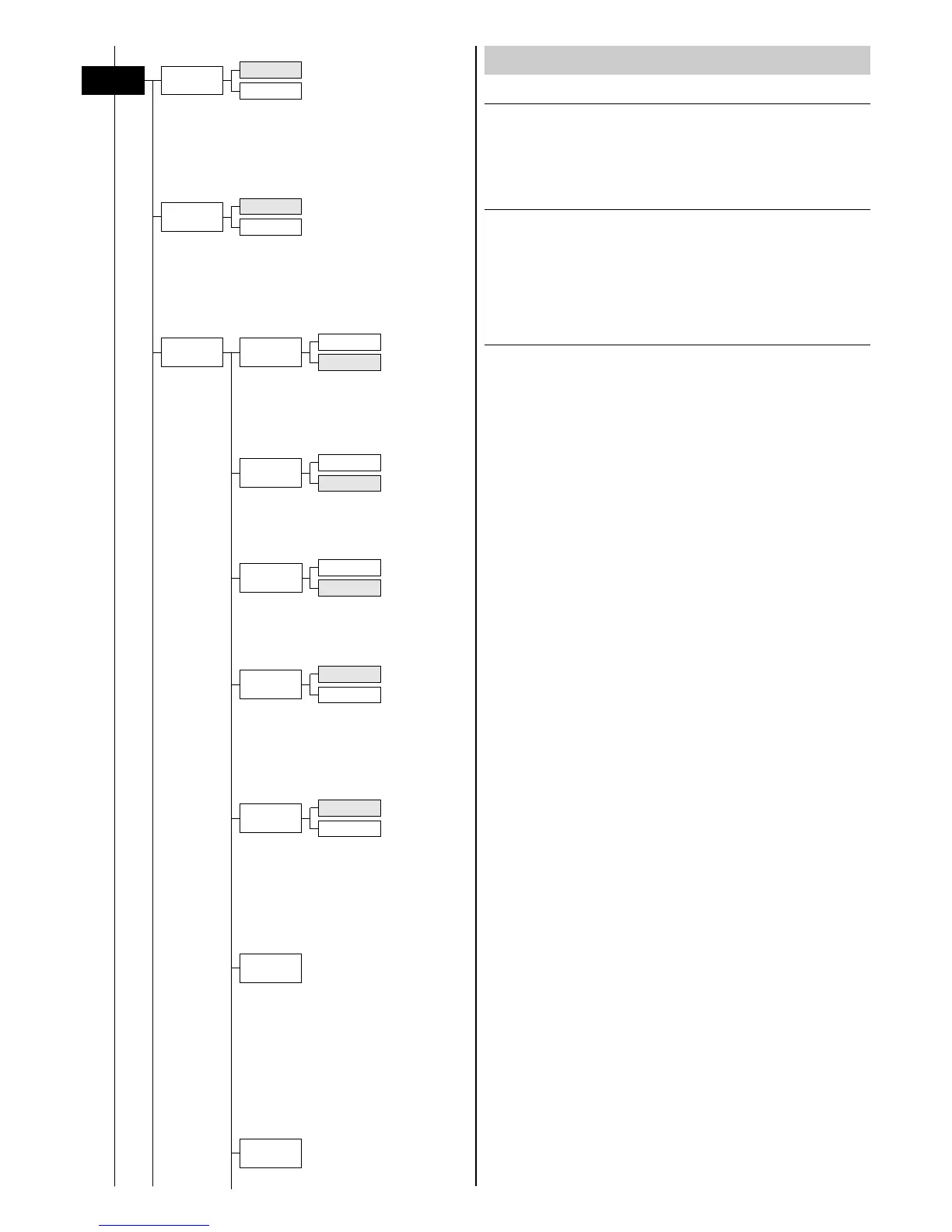
OPTIONS MENU
Swap
Pan-Tilt
On
Off
Encoder
Pan-Tilt
On
Off
Lamp Dmx
Pan / Tilt
Option
On
Off
Safety
Black Out
On
Off
Invert
Pan
On
Off
Invert
Tilt
On
Off
P/T Homing
Mode
Standard
Sequenced
Pan Home
Def Pos
Tilt Home
Def Pos


 To Next Page