35
SHARPY
•
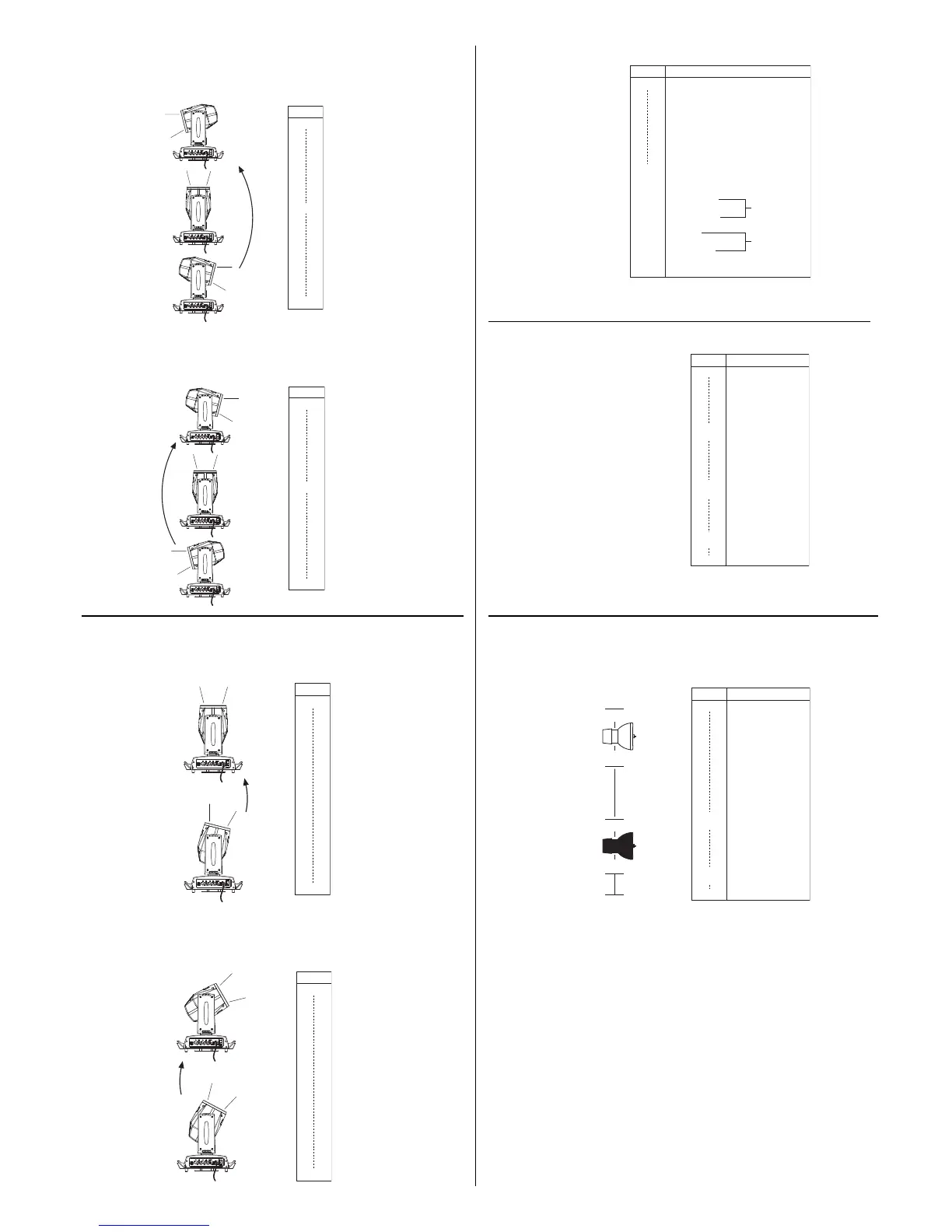
LAMP CONTROL (only with option LAMP DMX On) - channel: 16
IMPORTANT: SHARPY is not provided with hot restrike ignition
LAMP ON
BIT EFFECT
255
0
101
100
LAMP OFF
26
LAMP OFF
25
UNUSED RANGE
Lamp switch-on passing
through the unused range
and staying 5 sec
in Lamp ON levels.
Lamp switch off passing
throug the unused
range and staying 5 s in
Lamp OFF levels.
ON
ON
OFF
OFF
LAMP ON
BIT EFFECT
255
51-62
38-50
25-37
12-24
0-11
LINEAR (Default)
UNUSED RANGE
UNUSED RANGE
63
CONVENTIONAL
DIMMER CURVE
FUNCTION
FAST (Default)
NORMAL
PAN-TILT
FUNCTION
BIT EFFECT
255
128
127
77
76
26
25
0
Complete reset is activated passing
throug the unused range and staying
5 seconds in complete reset levels.
COMPLETE RESET
PAN / TILT RESET
PAN / TILT RESET
EFFECTS RESET
EFFECTS RESET
UNUSED RANGE
Pan / Tilt reset is activated passing
throug the unused range and staying
5 seconds in Pan / Tilt reset levels.
Effects reset is activated passing
throug the unused range and staying
5 seconds in Effects reset levels.
COMPLETE RESET
• TILT FINE - channel 13
Operation with option Invert Tilt
G
Off
(Pan conventionally represented at 0% and option Invert Pan
G
Off)
BIT
255
0
SE
T
X
S
EL
D
M
X
SE
T
X
S
E
L
D
M
X
Operation with option Invert Tilt
G
On
(Pan conventionally represented at 0% and option Invert Pan
G
Off)
BIT
255
0
SE
T
X
S
E
L
D
M
X
SE
T
X
S
E
L
D
M
X
The functions are actived passing through the unused range and staying 5
seconds in necessary level.
The functions are actived passing through the unused range and staying 5
seconds in necessary level.
The functions are actived passing through the unused range and staying 5
seconds in necessary level.
• TILT - channel 12
Operation with option Invert Tilt
G
Off
(Pan conventionally represented at 0% and option Invert Pan
G
Off)
BIT
255
128
0
SE
T
X
S
E
L
D
M
X
SE
T
X
S
E
L
D
M
X
SE
T
X
S
E
L
DM
X
Operation with option Invert Tilt
G
On
(Pan conventionally represented at 0% and option Invert Pan
G
Off)
BIT
255
128
0
E
T
X
S
E
L
D
X
E
T
X
S
E
L
D
X
E
T
X
S
E
L
D
X


 To Next Page