10 Claytech C3X / C5X User Manual
12. Operation
The pump controller will not start if the highest point of water delivery
exceeds a vertical height of 15 meters above the pump.
INITIAL START UP AND PRIMING
Before putting the system into operation, fill the pump and suction line via the pre-
filter lid.
If the level of the water to be pumped is below the level of the pump, ensure that the
suction line is equipped with a non-return type foot-valve.
1.
Open a tap slightly to allow air to escape and the water to flow when the
pump starts.
2.
Connect the pump unit to the electrical power outlet and turn the power on.
The
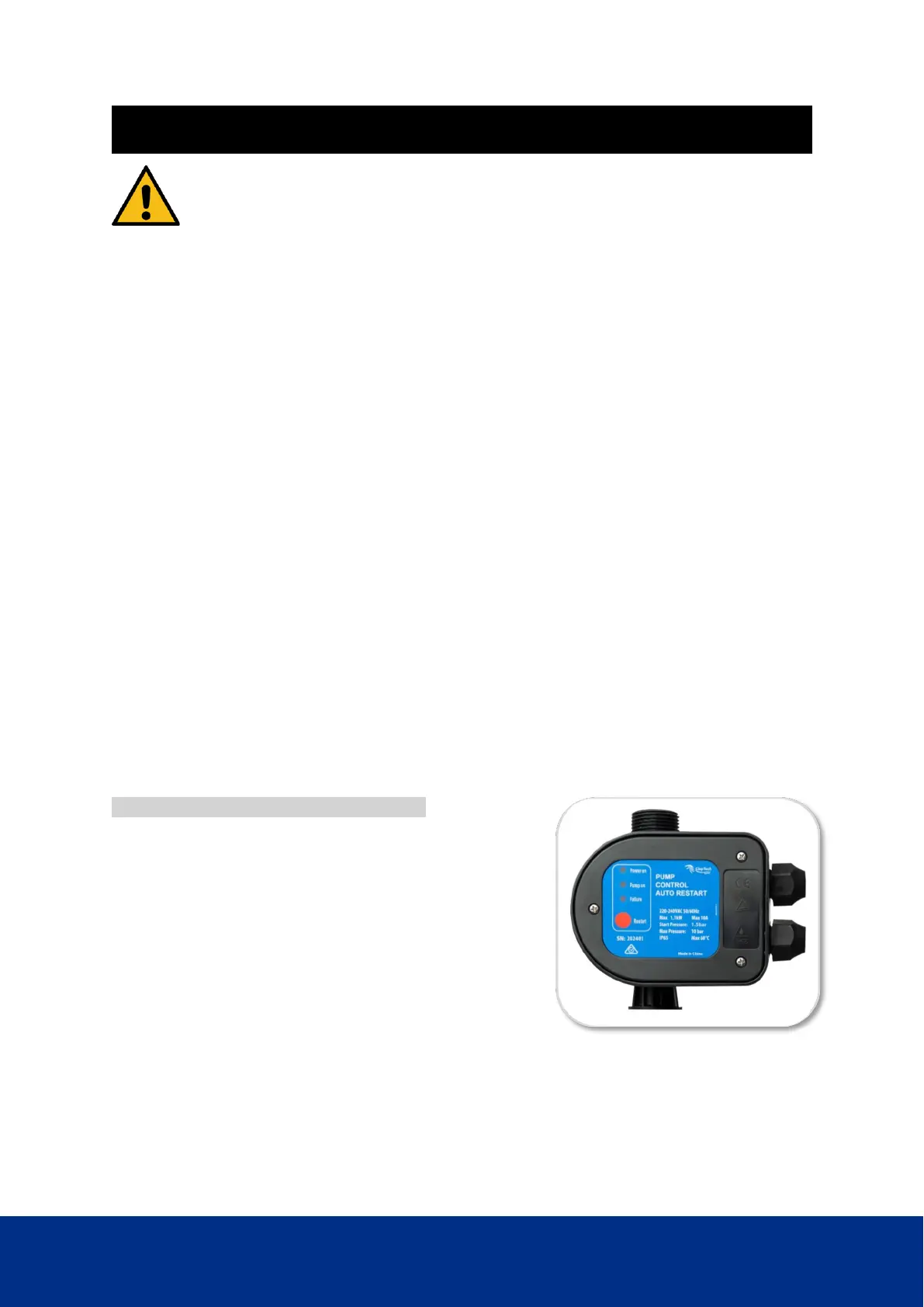
'POWER ON'
LED will be on.
3.
The pump starts automatically and the LED
'PUMP ON'
will be illuminate,
indicating that the pump is operating. Allow the pump to operate for
approximately 30 seconds to remove all air that may be in the system.
4.
Close the tap. The pump should stop after approximately 20 seconds.
CONTROLLER OPERATION
The controller is programmed to perform all pump control operations automatically.
The pump starts automatically when the pressure falls below the 1.5 bar.
The pump will run continuously until the controller senses flow has fallen below
approx. 1.2 liters per minute. The pump will run on for approx 20 seconds before
switching off.
Dry Run Protection and Auto Restart
If no water is supplied to the system, i.e. no water in
tank or closed supply/suction pipe, the system will
run the following sequence:
• Switch off after 20 seconds if no water is
detected
• stop for 10 seconds
• run for 40 seconds, stop for 10 seconds
• run for 40 seconds, stop for 10 seconds
The controller at this point will go into run a dry protection cycle. The ‘POWER ON’ light
will stay illuminated and the ‘LACK OF WATER’ light will flash slowly.
When the ‘LACK OF WATER’ light is flashing, it means the pump will restart after 24
hours. The system will repeat this cycle every 24 hours until water is detected.
The pump can be restarted at any time by pressing the ‘RESET’ button


 To Next Page