20
Product Maintenance
Cleaning Dust Bin and Filters
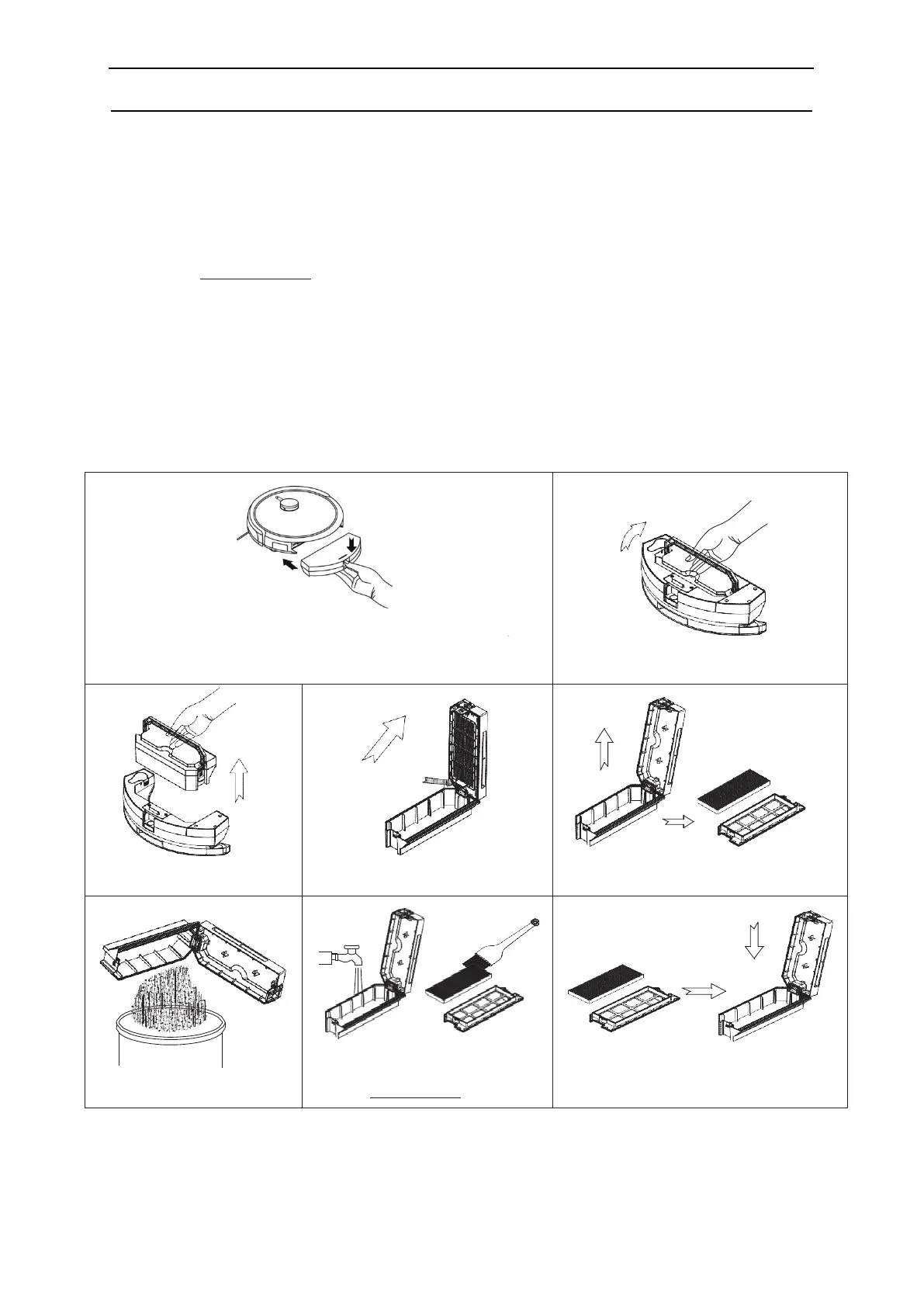
Empty and clean the dust bin before or after every cleaning session. Follow the cleaning steps as below.
Note:
a. Wash the nylon primary filter after every cleaningsession (not the HEPA filter)
b. Before installing the nylon primary filter make sure it is dry.
c. HEPA filter should be replaced if it has lost its shape or no longer fit tight against the
primary filter/frame.
d. Recommended changing intervalls for the HEPA filter:
i. Once per month if the robot is vacuuming seven days a week.
ii. Every other month if it is used 3-4 days per week.
iii. Every four months if used less than once per week.
New filters can be bought at www.cleanmate.se or at your local retailer.
A. Hold the bottom of dust bin, and then press down the button
to take out the dust bin
B. Lift the handle
D. Open the dust bin
C. Separate the dusbin
E. Remove the primary and HEPA filter
out and away from the dust bin.
F. Empty the dust bin
G. Flush the dust bin and nylon primary
filter, use a cleaning brush to clean the
HEPA-filter, do not use water.
H. Install the dried primary filter and HEPA-
filter back into dust bin
Ti
p - make sure to protect the floor around the charging station in case of sensitive floor as the robot will sit still with a
damp mop against the floor during charging.



 To Next Page