13
Product Operation
Cleaning Modes
Below are the cleaning modes to meet different cleaning requirements of you.
1. Automatic Cleaning Mode
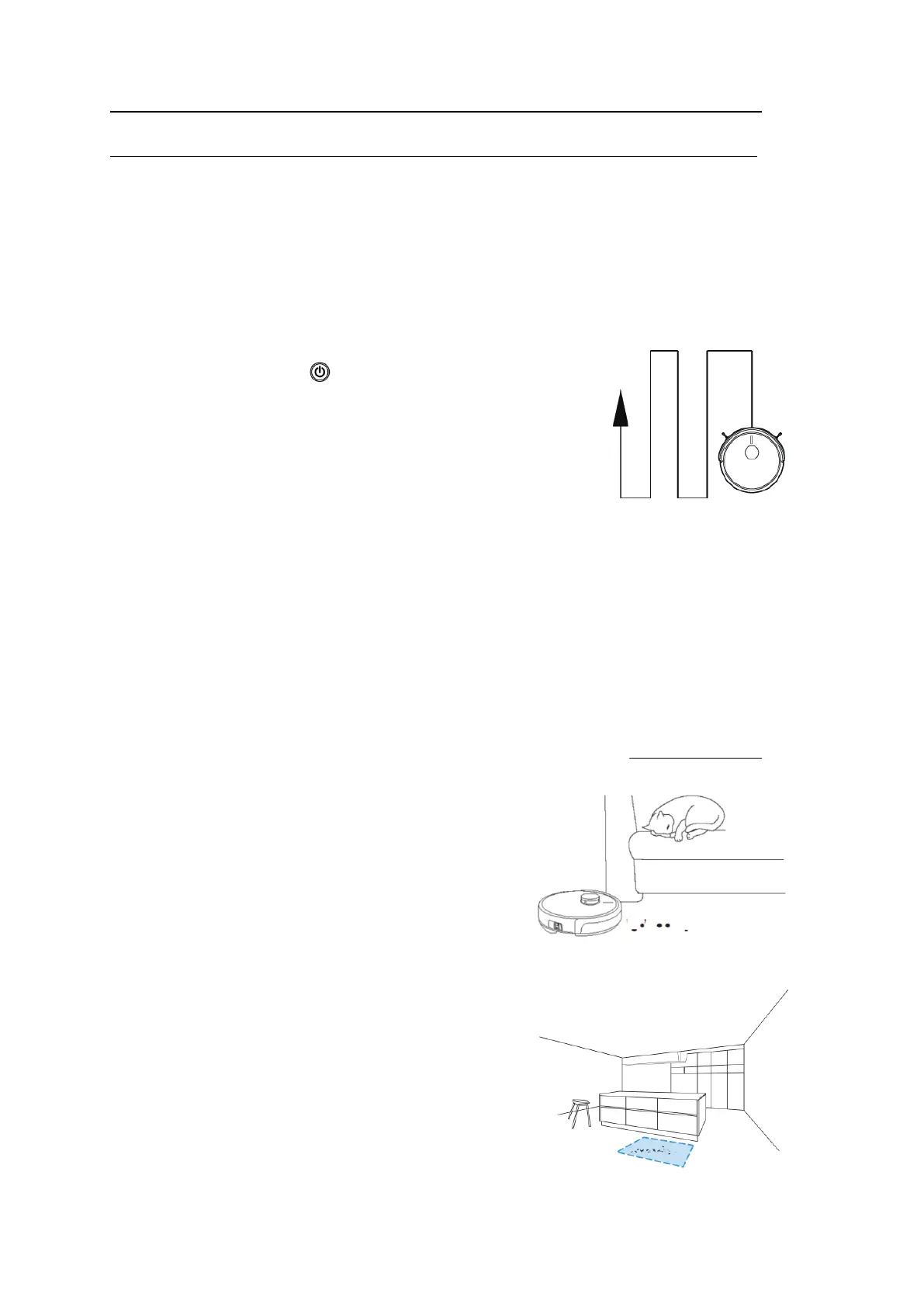
In standby status, press “ ” on robot body or press “ON/OFF”
on APP, robot will enter automatic cleaning mode. Robot will start
along the wall and plan the cleaning of a 4X4 ㎡ area with Zig-zag
mode, and then after that moves to next 4X4 ㎡ area.
2. Max Cleaning Mode
Press “MAX” on APP to
enter powerful cleaning mode,
Robot will slow down its speed and increase its vacuum power, and speed up the mainbrush
rotation for a deeper cleaning.
.
3. Mute Cleaning Mode
Press “Mute” on APP to enter low noise
cleaning mode. The robot will slow down its moving
speed and mainbrush rotating speed, and decrease
its vacuum power to minimize the noise level.
4. Area Cleaning
Based on the exi
sting complete map of house, press
“Area” on the mapping page of APP, chose the size
and location of a target area, and confirm it and start
cleaning. Robot will go straight for cleaning the target
area



 To Next Page