8 © clearaudio electronic GmbH, 2019-02
4.4 Fine speed adjustment
Given that the motor adjustment is already pre-set by Clearaudio, there is no need to check the
speed before using the turntable for the rst time.
To adjust the speed as perfectly and precisely as possible, we recommend the Clearaudio
Stroboscope test record (Art. No. AC038) and the Clearaudio “Speed Light” (Art. No. AC039, both
available at www.analogshop.de).
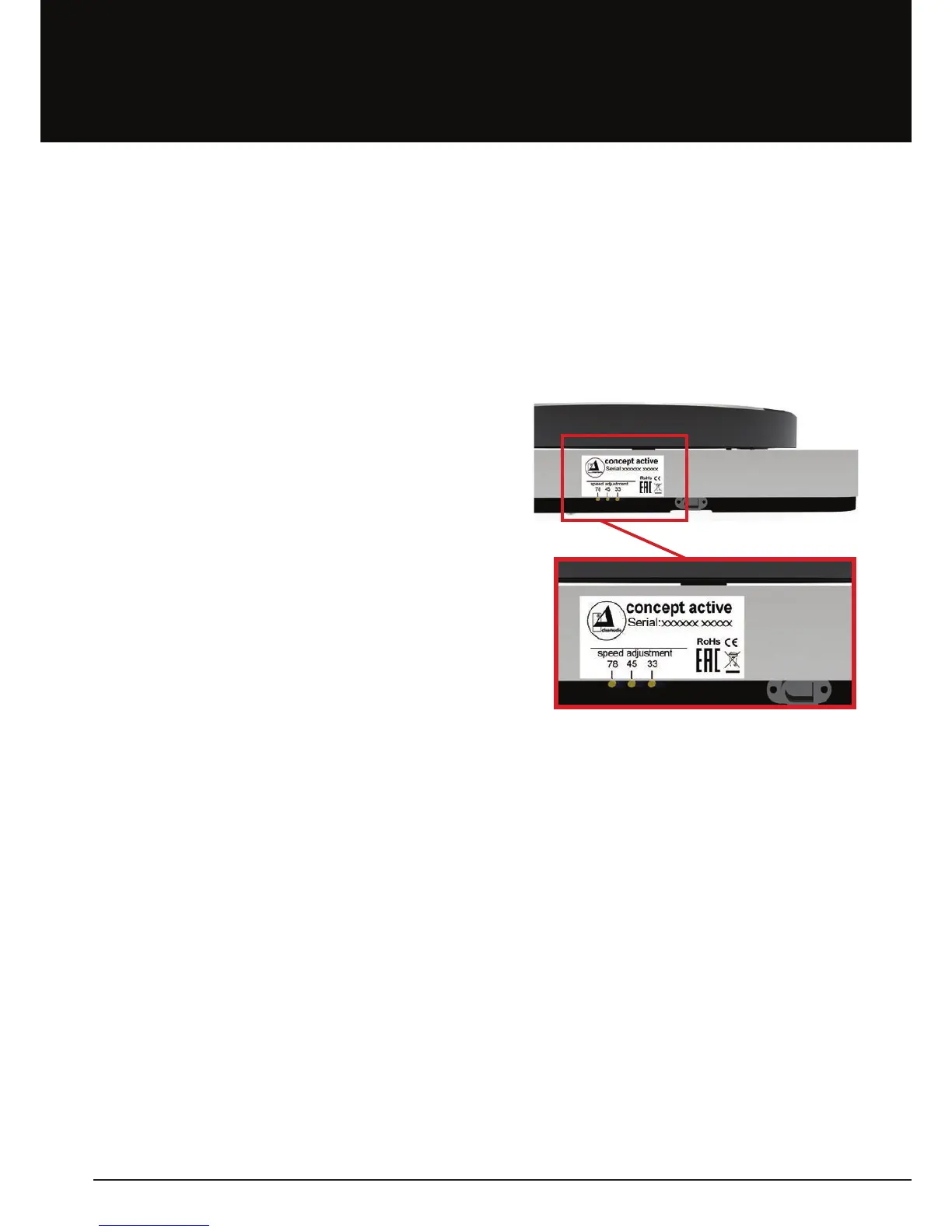
On the rear side of your turntable (close to the power supply input) there are three speed setting
controls:
- Left control = setting 78rpm
- Middle control = setting 45rpm
- Right control = setting 33 1/3rpm
(near power supply jack)
Pic. 11: Speed setting controls on the rear




 To Next Page