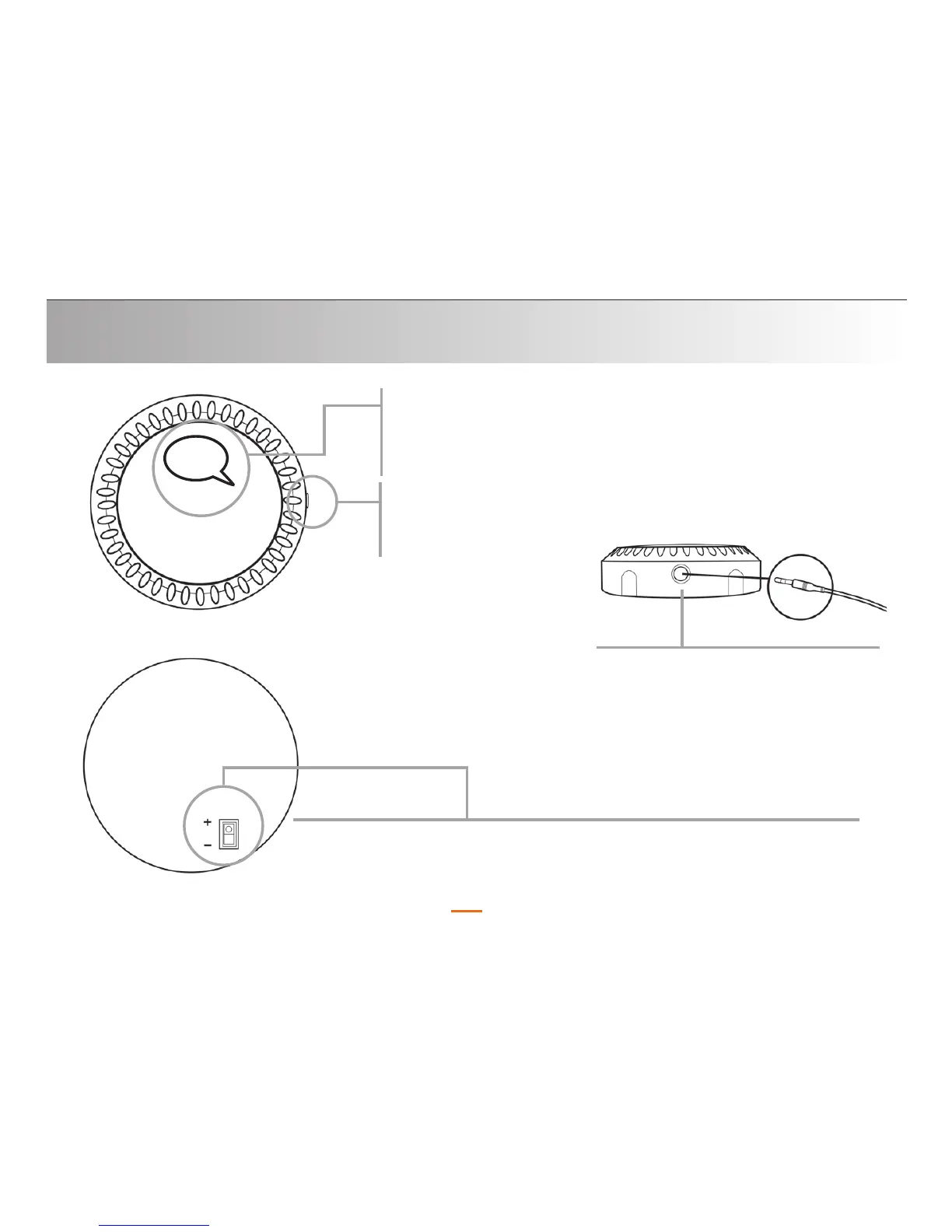
LED: This looks like an illuminated speech bubble.
Depending on the action being performed, the LED
indicator will be either red or blue.
Getting Familiar
11
3.5mm jack: This is where
you plug the 3.5mm (larger
size of the audio cable)
i
nto the QConnect.
Silver Button:
“MFB”
(top view)
Front
View
Battery Engage Switch: This switch, located on the back of
the QConnect, MUST be in the + position in order for it to
function. This is
not the QConnect on/off switch.
Back
View


 To Next Page