14
Attaching
Attaching the QConnect
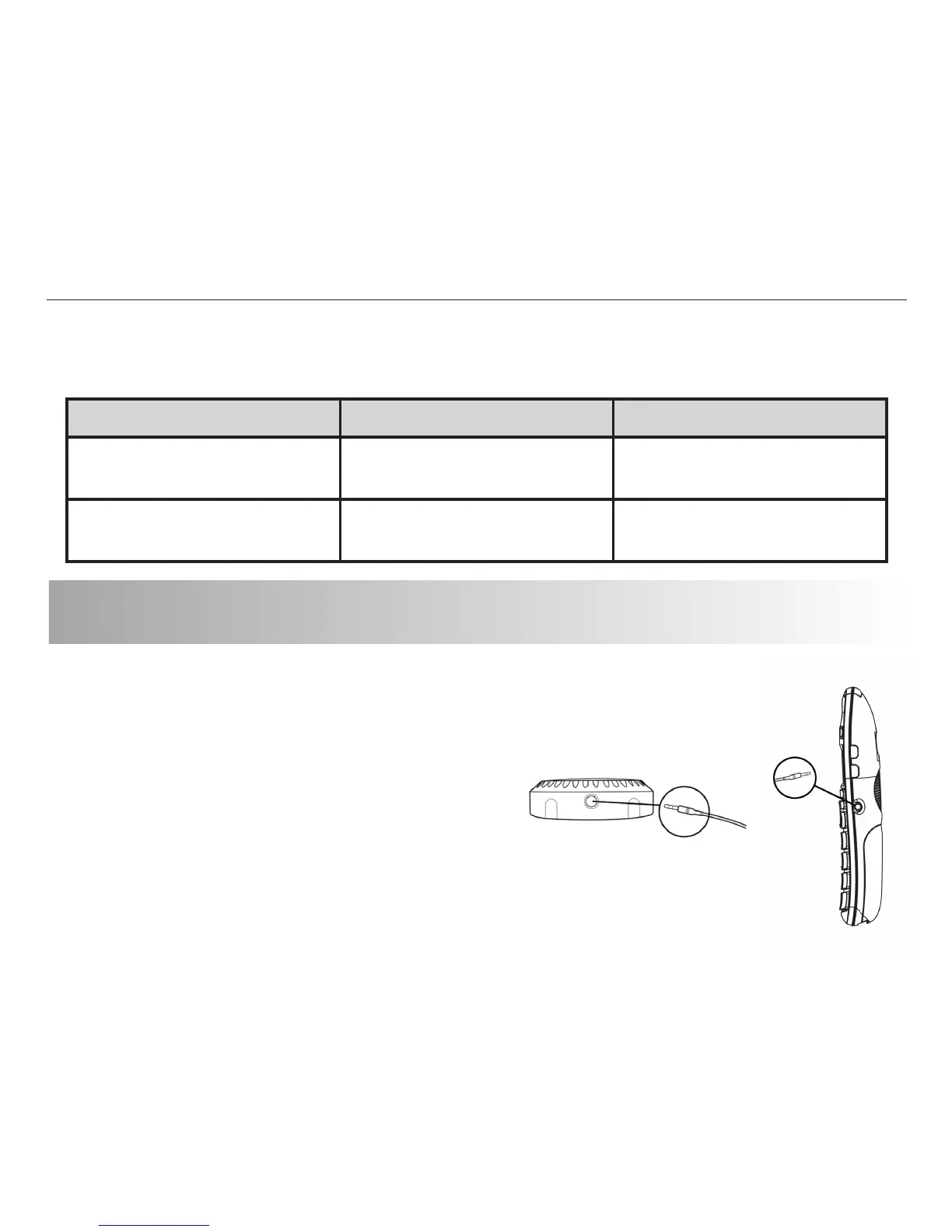
Plug the 3.5mm (larger) end of the
connector c
ord into the top of the QConnect.
Plug the 2.5mm (smaller) end of the connector
cord into the headset jack of your landline corded
or cordless phone. We recommend keeping the QConnect
on a stable surface next to your connected telephone.
Turning the QConnect On/Off
Function Operation LED Indicator
Turning on the
QConnect
Press and hold the MFB
for 3-5 seconds
LED flashes blue in 1
second intervals
Turning off the
QConnect
Press and hold the MFB
for 3-5 seconds
LED flashes red
twice


 To Next Page