12 P2144BA/EN 2014-08 2144b-en_1_5_bedingt.fm, 09.09.2014
Product Description
4
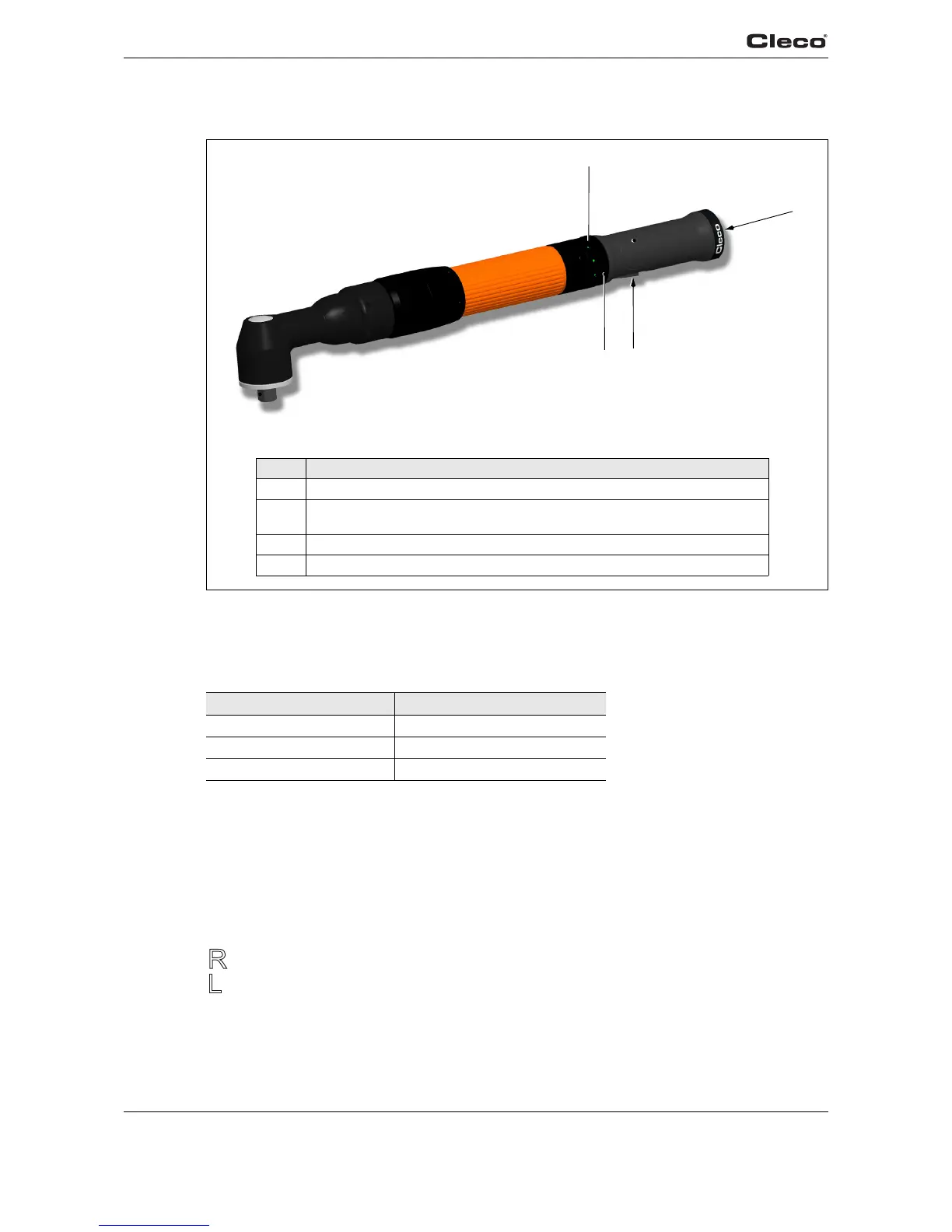
4.2 Operation and functional elements
4.2.1 Illuminated ring LED display
(description serves only as example, function depends on software)
Operating status display and the result of the last rundown procedure:
4.2.2 Start button
Start rundown.
4.2.3 Reverse switch
The reverse switch changes the rotation direction of the 48EAE.
Turn reverse switch as far as it will go.
Clockwise rotation – for screwing in screws
Counterclockwise rotation – for loosening or screwing out screws
LED Operating status
Green continuous light OK
Red continuous light NOK
Yellow Enable
2
4
1
3
Item Designation
1 Illuminated ring LED display
2 Connection of power supply with AirLB connector
(see product catalog for tool cable)
3 Start button
4 Reverse switch



 To Next Page