29
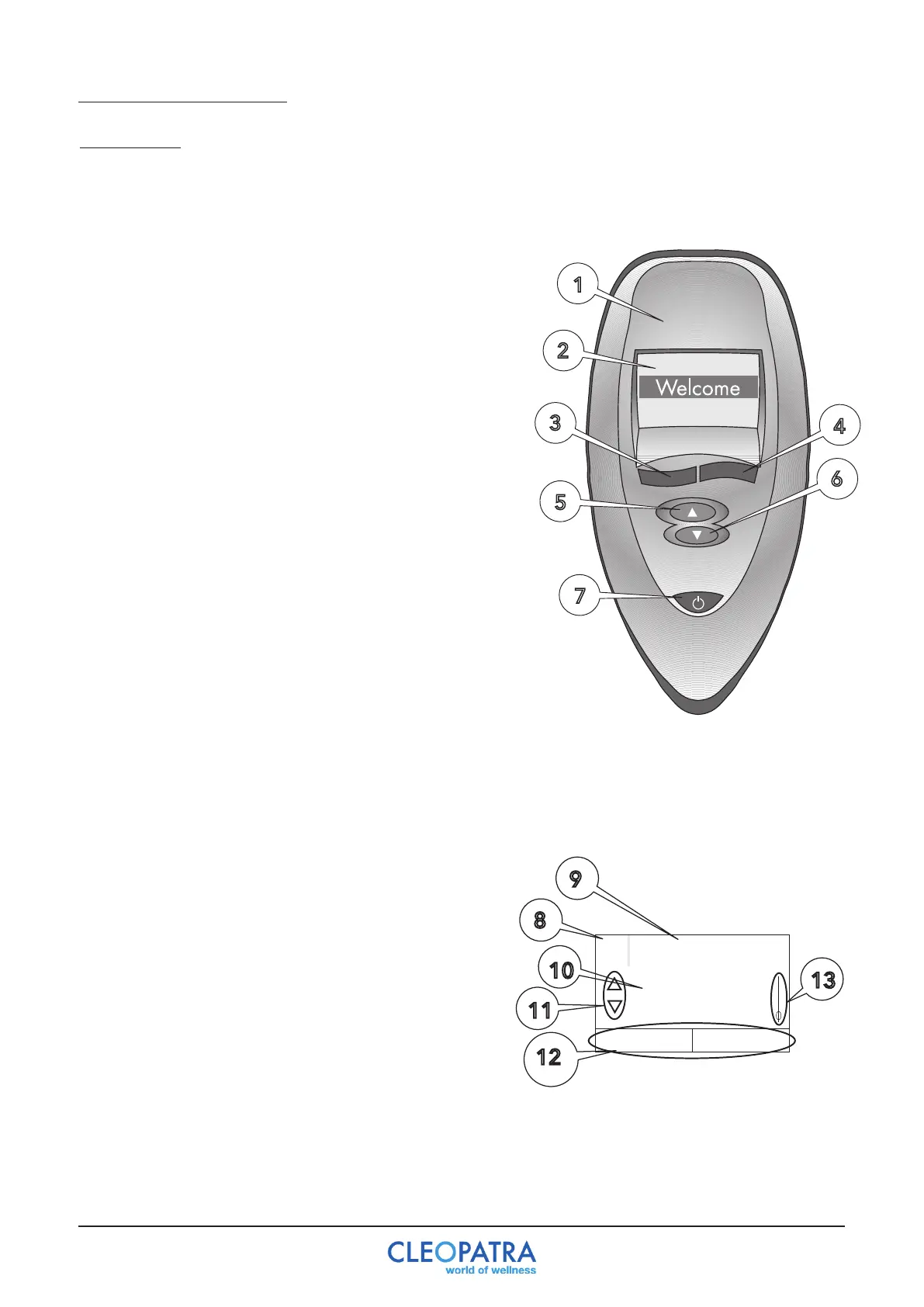
9.1 Display
The Poolmaster is optional for the Complete Wellness and the Extreme Wellness systems.
1
2
3
5
7
4
6
1. Poolmaster
2. Lighting LC Display.
3.Selectionbutton(left):Withtheselectionbuttonsyou
can jump in the next menu level and a function can
be selected. The selection options are indicated on the
display.
4.Selectionbutton(right):Withtheselectionbuttons
you can jump in the next menu level or a function can
be selected. The selection options are indicated on the
display.
5. Navigation button (menu up): By pressing the
navigation buttons you can go through the menus.
6. Navigation button (menu down): By pressing the
navigation buttons you can go through the menus.
7. On / Off: Pressing the key (at least 1 second)
switchesthePoolmasteron.“Welcome”thenappearsin
the display and then the first menu selection. The control
is turned off by pressing the button again. All active
whirlpool functions are interrupted.
8.Fieldforthemenunumber,Payattention:themenu
number varies depending on the activated functions
and the execution of the whirlpool.
9.Fieldfortheindicationofthenextmenuitem.
10. Description of the chosen menu.
11. Choices for button 5 and 6.
12. Choices for button 3 and 4.
13.Indicatorfor“menuposition”.
9 Poolmaster control


 To Next Page