30
9.2 Firs t usage
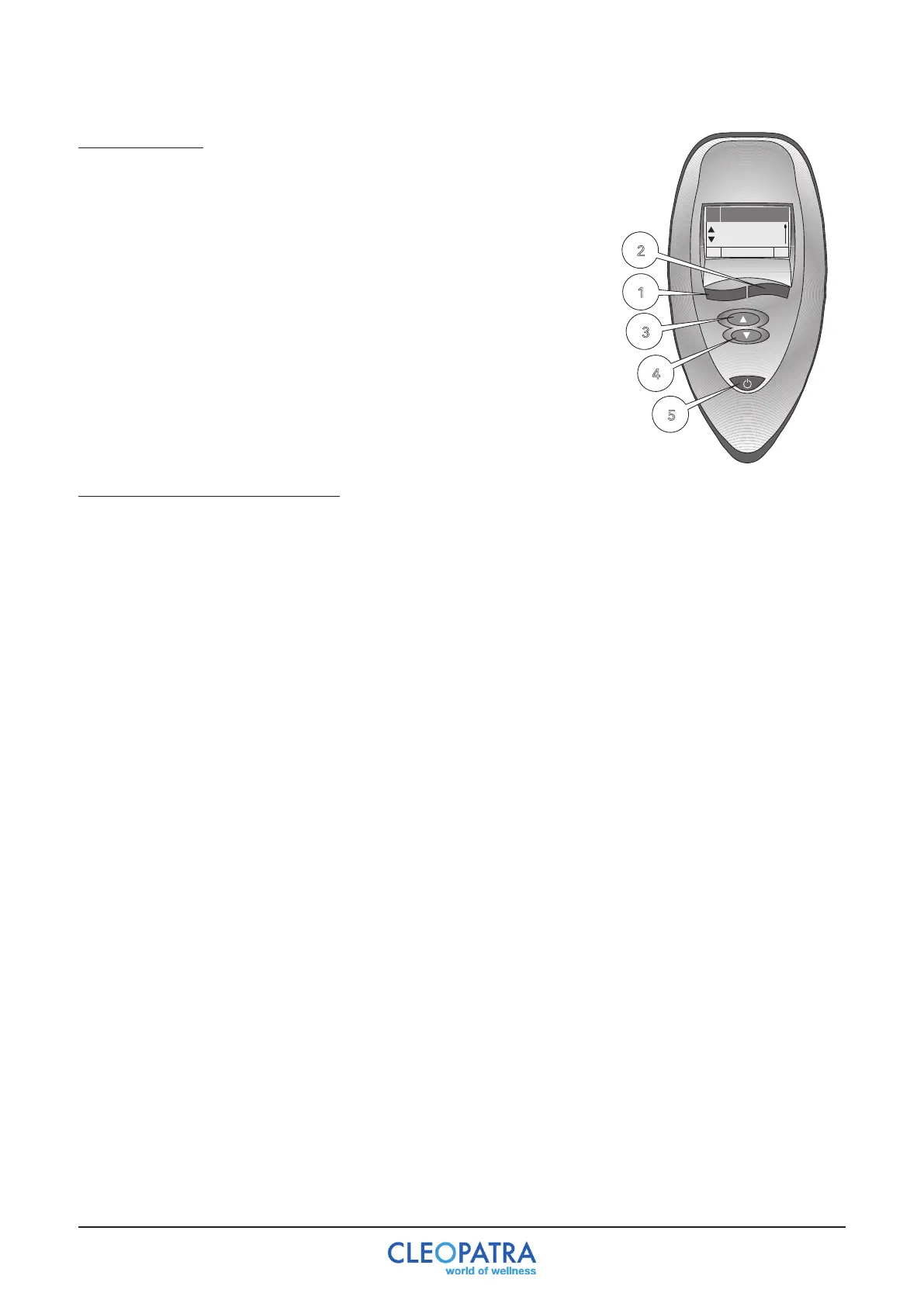
When using the whirlpool for the first time, the user must set the
language. There are 6 languages programmed: Dutch, German,
English,Italian,SpanishandFrench.Toconfirmtheselection,press
button5.“Program”appearsonthedisplay.Thenpressbutton3;
“settings”appearsonthedisplay.Gotooptionsbutton2;the
language you want is shown on the display. You can select the
language by pressing 1 or 2. Pressing button 5 (disabling) confirms
the language. Then turn on again with button 5. You can now
review all functions as described in the manual.
Choice
Language
10
Settings
Settings
English
Language
7 Settings
-+
0
Programme
Auswahl
7
Einstellung
Sprache
-
Deutsch
+
7
Einstellung
Einst.
Deutsch
0
Programs
Choice
7
Settings
Language
-
English
+
7
Settings
Einst.
0
Programma
Scelta
7
Regolaz.
Lingua
-
Italiano
+
7
Regolaz
Scelta
0
Programme
Choix
7
Paramètres
Langue
-
Francais
+
7
Paramètres
Options
0
Programa
Selecc.
7
Opciones
Idioma
-
Espanol
+
7
Opciones
Opc.
DeutschEnglishNederlands
9.3 Timer (see menu description)
Thecontrolisequippedwitha“Timer”function.Inthebasicsettingallsetwhirlpoolfunctionsturn
offautomaticallyafter20minutes.Youcansetthistimebetween1-40minutesinthe“Timer”
menu. The timer must always be set before starting or programming the functions defined for the
user!
Inthe‘Functions’menu,thesettimertimeisautomaticallyresetto20minuteswhenyouexitthe
‘Functions’menulevel.
In the last minute the display automatically shows the timer function and counts down the seconds.
The display lighting is switched on automatically in the last 10 seconds. Once the set time has
expired, the whirlpool can be switched on again as it was last set without the functions having to be
reconfigured.


 To Next Page