Shenzhen Clever Electronic Co., Ltd
17
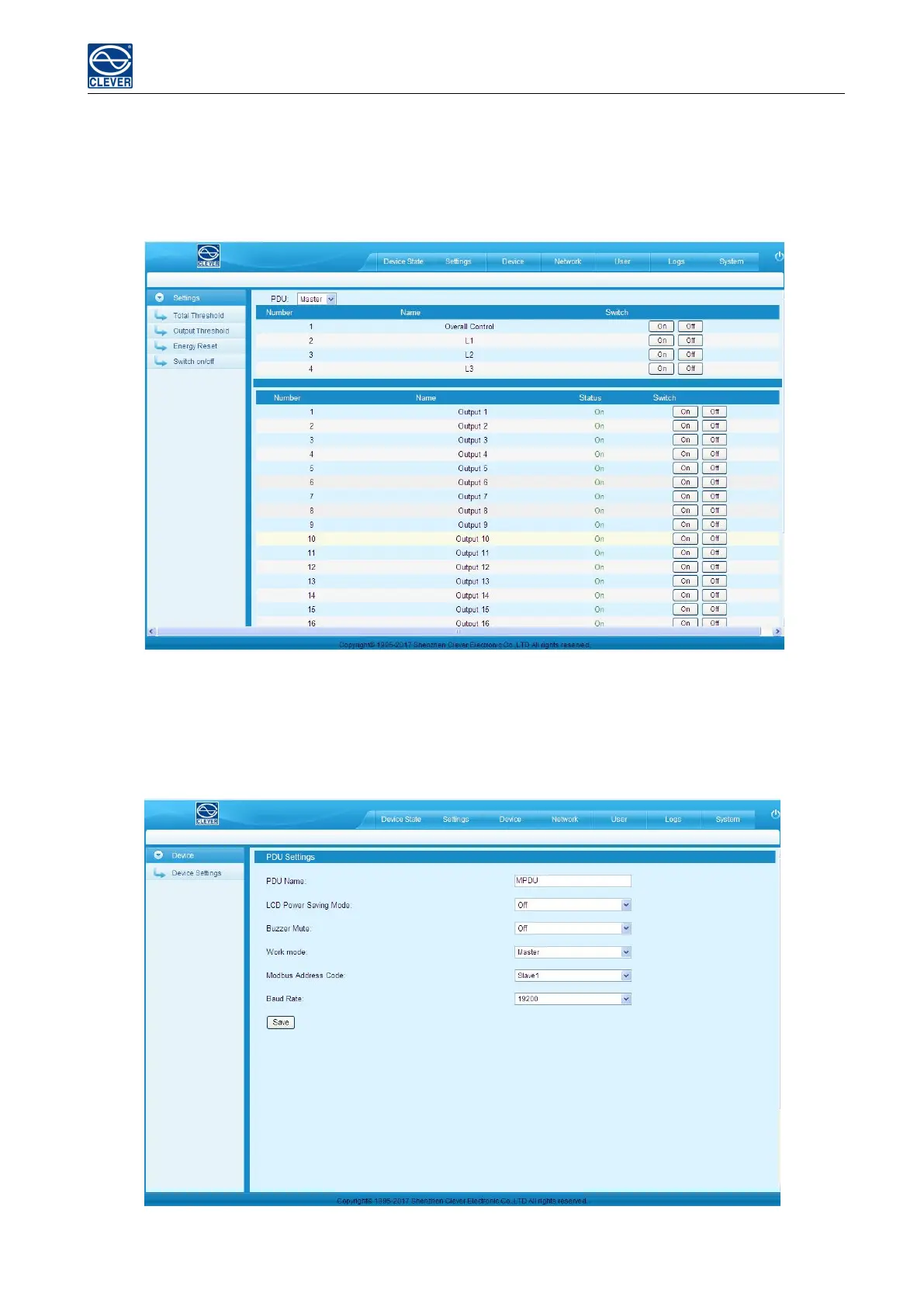
4) Outlet Control
a. Click the ON/OFF button after the outlet to switch ON/OFF the specified individual outlets;
b. Click the ON/OFF button after each phase to switch ON/OFF the outlets from the specified phase;
c. Click All ON/All OFF button to switch ON/OFF all outlets at the same time.
Figure 1-6
C. Device Management
Device Settings: To configure the device name, LCD screen energy-saving mode, mute the buzzer alarm, Work
mode, Modbus address code and baud rate.
Figure 1-7



 To Next Page