Shenzhen Clever Electronic Co., Ltd
18
D. Network Settings:
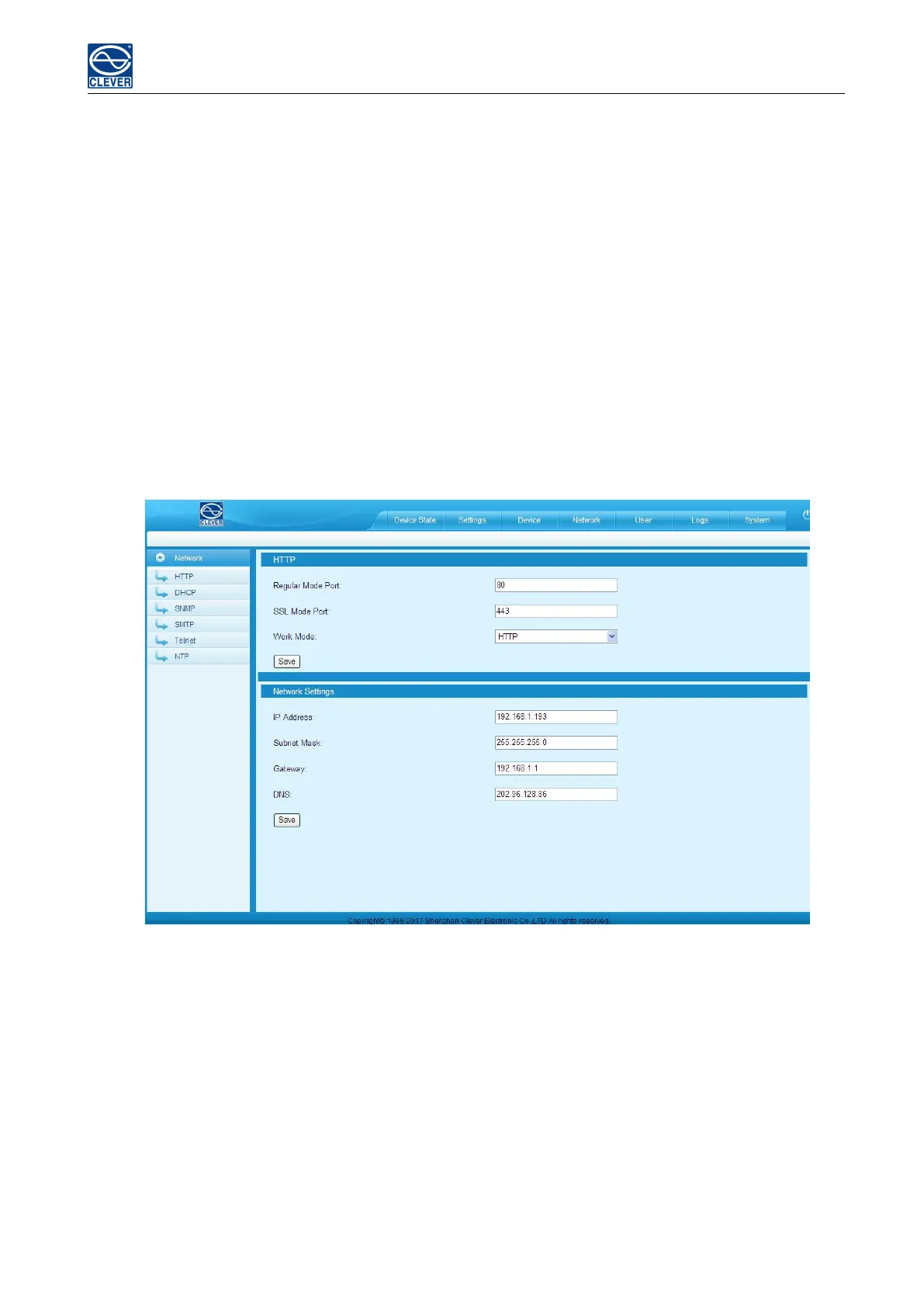
1). HTTP/SSL settings
Set-up and save the HTTP/SSL port according to the working mode.
The default port is 80 under normal work mode,
HTTPS(SSL) Mode Port is 443 by default
Note: These settings will take effect when MPDU is restarted
2). Network settings and modify IP address, for example:
IP address:192.168.1.163(factory default IP);
Subnet mask:255.255.255.0
Gateway:192.168.1.1
DNS address:202.96.128.86 by default;Please enter a correct DNS address in order to send the E-mail
Figure 1-8
3). DHCP settings:
The default state of DHCP setting is Off. User can select On from the DHCP drop-down list and click Save to
enable it. After restarting the software, device will get the IP automatically. IP can be viewed from the LCD
screen.



 To Next Page