Shenzhen Clever Electronic Co., Ltd
20
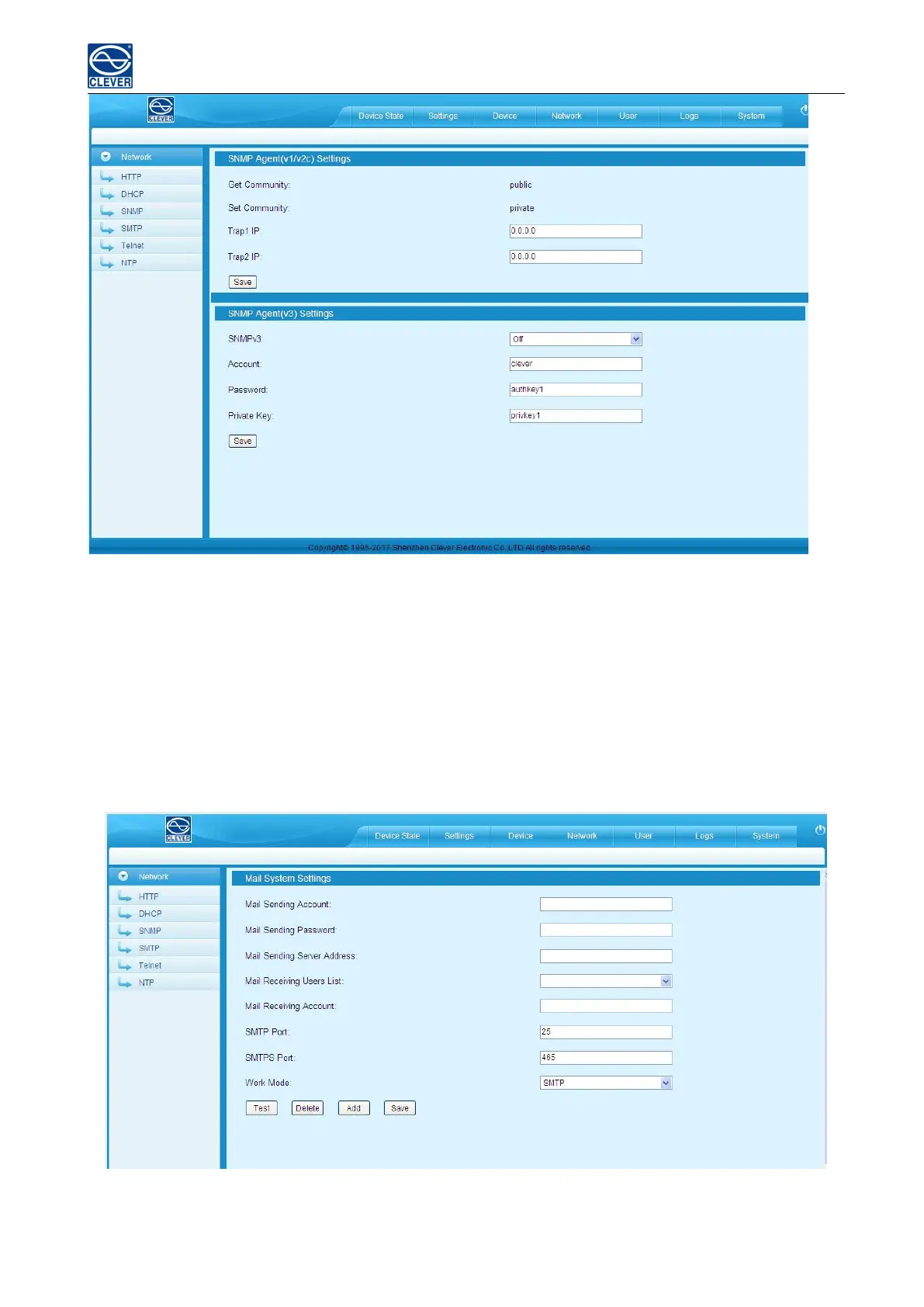
Figure 1-10
5) SMTP settings: Click SMTP from the network navigation tab to enter the SMTP setting as figure 1-11
Fill in the parameters of SMTP service including SMTP account, password, SMTP server, working mode
(SMTP/SMTPS) and e-mail recipients (up to 5 recipients), then Click Save. SMTP settings will take effect when
MPDU is restarted.
SMTP test: fill in the recipients address and click “Test” SMTP setting is successful if test email was received. If
not received, please double check and configure the SMTP again.
Figure 1-11
6). Telnet Settings



 To Next Page