BIOS Utilities
5 - 14 Boot Menu
5
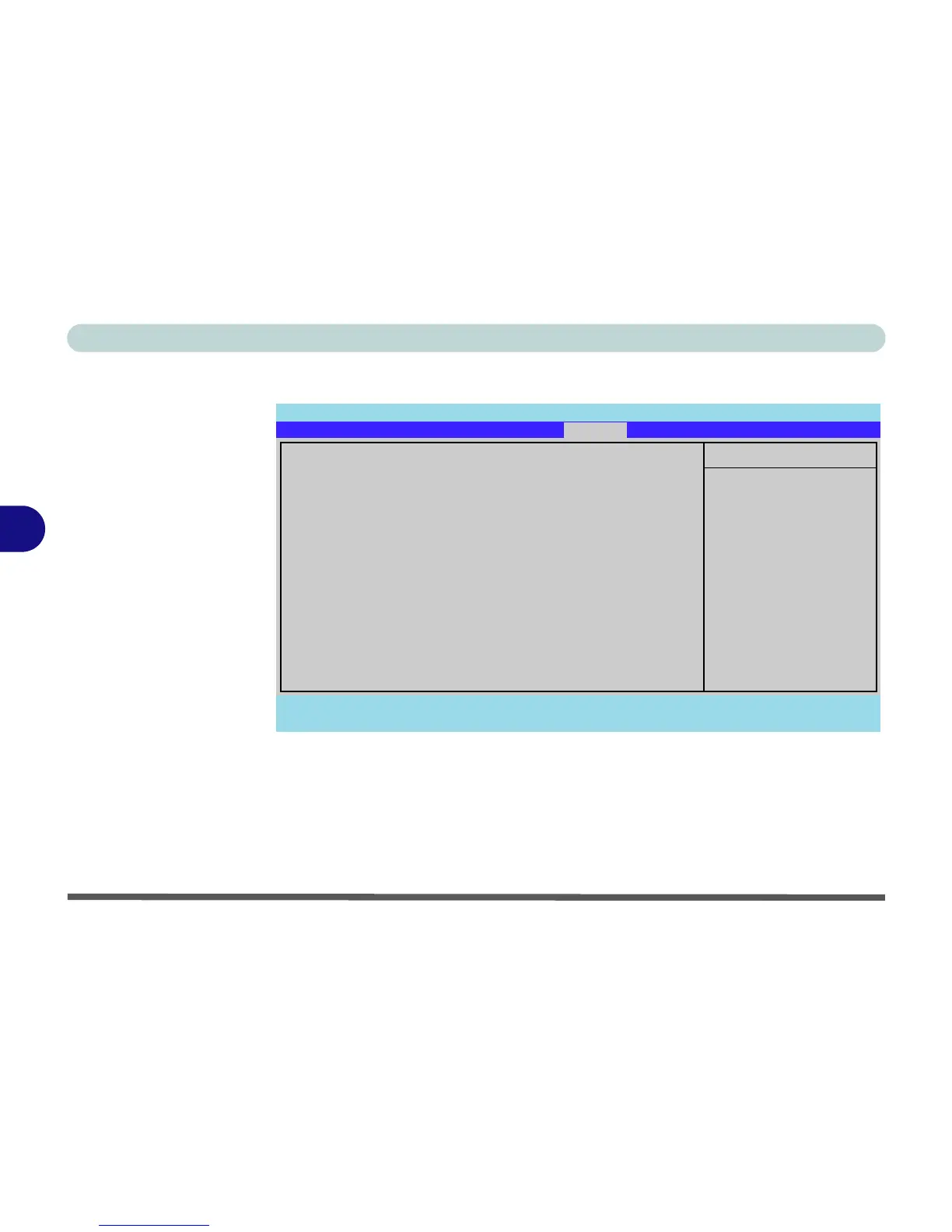
Boot Menu
When you turn the computer on it will look for an operating system (e.g. Windows
Vista) from the devices listed in this menu, and in this priority order. If it cannot
find the operating system on that device, it will try to load it from the next device in
the order specified in the Boot priority order. Item specific help on the right is
available to help you move devices up and down the order.
Figure 5 - 7
Boot Menu
Phoenix TrustedCore(tm) Setup Utility
F1 Help Select Item -/+ Change Values F9 Setup Defaults
Esc Exit Select Menu Enter Select Sub-Menu F10 Save and Exit
Item Specific Help
Keys used to view or
configure devices:
Up and Down arrows
select a device.
<+> and <-> moves
the device up or down.
<x> exclude or include
the device to boot.
Boot priority order:
1: USB FDC:
2: IDE CD: Optiarc CD-RW CRX880A-(SM)
3: IDE HDD: FUJITSU MHW2060BH PL-(S1)
4: USB HDD:
5: PCI BEV: Realtek Boot Agent
6:
7:
8:
Excluded from boot order:
: USB KEY:
: USB CDROM:
: USB ZIP:
: 1394 CDROM:
Main Advanced Security
Boot
Exit



 To Next Page