Clickfree Portable Backup Drive for Macintosh: User Guide Advanced topics (HD)
Advanced topics (HD)
HOW DO I START A DVD BACKUP OR RESTORE?
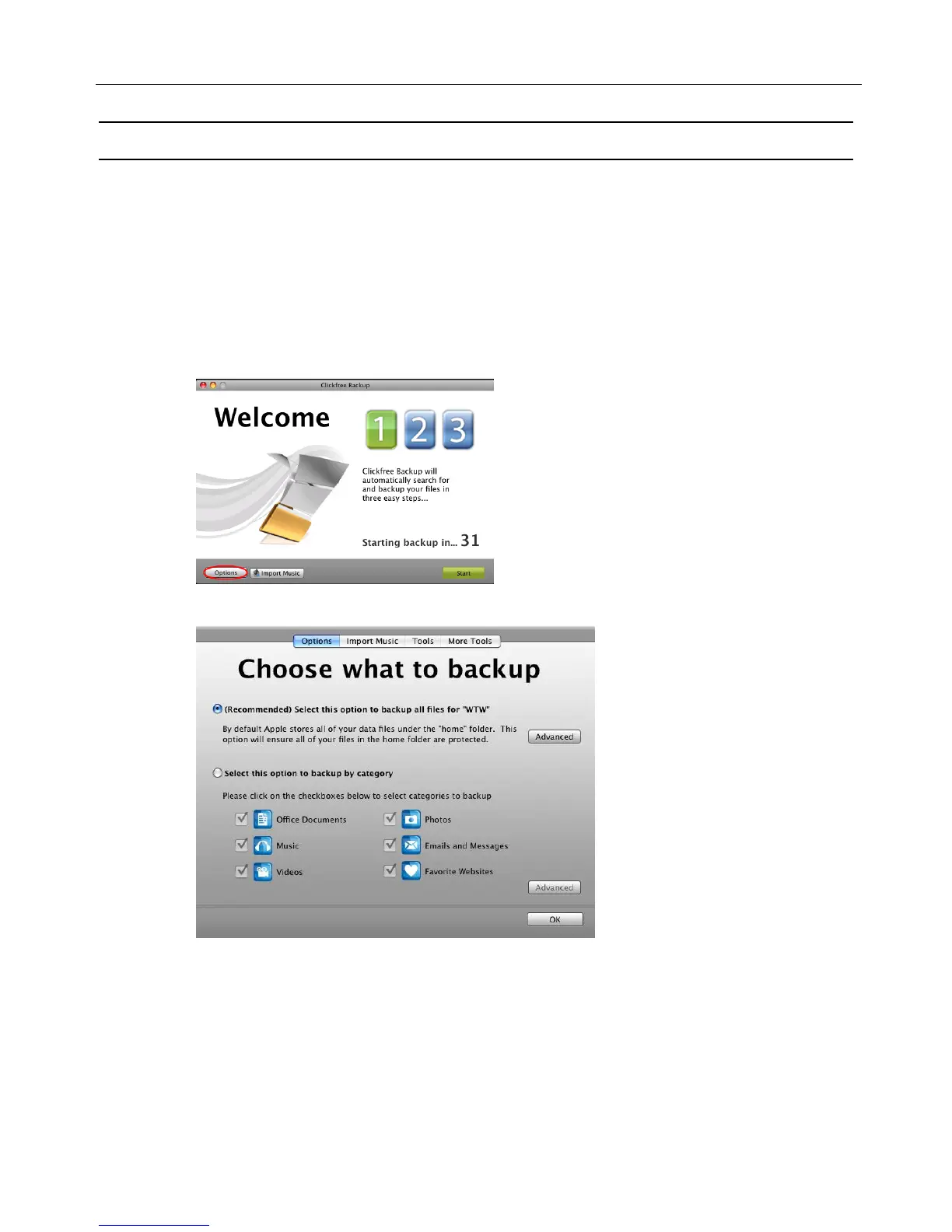
The DVD backup/restore is started from the Options screen.
To start a DVD backup or restore
1. Follow steps 1 to 3 of the procedure “How do I start using my Clickfree Portable
Backup Drive (HD)?” on page 12.
2. Before the countdown reaches zero, click Options.
The Choose what to backup screen is displayed:
3. Now click More Tools then Backup to CD/DVD.
The DVD backup program starts up.



 To Next Page