Clickfree DVD Transformer for Macintosh: User Guide Advanced topics (DVD)
HOW DO I CHOOSE INDIVIDUAL FILES FOR RESTORE?
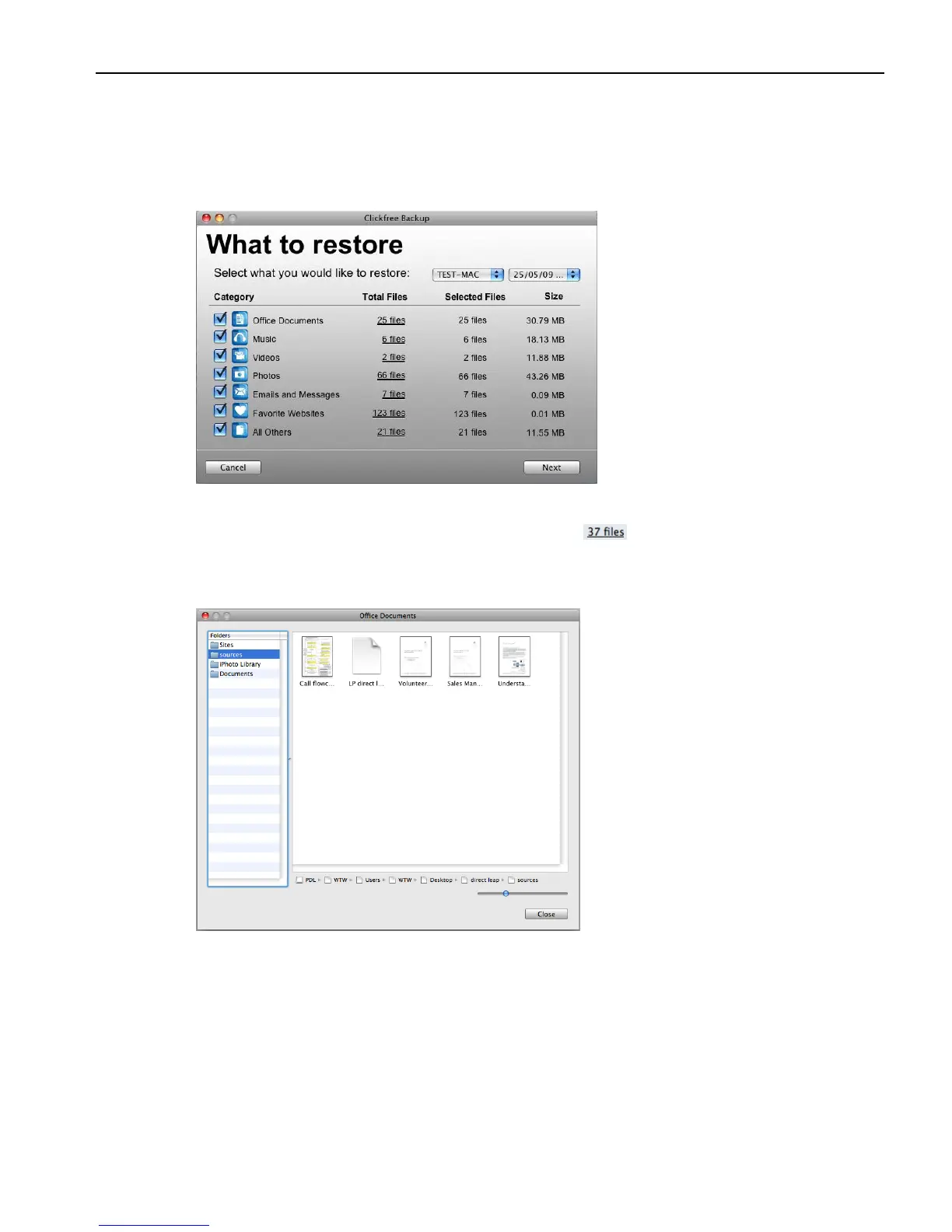
On the What to restore window you can click checkboxes to select the category whose files
you want to restore.
You can also select and deselect individual backed-up files within a category.
To select/deselect files within a category:
1. Click any of the underlined numbers (for example, ).
The window that opens lists, on the left, all of the folders that contain files from the
category that corresponds to the number you clicked:
Select a folder to view the files it contains. By default, all files in the folder are selected.
2. Select and deselect files as you normally do in a Finder window.
3. Click OK.
The counts of Selected Files are updated.
4. When you are finished selecting files, click Next.
The restore continues. See “Choosing where to restore content to” on page 64.



 To Next Page