Clickfree DVD Transformer for Macintosh: User Guide Restoring my content (DVD)
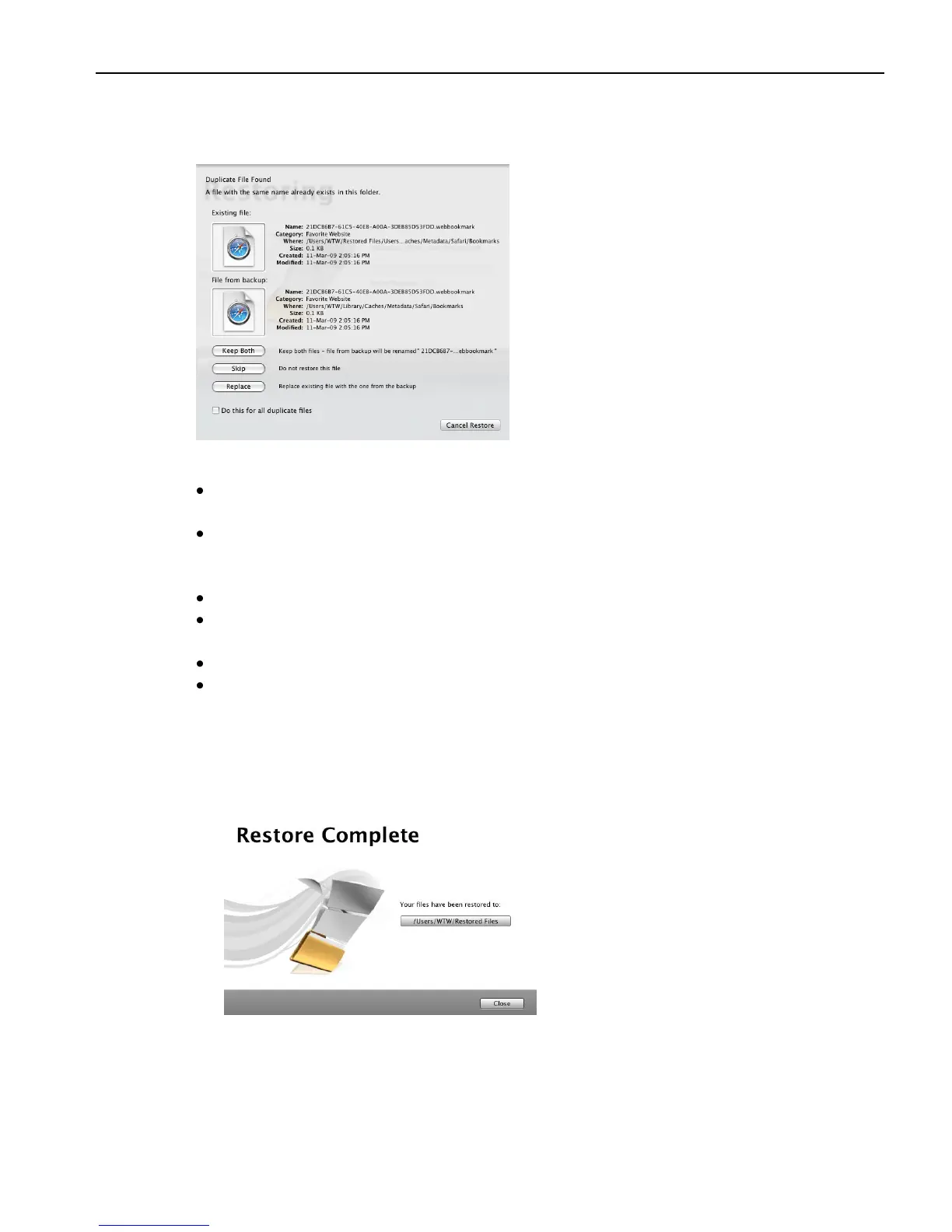
Before it overwrites an existing file on your computer with one of the same name from
the backed-up files, Clickfree asks if you want to replace the existing file with the same-
name file from the backup:
10. You can choose to:
Keep both copies of this one file – click Keep Both. Clickfree renames the backed-
up file by adding „ copy‟ to the end of the file name, then restores the renamed file.
Keep both copies of all same-name files – check Do this for all duplicate files and
click Keep Both. Clickfree, without asking you, renames the remaining backed-up
files by adding „ copy‟ to the ends of the file names, then restores the renamed files.
Not replace this one file – click Skip
Not replace any same-name files – check Do this for all duplicate files and click
Skip. Clickfree skips all remaining same-name files without asking you.
Replace just this file – click Replace
Replace all same-name files – check Do this for all duplicate files and click Replace.
Clickfree replaces all remaining same-name files without asking you.
If two files have the same size (KB) and same date/time modified, it is likely to be
safe to skip.
When all of your content has been restored, Clickfree tells you that it is done.



 To Next Page