climatemaster.com
5
iGate
®
ConnectProgrammableThermostat
Revised:December20,2021
THE SMART SOLUTION FOR ENERGY EFFICIENCY
9. Selectthethermostatfromthelistofdiscovereddevices.
10. SelectMenuicon.
11. FromtheMainMenu,selecteachdevicetocongureitssettings.
ReferencetheThermostatSettingsandEquipmentSettingssectionsforadditionalinformation.
12. Whennished,cyclepowertothethermostattoreturntoStationmodeconnectingtotheinternet
throughtheuser’sWi-Firouter.
ThethermostatwillautomaticallytimeoutofAccessPointmodeandreturntoStationmodeafter2hours.
THERMOSTAT SETTINGS
User Settings
Availableremotely(web/mobile)andatthermostatdisplay.
User Setting Description Range/Options Default
Thermostat Name 16 character text input
Congures the
thermostat's
displayed name
Touch Volume Congure the sound made when touching the thermostat. O, Click, Beep Click
Auto Daylight Savings
Time
Congures automatic Daylight-Saving Time change in the thermostat. Disabled, Enabled Enabled
Security Restricts access requiring the user to enter a 4-digit security PIN. Disabled, Enabled Disabled
Security PIN (requires
Security to be enabled)
4-digit security PIN for restricting access. 0000–9999 --
Active Backlight
Adjusts the backlight intensity when the thermostat is in an active state (being
accessed or viewed by the end user).
10% – 100% 75%
Standby Backlight
Adjusts the backlight intensity when the thermostat is in a dormant state (not
being accessed or viewed by the end user).
0% – 25% 25%
Active to Standby Timer
(Screen Timeout)
Maximum amount of time the backlight stays active when no activity is sensed
at the thermostat.
5 to 30 seconds, in 5
second intervals
15 seconds
Programming
Programming feature to set the time, heat setting, cool setting, and fan
operation for each program schedule event of the day.
Non-programmable,
Programmable
Non-Programmable
# Program Day Parts
(requires Programming to
be enable)
Congures the number of program schedule event each day. 2, 4 4
WithSecurityenabled,after5failedattempts,anoticationissenttotheregisteredownerofthethermostatthrough
Wi-Fi.Moreunlockattemptsareblockedfor15minutes.
Theprogramschedulecanonlybeviewedfromthethermostatscreen.Permanentprogramschedulechangesrequire
themyUplinkapp.
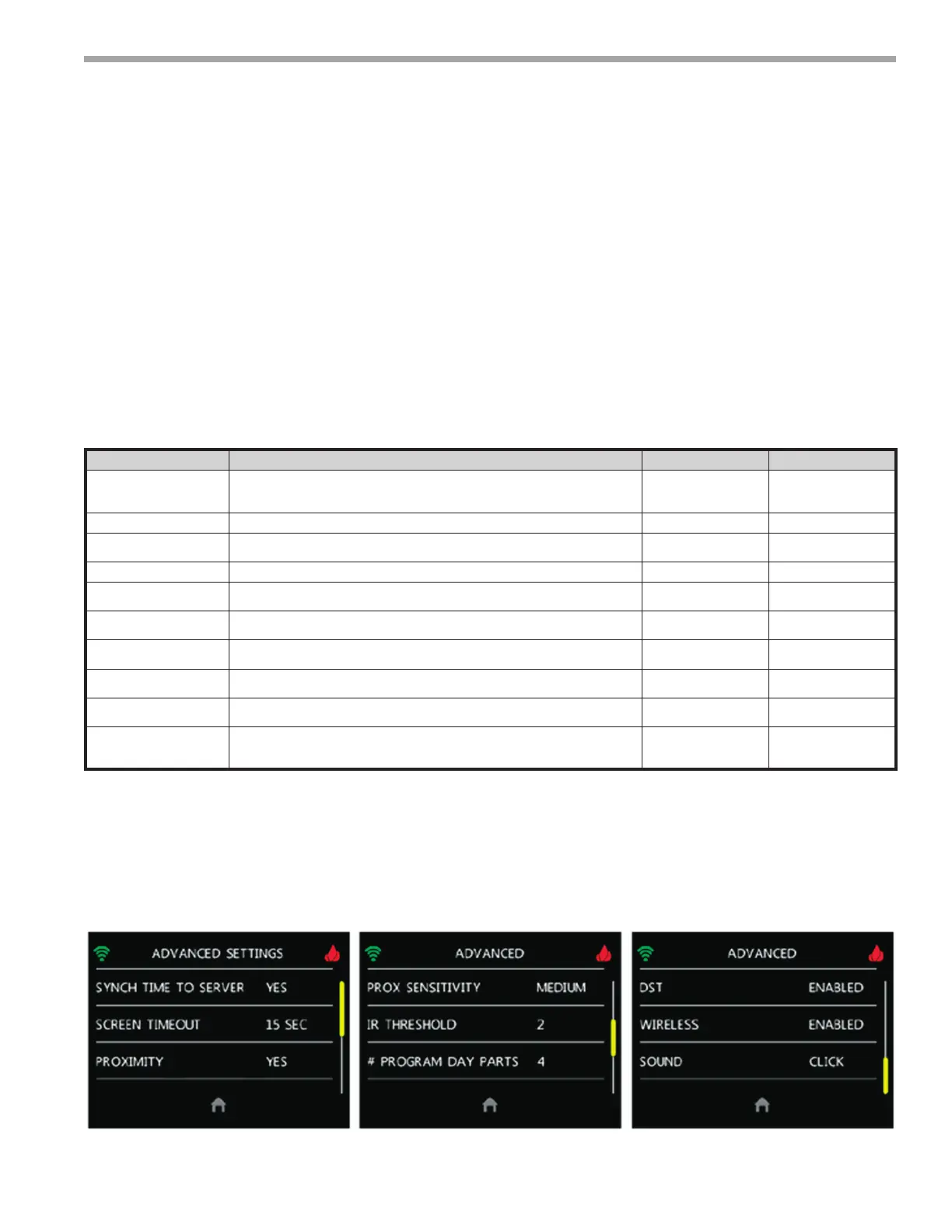
Availableatthermostatdisplay.



 To Next Page