2
IP CAMERA / Discovery
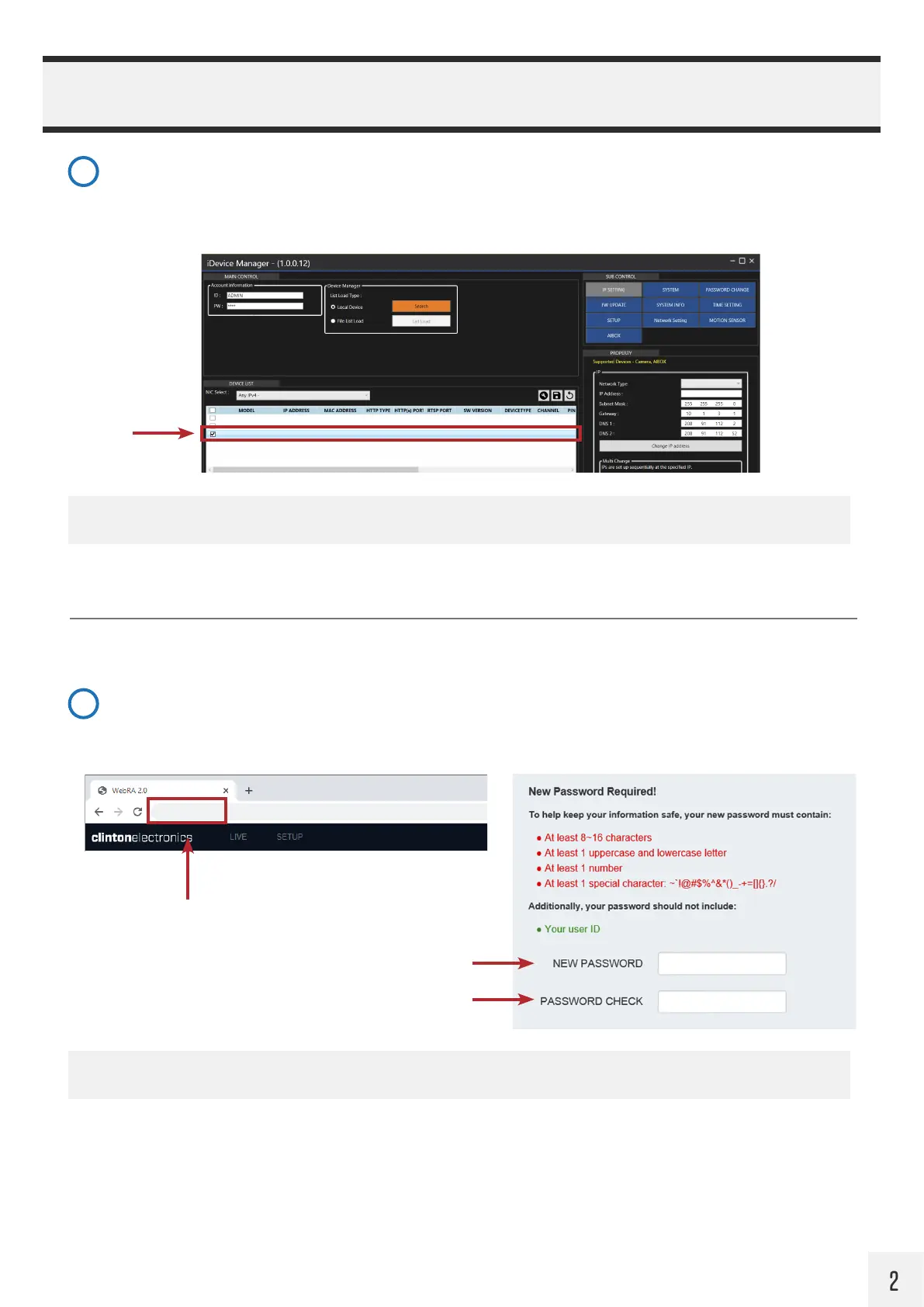
Find desired Clinton IP Camera
Click on the desired device to view and/or configure in the Device List. If multiple Clinton IP devices are on the
network, it may be useful to use the MAC address to help identify the desired device.
For Clinton PVMs you should look for model: CE-PVM2MPF.
Create Password
Type the IP Address of the camera into your desired web browser. On the initial connection to the camera you will
be prompted to create a new password for the ADMIN user. After the password has been set, the page will reload.
To log in to the camera’s web page, enter default User ID of ADMIN and the newly created password.
4
5
CE-PVM2MPF 10.1.3.103 C4:A1:0E:B0:00:2B HTTP 80 554 90100.1.0249.100 CAMERA - OK
CE-E04HDA 10.1.3.221 C4:A1:0E:B0:00:1A HTTP 80 554 90100.1.0249.100 NVR/DVR
DHCP
10 1 3 104
OK
CE-PVM2MPF 10.1.3.104 C4:A1:0E:B0:00:3C HTTP 80 554 90100.1.0249.100 CAMERA - OK
Static
10 1 3 104
NOTE: If the ADMIN password is lost, the camera will need to be reset to the factory settings.
NOTE: Only the model number of the camera is shown, not the actual model number of the PVM itself.
10.1.3.171
IP Address of Camera
Enter New Password
Confirm New Password


 To Next Page