M02R40C8-00 29/07/08 page 33
VISIBLE STATUS FROM REMOTE KEYBOARD OR SERVICE KEYBOARD
INDICE DESCRIPTION VALUE
1 Current Set Point
°C
2
Temperature drop in degrees centigrade given by the compressor including
compensations, if any
°C
3
Resource activation timer
When this value reaches the value fixed at the next status (TimeScan), the thermal regulator
will compare the input temperature with the set point and will activate the resources
(compressor and/or heaters)
Seconds
4
Dynamic TimeScan relating to source activation
Seconds
5
Value in degrees of the external air compensation °C
6
Value in degrees of the water reset signal compensation °C
7
summation CompCar + CompOn + CompDuty °C
9
Value in degrees of the duty-cycle compensation °C
10
Inlet temperature °C
11
Outlet temperature °C
12
Water temperature of refreshing panel °C
13
Coil temperature (if condensing in water becomes condenser antifreeze probe) Bar
14
Condensing pressure 0-100%
15
Fan/Coil percentage 1
18
Heater output temperature 4-20 mA
19
Outdoor temperature °C
20
Outdoor Humidity 0-100%
21
Machine Clock – (only fed unit hours) Num
22
Working hours C1 Num
23
Pickups C1 Num
24
Radiant panel valve status (Out-2) ON-OFF
25
Radiant panel valve status %
26
Pump percentage %
27
Integration heater status ON-OFF
28
Refreshing panel valve (Out-1) ON-OFF
29
Radiant set Point °C
30
Keypad software EJ – t
31
Year of certification of the keyboard SW 2007
32
Month of certification of the keyboard SW 04
33
Day of certification of the keyboard SW 03
34
Base Software EJ – b
35
Year of certification of the keyboard SW 2007
36
Month of certification of the keyboard SW 03
37
Day of certification of the keyboard SW 14
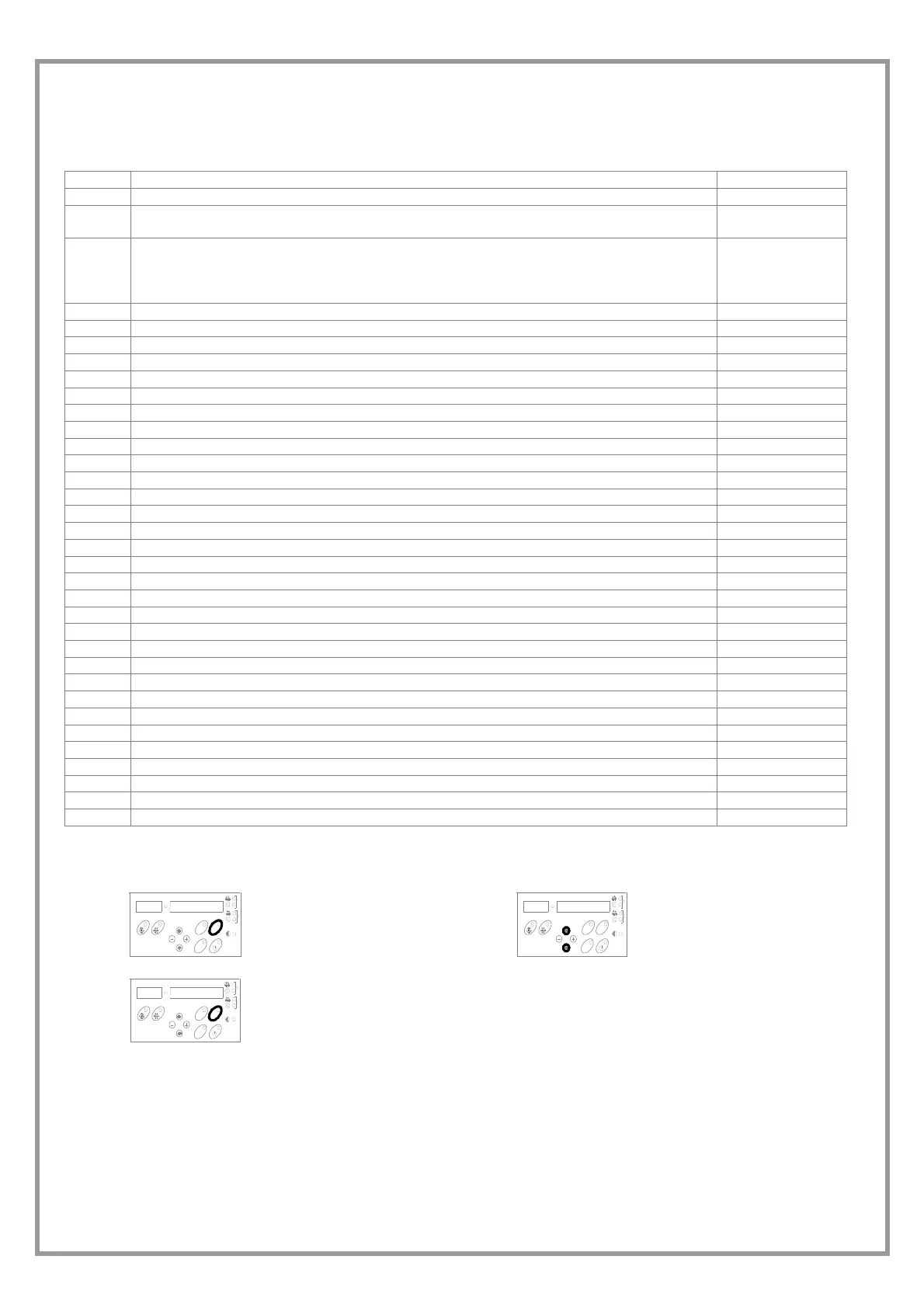
STATUS DISPLAY
1
AL
AR
M
STA
T
U
S
SE
T
press STATUS button
2
A
L
AR
M
STA
T
U
S
SE
T
Select the status
3
A
L
AR
M
STA
TUS
S
ET
STATUS to esc



 To Next Page