46
Using Working List/File
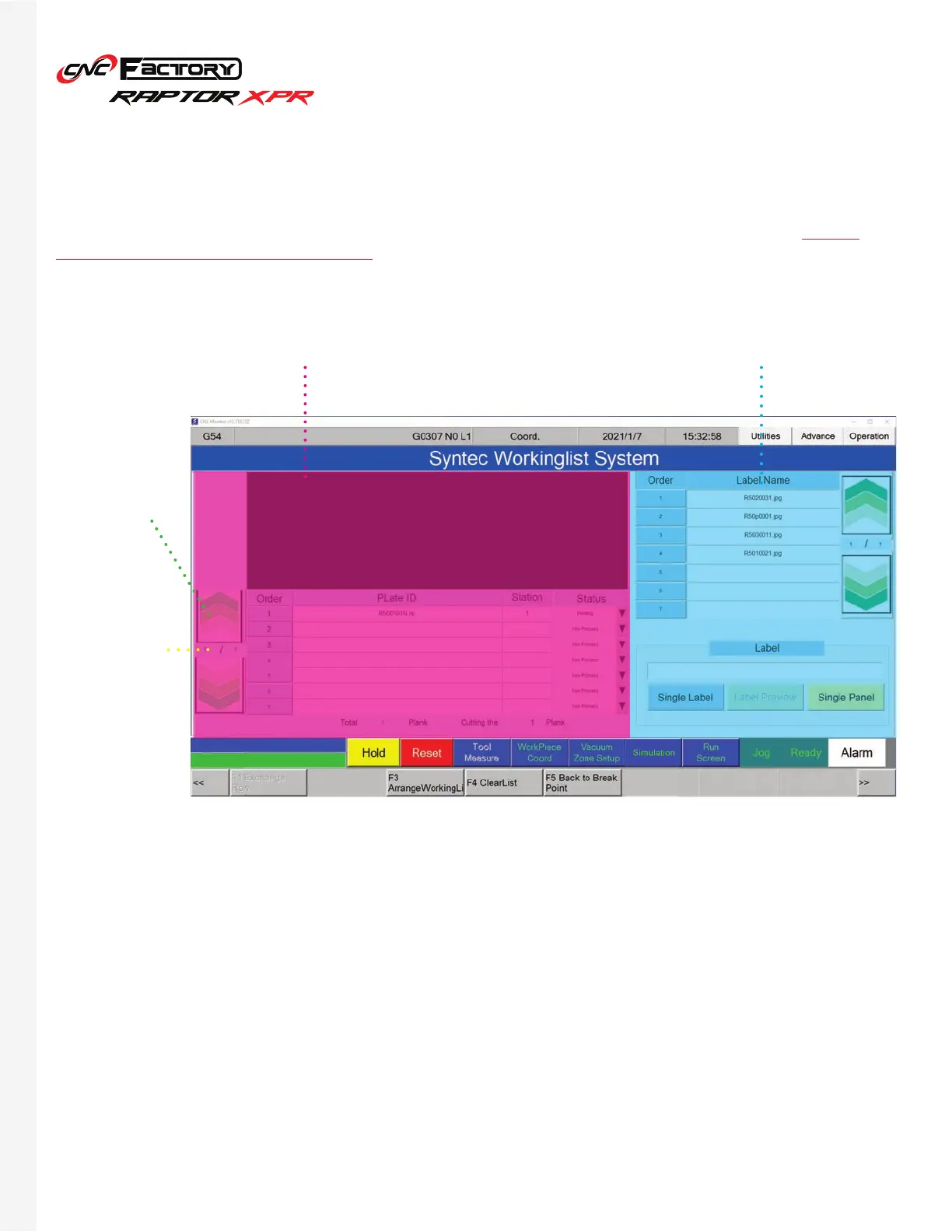
A driverless CNC feature that allows queueing of up to 999 files. (*only available in the XPR series and ideally
used with the loading/unloading tables). Jobs under the working list are executed one after the other. It also
shows the real-time status of each file for easy monitoring.
File Panel
To switch
between pages
Shows current
page (top) and
total number of
pages (bottom)
Label Panel
Order
File Panel
Plate ID
Status
Shows the sequence of the jobs in queue.
Shows the filename.
• Non Process: no operation is in process.
• Alignment: alignment/loading/unloading is in
process.
• Working: cutting is in process.
• Printing: label printing is in process. Printing
usually takes place before cutting.
• Completed: all file operations are completed.


 To Next Page