User’s Manual Page 6
9.0 FUNCTIONAL BLOCK DIAGRAMS
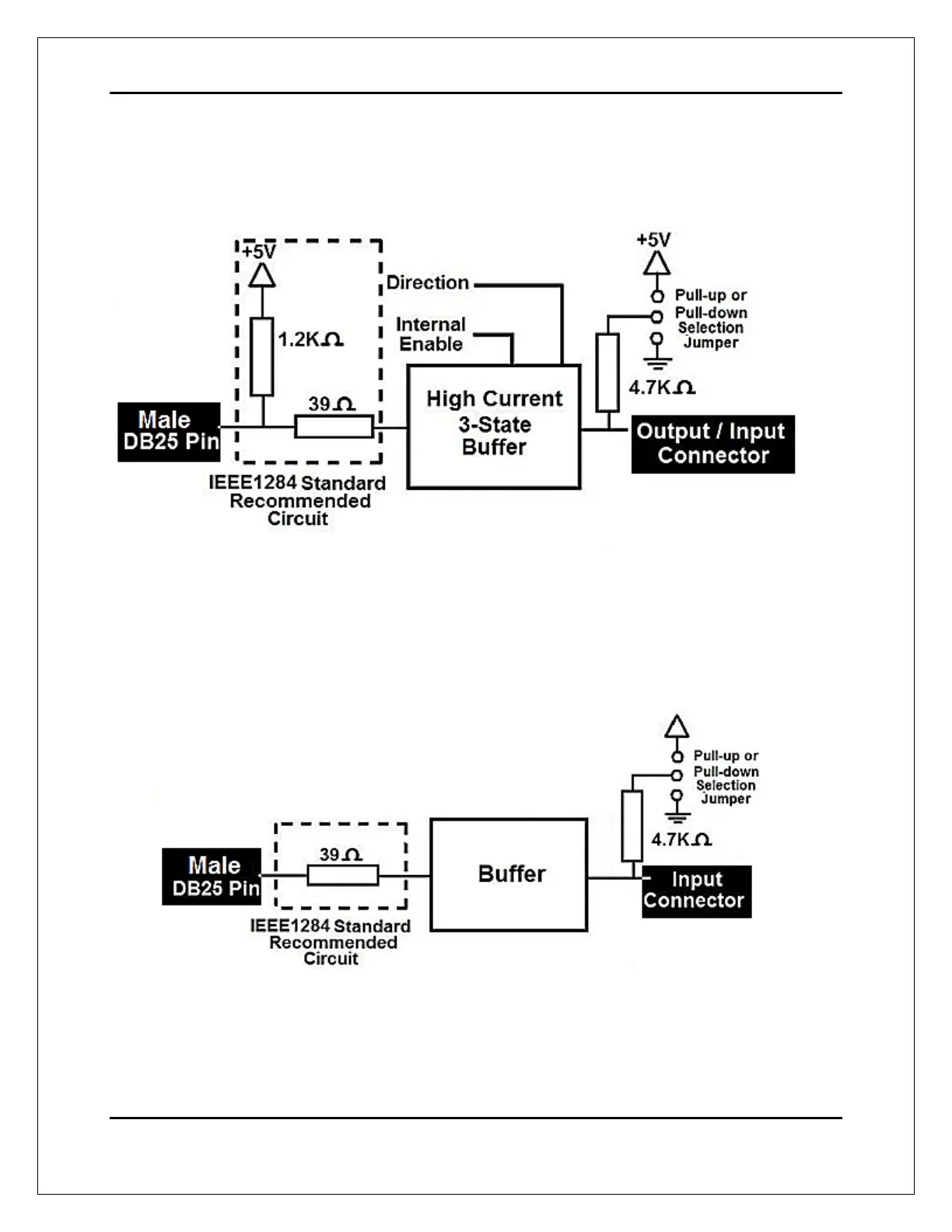
9.1 Bidirectional pins simplified block diagram
Fig. 1 Simplified functional block diagram for the 2-9 pins.
A Pull-up or Pull-down selection jumper allows selecting the configuration for the all
bidirectional pins (2-9) when they are set as inputs.
9.2 Dedicated Inputs simplified block diagram
Fig. 2 Simplified functional block diagram for the inputs.
A Pull-up or Pull-down selection jumper allows selecting the configuration for the all
dedicated inputs (pins 10, 11, 12, 13 and 15).


 To Next Page