ENGLISH
5
15
16
17
18
19
20
21
22
24
25
23
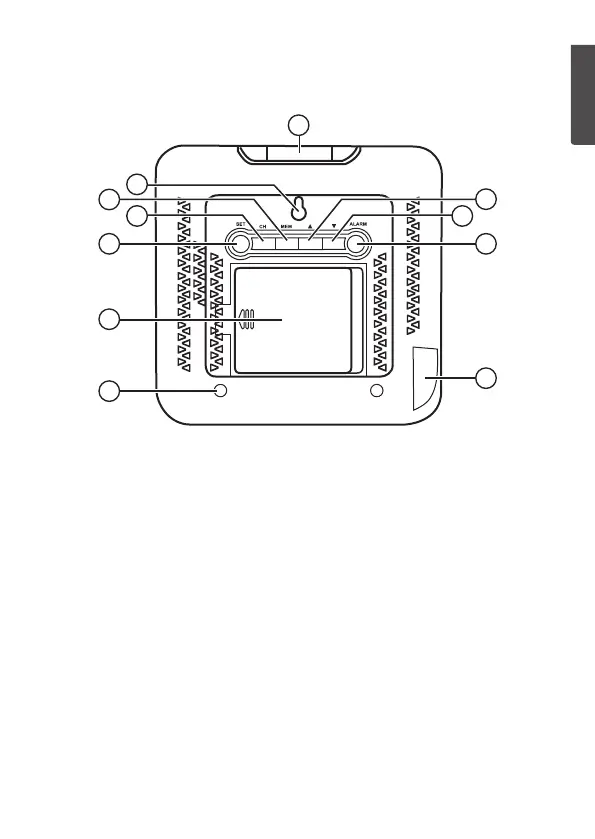
15. Table stand hole
16. Battery cover
17. [ SET ] Press to display
thedate. Holdin to set
thedate andtime.
18. [ CH ] Press and hold in to
clear settings and scan for
asensor.
19. [ MEM ] Press to display
themax/min readings.
Holdin to clear thesaved
max/min values.
20. Hanging hole
21. [ SNOOZE/LIGHT ]
Snooze/display light
22. [ ▲ ] Increase. Pressto select
temperature display in ºC orºF.
23. [ ▼ ] Decrease. Pressto select
either a12- or 24-hour clock
display.
24. [ ALARM ] Press to display
theset alarm time, additional
presses activate/deactivate
thesetalarm. Holdin to set
thealarmtime.
25. DC 5 V power input socket


 To Next Page