SamplingDataLoggerUser’sManual CO2Meter.com
PAGE9 of17
QuickStartGuide
IMPORTANT:MAKESURETOINSTALLGASLABSOFTWAREBEFORECONNECTINGYOURMETERTOYOURCOMPUTER.
1. InstallfreshsetofAAbatteries(Duracellbrandrecommended)orconnecttheincludedpowersupply.
2. InstallfiltersandtubingincludedasshownonFigure6asrequired.
3. TurnthemeterONbypressingthepowerswitchonce.
4. TurnloggingONbypressingtheLOGswitchonce.Oncethesamplingprocessiscompleted,datacanbe
downloadedtoyourcomputerusingourGasLab
®
software.
PoweringtheMeter
Thismetercanbepoweredbyfour(4)AAsizebatteries(notincluded)butsamplingunitscanalsobepoweredby
theincluded6VDCinternationalwallpowersupply.TheseunitsshouldNOTbepoweredusingtheincludedUSB
cablesinceitsuppliesinconsistentvoltagetothemeter,whichdegradessensoraccuracy.
Iftheunitisnotgoingtobeusedforanextendedperiodoftime,batteriesshouldberemovedtopreventdamage
duetopotentialbatteryleakage.
ThePOWERswitch ontheleftsideofthemeterturnstheunitON/OFF.TheLOGswitchontherightsideofthe
meterenables/disablesdataloggingandpumpfunction.
Operation
Makesureyoureadthroughtheseinstructionsthoroughlybeforeusingthemeter.Thisguidewillhelpyoubecome
morefamiliarwiththemeterinordertobeasproductiveaspossibleinashortperiodoftime.Pleasereadthe
ImportantSafeguardsonpage4beforecontinuing.
IMPORTANT:Followtheseinstructionstoensurepropersetup:
1. DownloadtheGasLab
®
softwaretoyourcomputerasshownintheGasLab
®
Softwaresectiononpage6.
2. Powerthemeterusingtheincludeduniversalpowersupply.TurnON themeter.
3. Waituntilthedisplaychangescolorstovisuallyconfirmithasresetsuccessfullyafterconnectingittoa
computer.
ConnectingtheMetertoyourPC
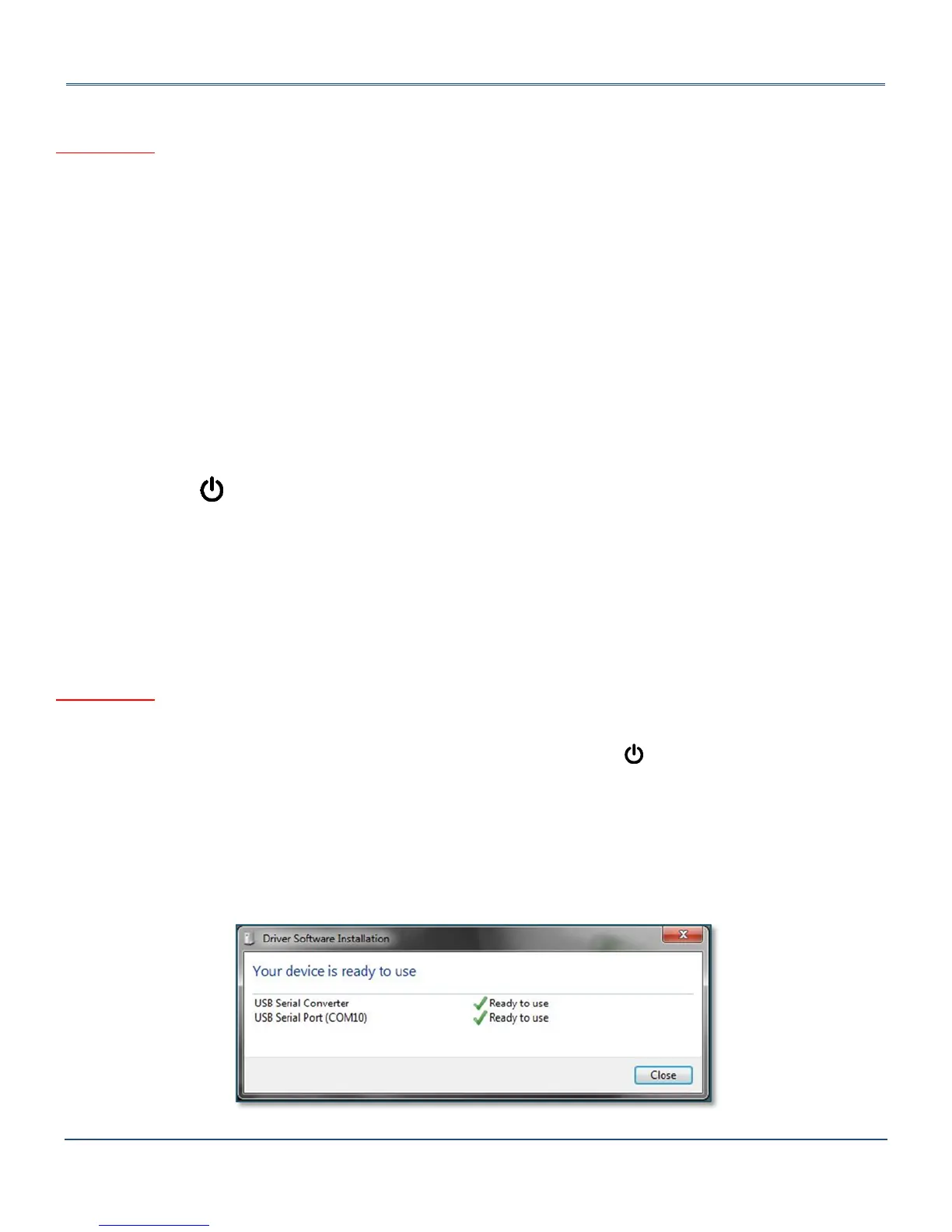
Thefirsttimethemeterisconnectedtoyourcomputer,theoperatingsystemwillinstallthenecessaryUSBdrivers
asshowninFigure3.Thisprocesscouldtakeafewminutes.
Figure3:USBDriverInstallation.


 To Next Page