EasyManua.ls Logo

Coban BN-311 - User Manual

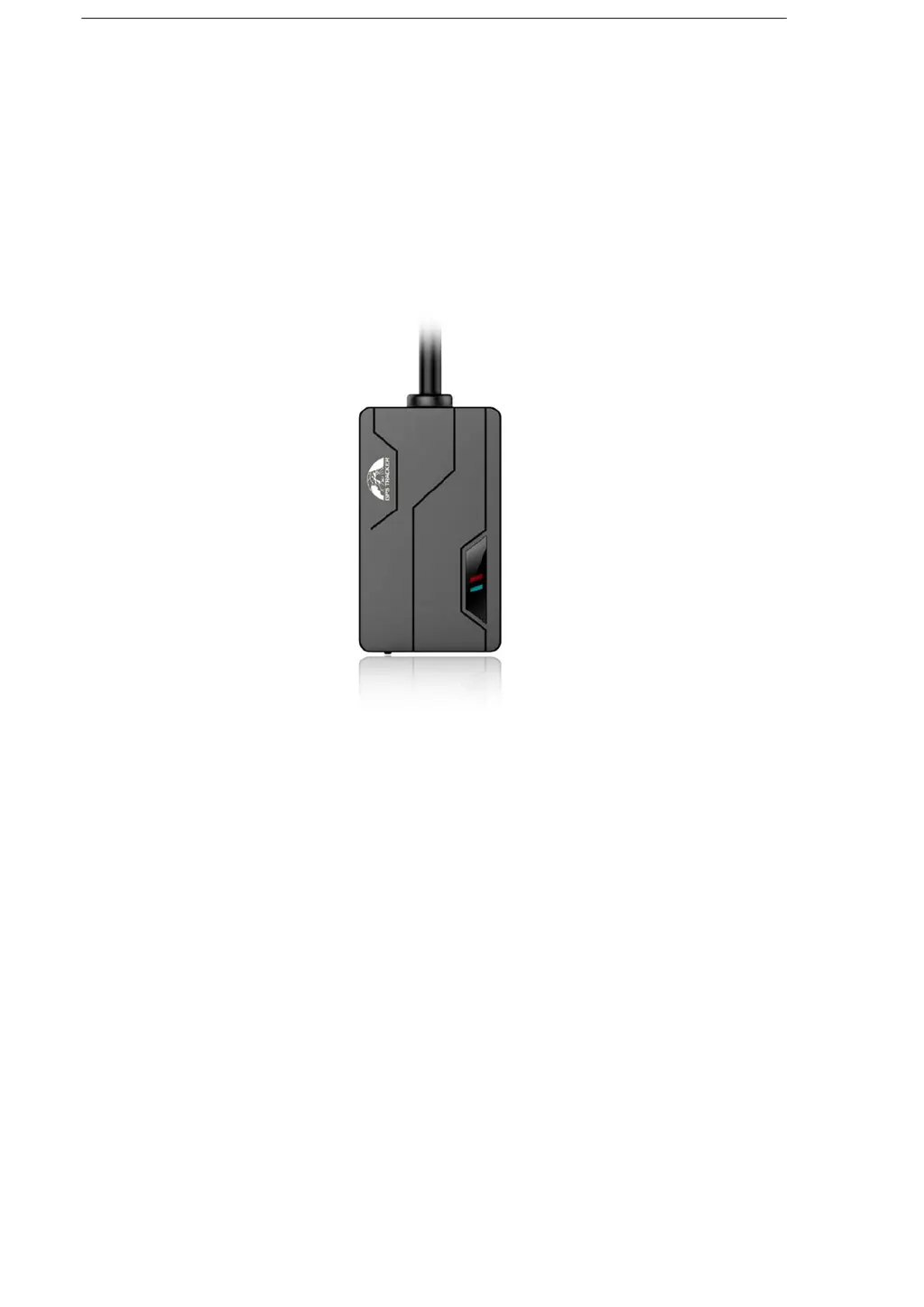
Coban BN-311
33 pages
Print Icon
To Next Page IconTo Next Page
Loading...
1
GSM/GPRS/GPS Tracker User Manual
Preface
Thank you for purchasing the tracker. This manual shows how to operate the device smoothly
and correctly. Make sure to read this manual carefully before using this product. Please note
that specification and information are subject to changes without prior notice in this manual.
Any change will be integrated in the latest release. The manufacturer assumes no
responsibility for any errors or omissions in this document.

Questions and Answers

  • T
    tiffany64Aug 13, 2025
    What to do if my Coban BN-311 GPS has no GSM signal?
    • K
      Kenneth PetersonAug 13, 2025
      If your Coban GPS tracker shows no GSM signal, ensure the SIM card is correctly inserted. Verify that the SIM card is a GSM network SIM card and that the PIN code is disabled. Also, ensure that call forwarding is not enabled on the SIM card.
  • W
    watsonpatrickAug 17, 2025
    What to do if my Coban BN-311 GPS is failing to turn on?
    • D
      Devin MillsAug 17, 2025
      If your Coban GPS device fails to turn on, check that the power wiring and voltage are correct.
  • M
    Michael StokesAug 20, 2025
    Why is my Coban GPS not responding to SMS commands?
    • B
      Brittany FowlerAug 21, 2025
      The Coban GPS may not respond to SMS commands if the SIM card has no credit or if the SMS command format is incorrect.
  • D
    Debra TravisAug 25, 2025
    What to do if my Coban BN-311 GPS is failing to stop the engine?
    • C
      Carrie WebsterAug 25, 2025
      If the Coban GPS fails to stop the engine, check the engine stop wiring connection. Also, verify that the vehicle speed is higher than the configured speed for executing the stop command when using the delay execution method.
  • C
    catherinechoiAug 28, 2025
    What to do if my Coban BN-311 has no response for a call?
    • A
      Ann StewartAug 28, 2025
      If your Coban GPS is not responding to calls, ensure that you have set up an authorized phone number. If an authorized number is set, make sure you are calling from that authorized phone number.
  • A
    Amanda AshleySep 1, 2025
    Why is my Coban BN-311 not sending alarm notification messages?
    • L
      Luke BrownSep 1, 2025
      If the Coban GPS is not sending alarm notifications, ensure that an authorized number has been set up and that the format of the phone number is correct.
  • L
    lisaswansonSep 4, 2025
    Why Coban BN-311 has no GPS signal?
    • N
      Nancy WongSep 5, 2025
      If your Coban GPS tracker isn't getting a GPS signal, make sure the device is in a location where it has a clear view of the sky. Obstructions can prevent it from receiving GPS signals properly.
  • J
    Jeffrey ThomasSep 8, 2025
    Why Coban BN-311 siren doesn’t work?
    • C
      Christine SmithSep 8, 2025
      If the siren on your Coban GPS isn’t working, and it is a negative trigger speaker, it will not be driven because the tracker drives the speaker output voltage DC12V/24V/1A.

Summary

Summary

Applications

Hardware Description

Specifications

Start to Use

Terminal installation

Instructions for physically installing the device.

SIM card installation

Guide for inserting the SIM card into the device.

Turn on the Device

Steps to power on the tracker for the first time.

GSM;GPS LED Indicator

Explanation of device status lights.

Configure APN, GPRS user name and password

Setting up network connection parameters for data.

Mobile APP

Guide to downloading, binding, and using the mobile application.

BAANOOL IOTs Web Version

Register

Process for creating an account on the web platform.

Login

Accessing the web platform with user credentials.

Add Device

Steps to add your tracker to the web account.

Adding Device Information

Details required to register a new device.

FUNCTION DETAILS

Changing Password

How to set a new password for the device.

Authorization

Managing authorized phone numbers for alerts.

Single Tracking

Obtaining a real-time location report via SMS.

Continuous Interval Tracking

Configuring periodic location updates.

Smart Angle Updating

Adjusting position updates based on direction changes.

GPS Drift Suppression

Reducing unnecessary position data when stationary.

Exact Street Address

Obtaining precise street-level location information.

Location Based Service (LBS); Cell-ID Tracking

Using cell tower data for location when GPS is unavailable.

Forwarding Incoming SMS Messages

Redirecting SMS messages to another number.

SIM Card Balance Enquiry

Checking the balance of the SIM card via SMS.

ACC ON;OFF Alert

Notifications for vehicle ignition status changes.

Remote Immobilizing (For BC Model)

Remotely disabling the vehicle's engine.

Configure times of alarm SMS

Setting the number of alarm messages sent.

Alarms

Configuring various types of alerts.

Arming

Activating the security system of the tracker.

Silent Arming

Activating the security system without audible alerts.

Disarming

Deactivating the security system.

Alarm Function in Arming State

How alarms behave when the system is armed.

Sleep Mode

Managing device power saving modes.

Check Status

Querying the current operational status of the device.

Check IMEI

Retrieving the device's unique IMEI number.

Local Time Setting

Adjusting the device's time zone.

Reset Hardware

Rebooting the device's GSM and GPS modules.

Configure Parameters by USB

Modifying device settings using a computer.

GPRS Configuration for Live Real-Time Tracking

Setting up GPRS for continuous data transmission.

Configure SMS Management Center Number

Setting the number for receiving management SMS.

Configure Heartbeat Package Interval

Adjusting the frequency of device status updates.

Initialization

Restoring the device to factory default settings.

CAUTIONS

Troubleshooting

Coban BN-311 Specifications

General IconGeneral
NetworkGSM/GPRS
GSM Frequency850/900/1800/1900MHz
GPS ChipsetMTK
Waterproof RatingIP65
Device TypeGPS Tracker
Battery LifeUp to 15 days
GPS Accuracy5m
Operating Temperature-20°C to +55°C
Time To First FixHot start: 1s
Storage Temperature-40°C to 85°C
Humidity5% to 95% non-condensing
Size90mm x 50mm x 22mm

Related product manuals