Need help?
Do you have a question about the Coban GPS-303 and is the answer not in the manual?
Overview of how the device operates using WCDMA/GSM/GPRS and GPS satellites for tracking and alarms.
Lists built-in antennas, double tracking, remote configuration, and multi-functionality.
Used widely for vehicle and other moving objects tracking.
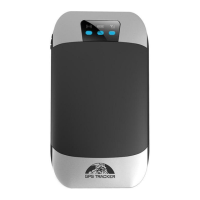
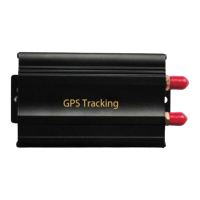
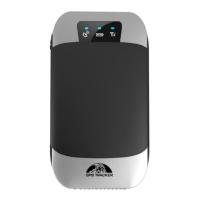
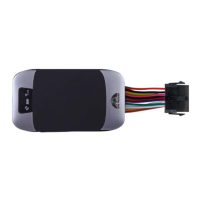
Details the physical components and indicators of the GPS tracker device.
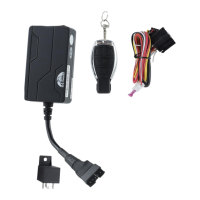
Lists optional and standard accessories for the GPS tracker.
Lists technical details of the device, including dimensions, weight, network, and operating conditions.
Provides instructions for physically installing the tracker unit in a vehicle.
Illustrates wiring connections and explains SIM card installation and device power-on.
Explains the status indicated by the device's Red, Green, and Blue LEDs.
Resets settings to default and modifies the access password.
Process for defining trusted phone numbers for device control.
How to obtain the device's current location via SMS.
Configures periodic location reporting at set time or distance intervals.
Enables tracking based on time, distance, or both for optimized data.
Smooths trajectory data by updating points based on angle changes.
Reduces GPS data inaccuracies when the vehicle is stationary.
Retrieves the device's location as a human-readable street address via SMS.
Alternative positioning method used when GPS signal is weak.
Switches the device to monitor mode for environmental listening.
Manages auto-logging, time-based logging, and clearing logged data.
Configures the device to relay specific SMS messages to another number.
Command to check the balance of the SIM card via SMS.
Alerts when the vehicle ignition (ACC) is turned on or off.
Remotely stops and restores the vehicle's engine operation.
Calibrates the fuel sensor for accurate fuel level detection.
Details functions like ARM, DISARM, SOS, and deterrence via remote.
Activates the armed state using SMS or the remote controller.
Configures the device to enter arm and silent mode.
Deactivates armed states and alarms via SMS or remote control.
Sets the number of times alarm SMS notifications are sent.
Manages alerts for low battery and emergency SOS signals.
Alerts for external power disconnection and loss of GPS signal.
Emergency SOS function and setting virtual geographic boundaries.
Defines and configures specific geographic areas for monitoring.
Options to delete, rename areas and activate/deactivate multi-area monitoring.
Alerts for vehicle movement and exceeding speed limits.
Monitors and alerts on abnormal fuel usage or theft.
Alerts for door opening or ignition activation when armed.
Detects movement, tilt, or shock using the built-in sensor.
How alarms function when WCDMA/GSM network service is unavailable.
Manages power-saving sleep and non-sleep modes.
Checks the current state of the vehicle and device components.
Retrieves the unique IMEI number of the tracker device.
Sets the device's local time and resets hardware modules.
Configures device settings using a USB connection and configuration file.
Configures the Access Point Name for GPRS data communication.
Sets up GPRS login credentials and server connection details.
Switches between GPRS, TCP/UDP, and SMS modes.
Enables fuel value in GPRS data and sets a monitor center number.
Steps to create a user account and access the web platform or mobile app.
Process of registering a new tracking device with the account.
UI fields for device name, IMEI, icon, and saving configuration.
Step-by-step guide to configure the tracker for online tracking via the platform.
Status indication for an unregistered or offline device.
Instructions for obtaining and installing the mobile application for iOS and Android.
Guide to logging into the mobile app using GPRS connection.
Steps to resolve issues when the tracker remains offline.
Guide to logging into the mobile app using SMS commands.
UI fields for entering device name, type, SIM number, and password.
Actions to view device list and access operational controls.
Accessing advanced menus and sending commands via the app.
Important guidelines for maintaining the unit's lifespan and preventing damage.
Solutions for failure to turn on, no GSM signal, and no GPS signal.
Troubleshooting for no SMS reply, call without reply, and engine stop failures.
Solutions for remote controller failures and siren malfunctions.
Explains device operation conditions and interference limits.
Details FCC limits for radio frequency exposure and safe proximity.
 General
| GPS Accuracy | 5m |
|---|---|
| Network | GSM/GPRS |
| GSM Frequency | 850/900/1800/1900 MHz |
| GPS Sensitivity | -159dBm |
| Waterproof Rating | IP65 |
| Battery | Li-ion 3.7V |
| Time To First Fix | Approx. 35 seconds |

 To Next Page